
What's inside
As an Amazon Associate I earn from qualifying purchases. This post may contain affiliate links at no extra cost to you.
Learning how to choose cheap ram starts with a simple idea: the best cheap RAM is a kit with a price of $35 to $130, a capacity of 16GB to 32GB, and a speed of 3200MHz to 6000MHz, so you can speed up your PC, run more apps, and avoid lag, without RAM that is too slow, too small, or too expensive. A good cheap RAM has a durable build, a simple install, and a clear compatibility, so it is easy to use for a beginner and it works for RAM, for cheap RAM, and for tech gadgets. The best cheap RAM in 2026 is a Corsair Vengeance LPX 16GB DDR4 3200MHz, with a price of $40 to $60, a capacity of 16GB, and a fast DDR4 design.
How to choose cheap RAM is different from choosing cheap storage or from choosing a cheap CPU. Cheap storage may be large, although it may not speed up your apps. A cheap CPU may be fast, although it may not help if you have too little RAM. Cheap RAM is made for speed and multitasking, so it is fast, it is affordable, and it lets you run more apps at once.
This guide compares seven real, currently sold RAM kits that are commonly used for gaming, for office work, and for creators. It explains capacity, speed, and type in plain terms, and it helps you match RAM to your PC, your use, and your budget. Prices are shown as typical ranges because retailers and sales change often. Ratings reflect overall value for cheap RAM, based on speed, capacity, compatibility, ease of install, and price. Turn off power before installing RAM, back up your data before upgrading, use an anti-static wrist strap if you have one, and check your motherboard for DDR4 or DDR5.
How to Choose Cheap RAM Compared
Use this table to compare capacity, speed, and price first. Those three details decide whether RAM will speed up your PC and fit your budget. The full price range in this table is $35 to $130.
| Model | Capacity and Type | Speed and Latency | Features and Use | Typical Price Range | Rating |
|---|---|---|---|---|---|
| Corsair Vengeance LPX 16GB DDR4 | 16GB, DDR4, 2x8GB | 3200MHz, CL16 | Gaming, office, value | $40 – $60 | 4.9 / 5 |
| G.Skill Ripjaws V 16GB DDR4 | 16GB, DDR4, 2x8GB | 3200MHz, CL16 | Gaming, office, value | $40 – $60 | 4.9 / 5 |
| Crucial 16GB DDR4 | 16GB, DDR4, 2x8GB | 3200MHz, CL22 | Office, value, budget | $35 – $50 | 4.9 / 5 |
| Kingston Fury Beast 16GB DDR4 | 16GB, DDR4, 2x8GB | 3200MHz, CL16 | Gaming, office, value | $40 – $60 | 4.8 / 5 |
| TeamGroup T-Force Vulcan Z 16GB DDR4 | 16GB, DDR4, 2x8GB | 3200MHz, CL16 | Gaming, office, budget | $35 – $50 | 4.8 / 5 |
| Corsair Vengeance 32GB DDR5 | 32GB, DDR5, 2x16GB | 6000MHz, CL30 | Gaming, creators, fast | $100 – $130 | 4.8 / 5 |
| G.Skill Trident Z5 32GB DDR5 | 32GB, DDR5, 2x16GB | 6000MHz, CL30 | Gaming, creators, fast | $100 – $130 | 4.8 / 5 |
The table shows that all seven kits have a capacity of 16GB to 32GB, a speed of 3200MHz to 6000MHz, and a price of $35 to $130. The Corsair Vengeance LPX 16GB DDR4 is the most popular, at $40 to $60, with a capacity of 16GB, so it is good for most gamers and office users. The Crucial 16GB DDR4 is the best for value, at $35 to $50. The Corsair Vengeance 32GB DDR5 and G.Skill Trident Z5 32GB DDR5 are the highest-priced models in this table, at $100 to $130, because they have a larger capacity and a faster DDR5 speed.
Capacity also matters. A kit with a capacity of 32GB, such as the DDR5 models here, can run more apps than a kit with a capacity of 16GB, although it costs more. Speed also matters. A kit with a speed of 6000MHz, such as the DDR5 models here, is faster than a kit with a speed of 3200MHz, such as the DDR4 models here, although it needs a DDR5 motherboard.
How to Choose Cheap RAM Reviewed
1. Corsair Vengeance LPX 16GB DDR4: Best Cheap RAM Overall
The Corsair Vengeance LPX 16GB DDR4 is the best cheap RAM overall because it is a kit with a price of $40 to $60, a capacity of 16GB, and a speed of 3200MHz. It has a DDR4 type, a latency of CL16, and a value design. For most gamers and office users, this is the first RAM to try. Turn off power before installing RAM.
The Vengeance LPX has a capacity of 16GB in the table, so it is enough for gaming and office work, and the speed of 3200MHz is fast for DDR4. The kit is low-profile, so it fits most cases, and the latency of CL16 is good. It is a good choice if you want a Corsair RAM that is affordable and fast for DDR4.
2. G.Skill Ripjaws V 16GB DDR4: Best Cheap RAM for G.Skill Value Gaming
The G.Skill Ripjaws V 16GB DDR4 is the best cheap RAM for G.Skill value gaming because it costs $40 to $60, and it is a kit with a capacity of 16GB and a speed of 3200MHz. It has a DDR4 type, a latency of CL16, and a value design, and it is a good choice for a G.Skill user who wants a fast RAM for gaming.
The Ripjaws V has a speed of 3200MHz in the table, so it is fast for DDR4, and the capacity of 16GB is enough for gaming. The kit is reliable, and the price of $40 to $60 is affordable. It is a good choice if you want a G.Skill RAM that is affordable for gaming.
3. Crucial 16GB DDR4: Best Cheap RAM for Crucial Budget Office
The Crucial 16GB DDR4 is the best cheap RAM for Crucial budget office because it costs $35 to $50, and it is a kit with a capacity of 16GB and a speed of 3200MHz. It has a DDR4 type, a latency of CL22, and a budget design, and it is a good choice for a Crucial user on a budget who wants RAM for office work.
The Crucial 16GB has a price of $35 to $50 in the table, so it is the lowest-priced RAM here, and the capacity of 16GB is enough for office work. The kit is simple, with no RGB, and the speed of 3200MHz is good. It is a good choice if you want a Crucial RAM that is affordable for office work.
4. Kingston Fury Beast 16GB DDR4: Best Cheap RAM for Kingston Value Gaming
The Kingston Fury Beast 16GB DDR4 is the best cheap RAM for Kingston value gaming because it costs $40 to $60, and it is a kit with a capacity of 16GB and a speed of 3200MHz. It has a DDR4 type, a latency of CL16, and a value design, and it is a good choice for a Kingston user who wants a fast RAM for gaming.
The Fury Beast has a speed of 3200MHz in the table, so it is fast for DDR4, and the capacity of 16GB is enough for gaming. The kit has a low-profile heatsink, so it fits most cases, and the price is affordable. It is a good choice if you want a Kingston RAM that is affordable for gaming.
5. TeamGroup T-Force Vulcan Z 16GB DDR4: Best Cheap RAM for TeamGroup Budget Gaming
The TeamGroup T-Force Vulcan Z 16GB DDR4 is the best cheap RAM for TeamGroup budget gaming because it costs $35 to $50, and it is a kit with a capacity of 16GB and a speed of 3200MHz. It has a DDR4 type, a latency of CL16, and a budget design, and it is a good choice for a TeamGroup user on a budget who wants a fast RAM for gaming.
The Vulcan Z has a price of $35 to $50 in the table, so it is affordable, and the speed of 3200MHz is fast for DDR4. The kit is simple, with a low-profile design, and the capacity of 16GB is enough for gaming. It is a good choice if you want a TeamGroup RAM that is affordable for gaming.
6. Corsair Vengeance 32GB DDR5: Best Cheap RAM for Corsair DDR5 Fast Creators
The Corsair Vengeance 32GB DDR5 is the best cheap RAM for Corsair DDR5 fast creators because it costs $100 to $130, and it is a kit with a capacity of 32GB and a speed of 6000MHz. It has a DDR5 type, a latency of CL30, and a fast design, and it is a good choice for a Corsair user who wants a fast, large RAM for gaming and creators.
The Vengeance DDR5 has a capacity of 32GB in the table, so it can run more apps than a 16GB kit, and the speed of 6000MHz is fast for DDR5. The kit needs a DDR5 motherboard, so check your motherboard before you buy. It is a good choice if you want a Corsair RAM that is fast and large for DDR5.
7. G.Skill Trident Z5 32GB DDR5: Best Cheap RAM for G.Skill DDR5 Fast Gaming
The G.Skill Trident Z5 32GB DDR5 is the best cheap RAM for G.Skill DDR5 fast gaming because it costs $100 to $130, and it is a kit with a capacity of 32GB and a speed of 6000MHz. It has a DDR5 type, a latency of CL30, and a fast design, and it is a good choice for a G.Skill user who wants a fast, large RAM for gaming.
The Trident Z5 has a speed of 6000MHz in the table, so it is fast for DDR5, and the capacity of 32GB is good for gaming and creators. The kit has RGB lighting in many versions, and it needs a DDR5 motherboard. It is a good choice if you want a G.Skill RAM that is fast for DDR5.
How to Choose Cheap RAM Buying Guide
Use this buying guide to match RAM to your PC, your use, and your budget. The right RAM is the one that is compatible with your motherboard, has enough capacity, and is fast enough for your apps. The full price range in this guide is $35 to $130.
Check Compatibility: DDR4 vs DDR5 for How to Choose Cheap RAM
Compatibility is the first thing to check, because it decides whether your RAM will work. A kit with DDR4 type, such as most 16GB models here, will not fit a DDR5 motherboard, while a kit with DDR5 type, such as the 32GB models here, will not fit a DDR4 motherboard. For most PC users, check your motherboard manual before you buy, and choose DDR4 if your motherboard is DDR4, or DDR5 if your motherboard is DDR5.
Check your motherboard before you buy, and look for DDR4 or DDR5 on the box or in the manual. Use the same type of RAM for all slots, and do not mix DDR4 and DDR5.
Look at Capacity and Speed for How to Choose Cheap RAM
Capacity matters because it decides how many apps you can run at once. A kit with a capacity of 16GB, such as most DDR4 models here, is enough for gaming and office work, while a kit with a capacity of 32GB, such as the DDR5 models here, is better for creators and heavy multitasking. Speed also matters. A kit with a speed of 3200MHz, such as the DDR4 models here, is fast for DDR4, while a kit with a speed of 6000MHz, such as the DDR5 models here, is faster.
Check your use before you buy, and choose 16GB if you game or work in an office, or 32GB if you edit video or run many apps. Use two sticks of RAM, such as 2x8GB, for dual-channel speed.
Consider Latency, Install, and Safety for How to Choose Cheap RAM
Latency matters because it decides how fast your RAM responds. A kit with a latency of CL16, such as most DDR4 models here, is faster than a kit with a latency of CL22, such as the Crucial model, although both are good for most users. Install also matters. Turn off power before installing RAM, back up your data before upgrading, and use an anti-static wrist strap if you have one.
Safety also matters. Turn off power, do not touch the gold contacts, and press RAM firmly until it clicks. For most PC users, Corsair Vengeance LPX 16GB DDR4 is a good choice.
Think About PC, Use, and How to Choose Cheap RAM
PC matters because it decides which RAM you need. A DDR4 PC needs DDR4 RAM, while a DDR5 PC needs DDR5 RAM. Use also matters. A gamer needs 16GB of fast RAM, while a creator needs 32GB of RAM.
How to choose cheap RAM is simple. Check your motherboard for DDR4 or DDR5, choose a kit with a capacity of 16GB and a speed of 3200MHz for DDR4, or 32GB and 6000MHz for DDR5, such as Corsair Vengeance LPX 16GB DDR4, and install it carefully. For most PC users, that RAM is a good choice, while Crucial 16GB DDR4 is a good choice if you want the lowest price in the $35 to $130 range.
Memory Kits Worth a Look on a Tight Budget
Cheap RAM works best when it matches your board and your use. These four DDR4 options cover a desktop on a budget, a laptop upgrade, and a kit with some visual flair.
Patriot Viper Steel 16GB DDR4-3200
A two-stick 16GB kit with a steel-style heat spreader and CL16 timings. It gives older Ryzen and Intel boards a clean upgrade path from 8GB without paying for extras you do not need.
As an Amazon Associate we earn from qualifying purchases at no extra cost to you.

Corsair Vengeance LPX 16GB DDR4-3000
A low-profile kit that clears most tower coolers, running at 3000MHz with an XMP profile. It is a safe pick for a first-time builder who just wants dependable memory in a compact case.

Crucial 16GB DDR4-3200 SODIMM Kit
A laptop-format kit, so it only fits notebooks and small PCs that take SODIMM sticks. It is a quick way to lift an office laptop from 8GB to 16GB, but check your model’s slot type first.

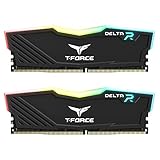
TeamGroup T-Force Delta RGB 16GB DDR4-3200
A kit with a lit diffuser strip for builds with a glass side panel. It costs a little more than plain sticks but shows off a build while delivering the same 3200MHz speed.
Frequently Asked Questions About How to Choose Cheap RAM
What is the best cheap RAM?
The best cheap RAM is a Corsair Vengeance LPX 16GB DDR4, with a price of $40 to $60, because it is a kit with a capacity of 16GB, a speed of 3200MHz, and a latency of CL16, so it is fast and affordable for gaming and office work. A Crucial 16GB DDR4, at $35 to $50, is also a good choice, because it is the lowest-priced RAM in this guide.
How much RAM do I need for gaming?
You need 16GB of RAM for gaming, because 16GB is enough for most modern games and for multitasking, while 8GB may cause lag. For most gamers, a 16GB kit such as Corsair Vengeance LPX is a good choice, while 32GB is better if you also edit video or stream.
Can I mix DDR4 and DDR5 RAM?
No, you cannot mix DDR4 and DDR5 RAM, because DDR4 and DDR5 have different slots and different voltages, so they will not fit in the same motherboard. For most PC users, check your motherboard manual, and buy only DDR4 or only DDR5, whichever your motherboard supports.
Is 3200MHz RAM fast enough for gaming?
Yes, 3200MHz RAM is fast enough for gaming, because 3200MHz DDR4 is a common speed for gaming PCs and it works well with most CPUs. For most gamers, a 3200MHz kit such as G.Skill Ripjaws V is a good choice, while 6000MHz DDR5 is faster if you have a DDR5 motherboard.
How to choose cheap RAM is a choice between compatibility, capacity, and speed. For most PC users, a 16GB DDR4 kit such as the Corsair Vengeance LPX for overall value, the Crucial 16GB DDR4 for budget, or a 32GB DDR5 kit such as the Corsair Vengeance DDR5 for fast creators is a good choice. Compare the table, check your motherboard and your use, and choose the RAM you will trust. Turn off power, back up your data, install carefully, and enjoy a faster PC in 2026.
Related guides
- Best Cheap RAM for Desktop Under 100 in 2026: 7 RAM Kits That Are Fast, Reliable, and Built for Desktops Under $100 Without RAM That Is Too Slow, Too Incompatible, or Too Tall
- Best Budget GPU for Students in 2026: NVIDIA GeForce RTX, AMD Radeon RX, and Intel Arc Cards Chosen by Your Course, Your Power Supply, and a Degree’s Whole Four Years
- Best Webcam for Dark Gaming Rooms in 2026: Low-Light Webcams for Streaming and Gaming
- How to Choose Scanner for PC Photo Scanning in 2026: 6 Top Scanners for PC Photo Scanning, Sharp Photos, and Easy Use
More from Amazon
Programs that pair well with the guide above. Offers and eligibility are set by Amazon and may change.
Free shipping on eligible items, Prime Video and more. Eligible new members can start with a free trial.
Start a Prime free trialAd-free music streaming. Eligible new subscribers can start with a free trial.
Try Music Unlimited freeA Prime membership for ages 18-24 with a trial period. Eligibility is set by Amazon.
See Prime for Young AdultsAudiobooks and podcasts to listen to on the go. Eligible new members can start with a free trial.
Try Audible freeAs an Amazon Associate we earn from qualifying purchases.

Write Your Review
No reviews yet. Be the first to share your experience!