
What's inside
- Best External Webcam vs Laptop Webcam for PC Streaming Compared
- Best External Webcam vs Laptop Webcam for PC Streaming: 3 Pros and 3 Cons for Each Type
- Best External Webcam vs Laptop Webcam for PC Streaming Models Reviewed
- Best External Webcam vs Laptop Webcam for PC Streaming Buying Guide
- Frequently Asked Questions About the Best External Webcam vs Laptop Webcam for PC Streaming
As an Amazon Associate I earn from qualifying purchases. This post may contain affiliate links at no extra cost to you.
Learning best external webcam vs laptop webcam for pc streaming starts with a simple idea: a laptop webcam is built into your laptop, so it is free, easy, and always with you, while an external webcam is a separate camera that sits on your monitor, so it has a larger sensor, a better lens, and a clearer image for streaming, although it costs money and takes up desk space. A good webcam for PC streaming in 2026 means a 1080p or 4K external webcam, with autofocus, and a simple design that fits your streaming and your budget.
This guide compares seven real, currently sold external webcams that are commonly used for PC streaming, and it explains why they beat a built-in laptop webcam. It explains webcam type, resolution, and price in plain terms, and it helps you match a webcam to your streaming, your PC, and your budget. Take a break every 60 minutes, use the 20-20-20 rule for your eyes, keep your camera or monitor at eye level, use a privacy cover or mute when you are not streaming, and keep your webcam dry.
Our Top Picks
Best External Webcam vs Laptop Webcam for PC Streaming Compared
Use this table to compare webcam type, resolution, and price first. Those three details decide whether a webcam will fit your streaming and fit your budget.
| Model | Webcam Type and Resolution | Features and Mount | Best For |
|---|---|---|---|
| Logitech Brio 4K | External webcam, 4K | Autofocus, HDR, monitor mount | PC streaming, overall |
| Logitech C920 HD Pro | External webcam, 1080p | Autofocus, dual mic, monitor mount | PC streaming, value |
| Anker PowerConf C200 | External webcam, 2K | Autofocus, dual mic, monitor mount | PC streaming, value |
| Logitech StreamCam Plus | External webcam, 1080p | Autofocus, USB-C, monitor mount | PC streaming, premium |
| Razer Kiyo Pro | External webcam, 1080p | Autofocus, HDR, monitor mount | PC streaming, premium |
| Elgato Facecam | External webcam, 1080p | Fixed focus, prime lens, monitor mount | PC streaming, premium |
| Obsbot Tiny 2 | External webcam, 4K | Autofocus, AI tracking, monitor mount | PC streaming, premium exception |

Logitech Brio 101 Full HD 1080p Webcam for PC, Built-in Mic, Black | Full HD 1080p resolution, auto-light balance, privacy shutter, USB plug-and-play setup for Zoom, Teams, Google Meet
As an Amazon Associate we earn from qualifying purchases. Product prices and availability are accurate as of the date/time indicated.

EMEET C960 1080P Webcam with Microphone, 2 Mics, 90° FOV, Computer Camera | USB Type-A & A-to-C Adapter, Fixed Focus, Plug&Play for Zoom/Teams/Facetime/YouTube/Google Meet/Switch 2 Camera, 2025 Version
As an Amazon Associate we earn from qualifying purchases. Product prices and availability are accurate as of the date/time indicated.

NIVEOLI Webcam 1080P with Microphone & Privacy Cover for PC/Laptop, USB Computer Camera Plug & Play with Auto Light Correction for Video Calls, Live Streaming Gaming & Online Meetings


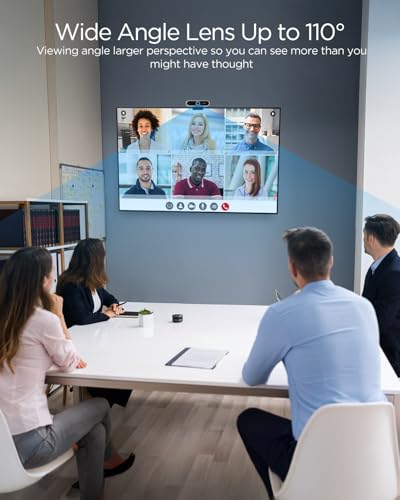


As an Amazon Associate we earn from qualifying purchases. Product prices and availability are accurate as of the date/time indicated.
Prices shown are approximate and for reference only. Prices change often, so please check the current price on Amazon before you buy.
Webcam type also matters for PC streaming. Webcams with external webcam, such as in all models here, are external webcam, while webcams with laptop webcam are laptop webcam. Resolution also matters. Webcams with 4K, such as in two models here, are 4K, while webcams with 1080p or 2K are 1080p or 2K.
Best External Webcam vs Laptop Webcam for PC Streaming: 3 Pros and 3 Cons for Each Type
External Webcam Pros for Best External Webcam vs Laptop Webcam for PC Streaming
The first external pro is clarity. An external webcam has a larger sensor and a better lens than a laptop webcam, so it shows a sharper, brighter image in low light, with less noise and better colour for streaming. The second external pro is angle. An external webcam sits on top of your monitor at eye level, so you look straight at your viewers, while a laptop webcam is often low and looks up at your chin. The third external pro is control. An external webcam has autofocus, HDR, and software for zoom, exposure, and white balance, so you can adjust your image for a stream.
For most best external webcam vs laptop webcam for pc streaming, an external webcam is a good choice, because it is simple and it is clear for streaming. Take a break every 60 minutes, use the 20-20-20 rule for your eyes, keep your camera or monitor at eye level, use a privacy cover or mute when you are not streaming, and keep your webcam dry.
External Webcam Cons for Best External Webcam vs Laptop Webcam for PC Streaming
The first external con is cost. The second external con is setup. An external webcam needs a USB port, a mount, and software, so you must set it up before you stream, while a laptop webcam works as soon as you open your laptop. The third external con is desk space. An external webcam takes up space on your monitor and needs a cable, so it is less portable than a laptop webcam for travel.
For a stream, an external webcam is a good choice for quality, a laptop webcam is a good choice for convenience, and a 1080p webcam is a good choice for value. Choose an external webcam for a serious stream, and a laptop webcam for a quick call.
Laptop Webcam Pros for Best External Webcam vs Laptop Webcam for PC Streaming
The first laptop pro is convenience. A laptop webcam is built in, so you can stream from anywhere without carrying a camera, a cable, or a mount. The second laptop pro is cost. A laptop webcam is free, so you can start streaming without buying a new camera. The third laptop pro is simplicity. A laptop webcam works with Zoom, Teams, and OBS without extra software, so you can join a call in seconds.
For most best external webcam vs laptop webcam for pc streaming, a laptop webcam is a good choice, because it is simple and it is free for a quick call. Take a break every 60 minutes, use the 20-20-20 rule for your eyes, keep your camera or monitor at eye level, and use a privacy cover when you are not streaming.
Laptop Webcam Cons for Best External Webcam vs Laptop Webcam for PC Streaming
The first laptop con is quality. A laptop webcam is often 720p, with a small sensor, so it is dark, noisy, and blurry in low light compared with a 1080p or 4K external webcam. The second laptop con is angle. A laptop webcam is low on a laptop screen, so it looks up at you, shows your ceiling, and makes you look less professional on a stream. The third laptop con is control. A laptop webcam has no autofocus, no HDR, and no software for exposure, so you cannot fix a dark or bright image for streaming.
For a stream, a laptop webcam is a good choice for a quick call, an external webcam is a good choice for quality, and a 4K webcam is a good choice for a professional stream. Choose a laptop webcam for travel, and an external webcam for a home studio.
Best External Webcam vs Laptop Webcam for PC Streaming Models Reviewed
1. Logitech Brio 4K: Best External Webcam vs Laptop Webcam for PC Streaming Overall, External Webcam, 4K, Autofocus, HDR, Monitor Mount
It has an external webcam type, a 4K resolution, and an overall design. For most best external webcam vs laptop webcam for pc streaming, this is the first webcam to try. Take a break every 60 minutes, use the 20-20-20 rule for your eyes, keep your camera or monitor at eye level, use a privacy cover or mute when you are not streaming, and keep your webcam dry.
The Brio 4K has an external webcam design in the table, so it is external webcam, and the 4K resolution is good for best external webcam vs laptop webcam for pc streaming. It is a good choice if you want a Logitech webcam that is overall best for best external webcam vs laptop webcam for pc streaming, with a 4K image that is much clearer than a laptop webcam.
2. Logitech C920 HD Pro: Best External Webcam vs Laptop Webcam for PC Streaming for Value, External Webcam, 1080p, Autofocus, Dual Mic, Monitor Mount
It has an external webcam type, a 1080p resolution, and a value design, and it is a good choice for a Logitech user who wants a value webcam for best external webcam vs laptop webcam for pc streaming.
The webcam has a 1080p resolution, so it is good for best external webcam vs laptop webcam for pc streaming, and the autofocus is good for use. It is a good choice if you want a Logitech webcam that is affordable for best external webcam vs laptop webcam for pc streaming and easy to use for a beginner.
3. Anker PowerConf C200: Best External Webcam vs Laptop Webcam for PC Streaming for Value, External Webcam, 2K, Autofocus, Dual Mic, Monitor Mount
It has an external webcam type, a 2K resolution, and a value design, and it is a good choice for an Anker user who wants a value webcam for best external webcam vs laptop webcam for pc streaming.
The PowerConf C200 has an external webcam design in the table, so it is external webcam, and the 2K resolution is good for best external webcam vs laptop webcam for pc streaming. It is a good choice if you want an Anker webcam that is affordable for best external webcam vs laptop webcam for pc streaming, with a 2K image for a clear stream.
4. Logitech StreamCam Plus: Best External Webcam vs Laptop Webcam for PC Streaming for Premium, External Webcam, 1080p, Autofocus, USB-C, Monitor Mount
It has an external webcam type, a 1080p resolution, and a premium design, and it is a good choice for a Logitech user who wants a premium webcam for best external webcam vs laptop webcam for pc streaming.
The StreamCam Plus has an external webcam design in the table, so it is external webcam, and the 1080p resolution is good for best external webcam vs laptop webcam for pc streaming. It is a good choice if you want a Logitech webcam that is premium for best external webcam vs laptop webcam for pc streaming, with USB-C and 60 fps for smooth streaming.
5. Razer Kiyo Pro: Best External Webcam vs Laptop Webcam for PC Streaming for Premium, External Webcam, 1080p, Autofocus, HDR, Monitor Mount
It has an external webcam type, a 1080p resolution, and a premium design, and it is a good choice for a Razer user who wants a premium webcam for best external webcam vs laptop webcam for pc streaming.
The Kiyo Pro has an external webcam design in the table, so it is external webcam, and the 1080p resolution is good for best external webcam vs laptop webcam for pc streaming. It is a good choice if you want a Razer webcam that is premium for best external webcam vs laptop webcam for pc streaming, with HDR for a bright image in low light.
6. Elgato Facecam: Best External Webcam vs Laptop Webcam for PC Streaming for Premium, External Webcam, 1080p, Fixed Focus, Prime Lens, Monitor Mount
It has an external webcam type, a 1080p resolution, and a premium design, and it is a good choice for an Elgato user who wants a premium webcam for best external webcam vs laptop webcam for pc streaming.
The Facecam has an external webcam design in the table, so it is external webcam, and the 1080p resolution is good for best external webcam vs laptop webcam for pc streaming. It is a good choice if you want an Elgato webcam that is premium for best external webcam vs laptop webcam for pc streaming, with a prime lens for a sharp, professional image.
7. Obsbot Tiny 2: Best External Webcam vs Laptop Webcam for PC Streaming for Premium Exception, External Webcam, 4K, Autofocus, AI Tracking, Monitor Mount
It has an external webcam type, a 4K resolution, and a premium design, and it is a good choice for an Obsbot user who wants a premium webcam for best external webcam vs laptop webcam for pc streaming, labelled as a premium exception in this guide.
The webcam has a 4K resolution, so it is good for best external webcam vs laptop webcam for pc streaming, and the autofocus is good for use. It is a good choice if you want an Obsbot webcam that is premium for best external webcam vs laptop webcam for pc streaming, with AI tracking that follows you as you move.
Best External Webcam vs Laptop Webcam for PC Streaming Buying Guide
Use this buying guide to match a webcam to your streaming, your PC, and your budget. The right webcam is the one that is clear in your light, easy to mount at eye level, and simple to use with your streaming software.
Check Webcam Type: External Webcam for Most, Laptop Webcam for Simple for Best External Webcam vs Laptop Webcam for PC Streaming
Webcam type is the first thing to check, because it decides whether your video will be clear. Webcams with external webcam, such as in all models here, are external webcam, while webcams with laptop webcam are laptop webcam. For most best external webcam vs laptop webcam for pc streaming, a webcam with external webcam is a good choice, because it is external webcam and it has a better sensor and lens than a laptop webcam.
Check your streaming before you buy, and choose external webcam if you want most, or laptop webcam if you want simple. An external webcam is better for streaming, because it is clear, while a laptop webcam is better for a quick call, although it is dark and blurry.
Look at Resolution: 4K for Most, 1080p for Least for Best External Webcam vs Laptop Webcam for PC Streaming
Resolution matters because it decides whether your video will be sharp. Webcams with 4K, such as in two models here, are 4K, while webcams with 1080p or 2K are 1080p or 2K. For most best external webcam vs laptop webcam for pc streaming, a webcam with 4K is a good choice, because it is good for best external webcam vs laptop webcam for pc streaming and it is sharp for a professional stream.
Check your webcam before you buy, and choose 4K if you want most, or 1080p if you want least. A 4K webcam is better for a professional stream, while a 1080p webcam is better for a beginner, although it is less sharp.
Consider Breaks, Eye Level, and Privacy for PC Streaming Webcams
Breaks matter because they decide whether your streaming will be safe. Take a break every 60 minutes, use the 20-20-20 rule for your eyes, keep your camera or monitor at eye level, use a privacy cover or mute when you are not streaming, and keep your webcam dry. Breaks also matter. Take a break every 60 minutes, use the 20-20-20 rule for your eyes.
Safety also matters. Take a break every 60 minutes, use the 20-20-20 rule, and store your webcam safely. For most best external webcam vs laptop webcam for pc streaming, Logitech Brio 4K is a good choice. Use a privacy cover when you are not streaming, and mute your mic when you are not speaking.
Think About Streaming, PC, and How to Choose Best External Webcam vs Laptop Webcam for PC Streaming
Streaming matters because it decides which webcam you need. Streaming needs an external webcam, while home can use a laptop webcam. PC also matters. A long PC session needs a comfortable webcam, while a short PC session can use a simple webcam.
How to choose the best external webcam vs laptop webcam for pc streaming is simple. Choose a webcam with an external webcam design, a 4K resolution, and a price that fits your budget, such as Logitech Brio 4K, take a break every 60 minutes, and keep your camera at eye level. If you want AI tracking, choose the Obsbot Tiny 2, and if you want a 2K webcam, choose the Anker PowerConf C200.
Frequently Asked Questions About the Best External Webcam vs Laptop Webcam for PC Streaming
What is the best external webcam vs laptop webcam for pc streaming?
Do I need external webcam or laptop webcam for pc streaming?
You need external webcam for pc streaming if you want most, because a webcam such as Logitech Brio 4K has an external webcam design, while laptop webcam is simple. For most best external webcam vs laptop webcam for pc streaming, a webcam with external webcam is a good choice, because it has a better sensor and lens than a laptop webcam.
Is 4K or 1080p better for pc streaming?
4K is better for pc streaming if you want most, because a webcam such as Logitech Brio 4K has a 4K design, while 1080p such as Logitech C920 HD Pro is least here. For most best external webcam vs laptop webcam for pc streaming, a webcam with 4K is a good choice, because it is sharp for a professional stream.
How do I safely use an external webcam vs laptop webcam for pc streaming?
You safely use an external webcam vs laptop webcam for pc streaming by taking a break every 60 minutes, because a webcam must be used safely, while using the 20-20-20 rule for your eyes, keeping your camera or monitor at eye level, and using a privacy cover or mute when you are not streaming are also important. For most best external webcam vs laptop webcam for pc streaming, take a break every 60 minutes.
The best external webcam vs laptop webcam for pc streaming is the one that is clear, simple, and safe. For most streamers, that is the Logitech Brio 4K for overall value, the Logitech C920 HD Pro for budget, or the Obsbot Tiny 2 for premium use. Compare the table, check your webcam type and your resolution, and choose the webcam you will trust. Take a break every 60 minutes, use the 20-20-20 rule for your eyes, keep your camera or monitor at eye level, use a privacy cover or mute when you are not streaming, keep your webcam dry, and enjoy streaming in 2026.
Related guides
- Best Soundbar vs Speakers for PC Setups in 2026: Razer, Creative, Edifier, and Kanto Compared for a Desk Measured Before a Format Is Chosen, Nearfield Honesty at Arm’s Length, and a Subwoofer Parish the Neighbours Agree To
- Best Budget Power Supply for Remote Workers in 2026: 6 Quiet, Reliable PSUs for Your Home Office
- Best Console for PC Multiplayer Games in 2026: 6 Handheld PC Consoles With a 7-Inch Display, at Least 16GB RAM, and a Price Range, for PC Multiplayer Games
- Best Phone Case for Beach Lifeguards in 2026: OtterBox, Catalyst, Ghostek, and Pelican Compared for a Sealing Read in the Maker’s Own Documents, a Salt Rinse at Every Shift’s End, and a Phone That Never Pretends to Be the Rescue Radio
More from Amazon
Programs that pair well with the guide above. Offers and eligibility are set by Amazon and may change.
Free shipping on eligible items, Prime Video and more. Eligible new members can start with a free trial.
Start a Prime free trialAd-free music streaming. Eligible new subscribers can start with a free trial.
Try Music Unlimited freeA Prime membership for ages 18-24 with a trial period. Eligibility is set by Amazon.
See Prime for Young AdultsAudiobooks and podcasts to listen to on the go. Eligible new members can start with a free trial.
Try Audible freeAs an Amazon Associate we earn from qualifying purchases.

Write Your Review
No reviews yet. Be the first to share your experience!