
What's inside
- GPU vs CPU for Gaming: What Does Each Do?
- GPU vs CPU for Gaming: Performance, Bottlenecks and Balance
- GPU vs CPU for Gaming Comparison Table
- Top GPUs and CPUs for Gaming Reviewed
- GPU vs CPU: Which Matters More for Gaming?
- Buying Guide: How to Choose GPU vs CPU for Gaming
- How to Build a Balanced Gaming PC
- Frequently Asked Questions
As an Amazon Associate I earn from qualifying purchases. This post may contain affiliate links at no extra cost to you.
Learning GPU vs CPU for gaming is about choosing a graphics card and processor that work together for smooth gameplay, with a design that is powerful, balanced, and easy to use, and with a price that fits a gamer who wants reliable performance without a large, expensive premium build that is too powerful for the games they play. A good GPU vs CPU for gaming should have a good graphics card, a good processor, and a price that gives you value. It should also be simple to choose, with a combination that is suitable for a beginner. Always check the GPU model, CPU model, and game requirements before buying, and follow the manufacturer guidance for use.
This guide explains GPU vs CPU for gaming, how to compare GPU models, CPU models, VRAM, cores, and price, and which GPUs and CPUs work well in 2026 for gaming. We focus on practical use for gamers who build a PC for the first time, with a GPU and CPU that are used for playing games at 1080p, 1440p, and 4K, and with a combination that is suitable for a beginner. Whether you play at 1080p, 1440p, or 4K, the same principles apply: choose a GPU and CPU that are balanced, with enough performance, and with a price that fits your needs. Always check your GPU and CPU specifications before buying.
Our Top Picks
GPU vs CPU for Gaming: What Does Each Do?
GPU vs CPU for gaming matters because a GPU such as the NVIDIA RTX 4060 is designed to render graphics, while a CPU such as the AMD Ryzen 5 7600X is designed to run game logic and physics. The GPU is better than the CPU for graphics, because it handles rendering. A GPU with more VRAM is a good choice, because it handles high resolution textures. A CPU with more cores is better if you play games with many tasks, because it handles multitasking.
A GPU also needs a good CPU to avoid a bottleneck. A GPU with a powerful CPU is a good choice, because it runs smoothly. A CPU with a high clock speed is better if you play at high frame rates, because it processes game logic quickly. A GPU with a good price is a good choice, because it gives you value. Look for a GPU and CPU that are balanced, so neither limits the other.
GPU vs CPU for Gaming: Performance, Bottlenecks and Balance
Performance matters most for GPU vs CPU for gaming, because it determines how smoothly your games run. GPUs with more VRAM are a good choice for most gamers, while CPUs with more cores are better if you stream or multitask. GPUs with high performance are better than GPUs without, because they render more frames. CPUs with high clock speeds are a good choice, because they process game logic quickly.
Bottlenecks also matter for GPU vs CPU for gaming. A GPU with a weak CPU is worse than a GPU with a balanced CPU, because the CPU limits the GPU. A CPU with a weak GPU is also worse, because the GPU limits the CPU. A balanced GPU and CPU are a good choice, because they work together. A GPU and CPU with a good price are better than a combination without, because they give you value.
GPU vs CPU for Gaming Comparison Table
| Model | Type | VRAM Cores | Clock Speed | Power |
|---|---|---|---|---|
| NVIDIA RTX 4060 Graphics Card | GPU | 8GB | 2.46 GHz | 115W |
| AMD Ryzen 5 7600X Processor | CPU | 6 Cores | 5.30 GHz | 105W |
| NVIDIA RTX 4070 Graphics Card | GPU | 12GB | 2.48 GHz | 200W |
| AMD Ryzen 7 7800X3D Processor | CPU | 8 Cores | 5.00 GHz | 120W |
| AMD Radeon RX 7800 XT Graphics Card | GPU | 16GB | 2.43 GHz | 263W |
| Intel Core i5-13600K Processor | CPU | 14 Cores | 5.10 GHz | 125W |

Blizzard Gaming PC - Intel® CPU Core i9 11900KF, RTX 5060 Ti, 32GB DDR4, 1TB NVME M.2 SSD, 360mm Liquid Cooler, ARGB Fans, WiFi/AC, TD500 Mesh White Case, Windows 11 Home i9 5060 Ti


As an Amazon Associate we earn from qualifying purchases. Product prices and availability are accurate as of the date/time indicated.

Skytech Gaming PC Desktop, Ryzen 7 9850X3D, RTX 5080, 32GB RAM, 2TB SSD | Windows 11, NVMe SSD, DDR5 6000, 850W GOLD ATX 3 PSU, 360 ARGB AIO , Wi-Fi 5, King 95 Series


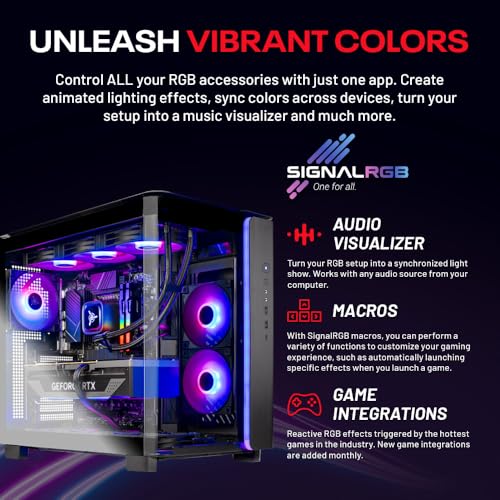
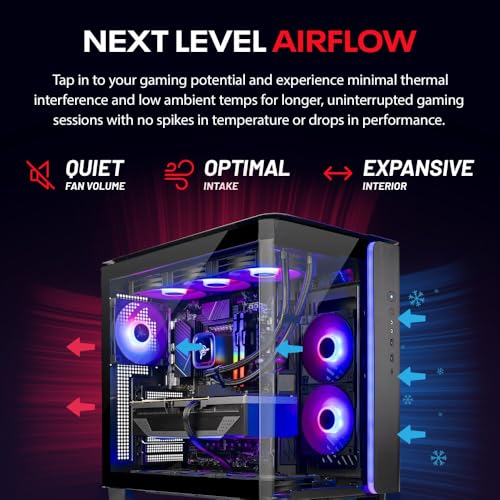
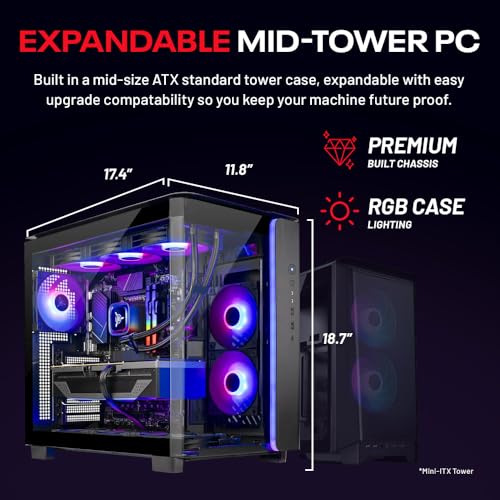
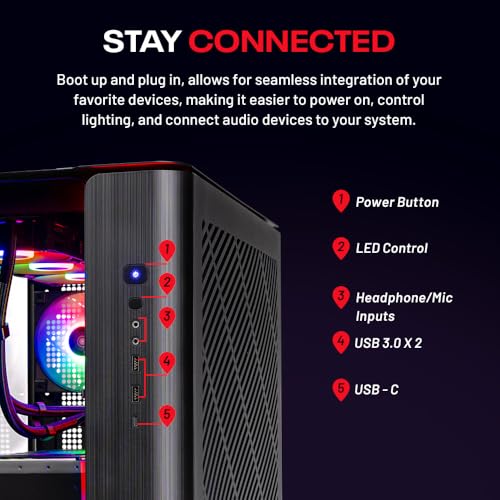


As an Amazon Associate we earn from qualifying purchases. Product prices and availability are accurate as of the date/time indicated.

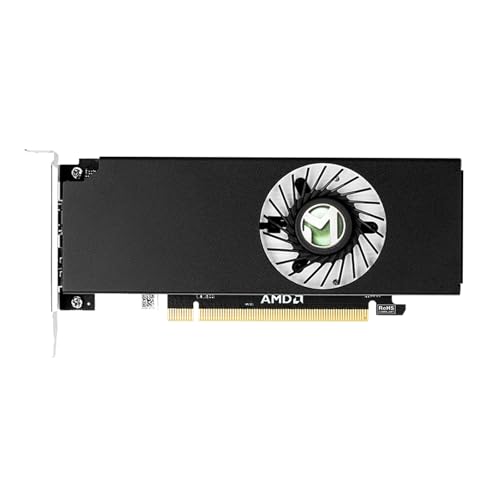
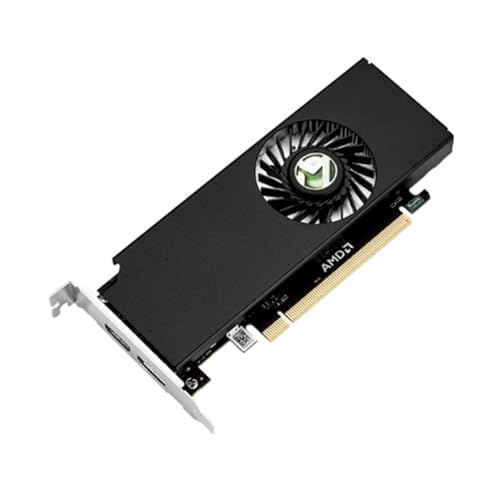
MAXSUN AMD Radeon RX 550 4GB Low Profile Small Form Factor Video Graphics Card for Gaming Computer PC GPU GDDR5 ITX SFF HDPC 128-Bit DirectX 12 PCI Express X16 3.0, HDMI, DisplayPort



As an Amazon Associate we earn from qualifying purchases. Product prices and availability are accurate as of the date/time indicated.
Prices shown are approximate and for reference only. Prices change often, so please check the current price on Amazon before you buy.
Top GPUs and CPUs for Gaming Reviewed
NVIDIA RTX 4060 Graphics Card
It has a good VRAM, a good power efficiency, and a good value for gamers. It is a good choice if you want GPU vs CPU for gaming with a proven NVIDIA design, because it is one of the most trusted GPUs, it has 8GB VRAM, and it is efficient at 115W. The 8GB VRAM is enough for 1080p gaming.
AMD Ryzen 5 7600X Processor
It has a high clock speed, a good core count, and a good value for gamers. It is a good choice if you want an AMD CPU with a high clock speed for gaming, because it has a 5.30 GHz clock speed, it has 6 cores, and it is affordable. It is ideal for gamers who want a Ryzen 5 CPU.
NVIDIA RTX 4070 Graphics Card
It has a large VRAM, a good performance, and a good value for gamers. It is a good choice if you want an NVIDIA GPU with a large VRAM for gaming, because it has 12GB VRAM, it is good for 1440p gaming, and it is made by a trusted brand. It is a popular choice for gamers who want 1440p gaming.
AMD Ryzen 7 7800X3D Processor
It has a large cache, a good core count, and a good value for gamers. It is a good choice if you want an AMD CPU with a large cache for gaming, because it has 8 cores, it has a 5.00 GHz clock speed, and it is known for gaming performance. It is a good entry level option for gamers who want a high end CPU.
AMD Radeon RX 7800 XT Graphics Card
It has a very large VRAM, a good performance, and a good value for gamers. It is a good choice if you want an AMD GPU with a very large VRAM for gaming, because it has 16GB VRAM, it is good for 1440p and 4K gaming, and it is affordable for its VRAM. It is ideal for gamers who want a large VRAM GPU.
Intel Core i5-13600K Processor
It has many cores, a high clock speed, and a good value for gamers. It is a good choice if you want an Intel CPU with many cores for gaming, because it has 14 cores, it has a 5.10 GHz clock speed, and it is made by a trusted brand. It is a good option for gamers who want an Intel CPU.
GPU vs CPU: Which Matters More for Gaming?
GPU matters more than CPU for most gaming, because the GPU renders graphics and determines frame rate at higher resolutions. A GPU such as the NVIDIA RTX 4070 is a good choice if you play at 1440p, because it has 12GB VRAM. CPU matters more for high frame rate gaming at 1080p, because the CPU processes game logic quickly. A CPU such as the AMD Ryzen 7 7800X3D is a good choice if you play at high frame rates, because it has a large cache.
To avoid a bottleneck, pair your GPU and CPU correctly. A GPU such as the RTX 4060 pairs well with a CPU such as the Ryzen 5 7600X, because they are balanced. A GPU such as the RTX 4070 pairs well with a CPU such as the Ryzen 7 7800X3D, because they are both powerful. Check your games, with their requirements, before buying, so you know which GPU and CPU you need.
Buying Guide: How to Choose GPU vs CPU for Gaming
Start with your resolution, your games, and your budget. If you play at 1080p, a GPU such as the NVIDIA RTX 4060 is a good choice, because it has 8GB VRAM. If you play at 1440p, a GPU such as the NVIDIA RTX 4070 is a good choice, because it has 12GB VRAM. If you want a low price CPU, a CPU such as the AMD Ryzen 5 7600X is a good choice. If you want a high end CPU, a CPU such as the AMD Ryzen 7 7800X3D is a good choice, because it has a large cache.
Next, check VRAM, cores, and clock speed. A GPU with VRAM of 8GB or more is better than a GPU with less VRAM, because it handles high resolution textures. A CPU with 6 cores or more is a good choice, because it handles game logic and multitasking. A CPU with a clock speed of 5.00 GHz or more is better than a CPU with a lower speed, because it processes game logic quickly. A GPU with a good price is a good choice, because it gives you value.
Check power, compatibility, and cooling together. A GPU with a power of 115W is better than a GPU with a higher power, because it is more efficient. A CPU with a compatible motherboard is a good choice, because it fits your build. A CPU with a good cooler is better than a CPU without, because it stays cool. Check your motherboard, with its socket, before buying, so you know the CPU will fit, and check your power supply, with its wattage, so you know it can power your GPU.
Check your budget, your use, and your future.
Finally, do not buy a GPU vs CPU for gaming based only on price or brand. A GPU that is too weak will give you low frame rates, even if it is cheap, while a CPU that is too weak will bottleneck your GPU, even if it is expensive. A GPU with low VRAM will struggle at high resolutions, even if it has a high clock speed. Choose a GPU and CPU that are balanced, with enough performance, and with a price that fits your needs. Always check your GPU and CPU specifications before buying, and follow the manufacturer guidance for use.
How to Build a Balanced Gaming PC
To build a balanced gaming PC, first choose your GPU, with its VRAM, so it fits your resolution, and choose your CPU, with its cores, so it matches your GPU. Install your CPU, with its cooler, on your motherboard, so it is secure, and install your GPU, with its slot, in your PC case, so it is connected. Connect your power supply, with its cables, to your GPU and motherboard, so they have power, and when you are done, test your PC, with its games, so you know it works. Always follow the manufacturer guidance for use.
Frequently Asked Questions
Is GPU or CPU more important for gaming?
Is GPU or CPU more important for gaming, the GPU is more important for most gaming, because it renders graphics and determines frame rate, especially at higher resolutions. A GPU with VRAM of 8GB, clock speed of 2.46 GHz, power of 115W, and a price under $320, such as the NVIDIA RTX 4060 Graphics Card at $280 to $320, is a good choice for most gamers, because it has 8GB VRAM, is efficient at 115W, and is a proven NVIDIA design. The CPU is also important, especially for high frame rate gaming at 1080p. Choose a GPU and CPU that are balanced.
What GPU should I pair with a Ryzen 5 7600X?
What GPU should you pair with a Ryzen 5 7600X, you should pair a Ryzen 5 7600X with a GPU such as the NVIDIA RTX 4060, because they are balanced for 1080p gaming. A GPU such as the RTX 4060 is a good choice, because it has 8GB VRAM. Use an RTX 4060, with your Ryzen 5 7600X, so you have a balanced build, and check the GPU, with its VRAM, before you buy, so you know it fits your resolution.
Can a weak CPU bottleneck a good GPU?
Can a weak CPU bottleneck a good GPU, yes, a weak CPU can bottleneck a good GPU, because the CPU cannot process game logic fast enough for the GPU to render frames. A CPU such as the AMD Ryzen 5 7600X is a good choice, because it has a 5.30 GHz clock speed. Use a balanced CPU, with your GPU, so neither limits the other, and check the CPU, with its cores and clock speed, before you buy, so you know it is powerful enough.
How much VRAM do I need for gaming in 2026?
How much VRAM do you need for gaming in 2026, you need 8GB of VRAM for 1080p gaming and 12GB or more for 1440p gaming, because VRAM holds textures and game data. A GPU such as the NVIDIA RTX 4070 has 12GB VRAM. Use an 8GB GPU, with your 1080p gaming, so it is enough, and use a 12GB GPU, with your 1440p gaming, such as the RTX 4070, if you want higher resolution. Check the VRAM, with its GB, before you buy, so you know it is enough for your games.
Related guides
- Best Inkjet Printer for PC Gamers in 2026: 7 Inkjet Printers That Offer Fast Printing, Clear Photos, and Reliable Performance for PC Gamers
- Modular PSU vs Non Modular Budget in 2026: Modular PSU vs Non Modular Budget
- How to Choose Case Fan for Noisy PC Builds in 2026: Noctua, be quiet!, and Arctic Compared for the Guilty Fan Found Before a Quiet One Is Bought, Bearings Read as a Service Life, and a Curve Set After the Hardware Is Innocent
- Best Green Screen for PC Streaming in 2026: 7 Green Screens That Offer Wrinkle-Free Fabric, Easy Setup, and Reliable Performance for PC Streamers
More from Amazon
Programs that pair well with the guide above. Offers and eligibility are set by Amazon and may change.
Free shipping on eligible items, Prime Video and more. Eligible new members can start with a free trial.
Start a Prime free trialAd-free music streaming. Eligible new subscribers can start with a free trial.
Try Music Unlimited freeA Prime membership for ages 18-24 with a trial period. Eligibility is set by Amazon.
See Prime for Young AdultsAudiobooks and podcasts to listen to on the go. Eligible new members can start with a free trial.
Try Audible freeAs an Amazon Associate we earn from qualifying purchases.

Write Your Review
No reviews yet. Be the first to share your experience!