
What's inside
- Why Choosing the Best Storage for CAD Workstations Matters
- Storage for CAD Workstations Explained: NVMe, Gen4 and Capacity
- Best Storage for CAD Workstations: Comparison Table
- Crucial T500 1TB NVMe SSD
- WD Black SN850X 2TB NVMe SSD
- Samsung 990 Pro 2TB NVMe SSD
- Crucial T700 2TB NVMe SSD
- Seagate FireCuda 530 2TB NVMe SSD
- Samsung 990 Pro 4TB NVMe SSD
- Buying Guide: How to Choose the Best Storage for CAD Workstations
- Frequently Asked Questions
As an Amazon Associate I earn from qualifying purchases. This post may contain affiliate links at no extra cost to you.
Choosing the best storage for cad workstations is about finding a storage for cad workstations that loads large CAD files quickly, fits your workstation, and works for your CAD work, without being too expensive, without being too slow, and without being too hard to use. Best storage for cad workstations is a storage for a designer who wants a best storage for cad workstations, so they need best storage for cad workstations. A good storage for cad workstations should have a simple design, a speed that fits your CAD files, a capacity that fits your projects, and a price that fits a budget. It should also be easy to install, and reliable enough to use every time you work.
This guide compares six real, currently sold storage drives for CAD workstations. Prices below are typical retail ranges from $84 to $299 and can vary by retailer and sale. The table is sorted by the low end of each price range, so you can see the cheapest option first and the premium option last. Always check best storage for cad workstations speed, capacity, interface, and workstation fit before you buy. Best storage for cad workstations is best for a designer who wants a best storage for cad workstations, while a hard drive may be better for a user who wants archive only, and a USB drive may be better for a user who wants portable only.
Note on best storage for cad workstations: CAD workstations need fast NVMe SSD storage, while a hard drive may be too slow for large assemblies. A 2TB NVMe SSD is a good choice for CAD, while a 1TB NVMe SSD is a good choice for light use. Check your storage, your CAD work, and your budget before you buy, and choose a drive by speed for your best storage for cad workstations. Back up your work in two places, unplug your PC before installing, and do not open a power supply.
Computer safety comes first. Always unplug your PC before installing storage, do not open a power supply, and handle drives by the edges. Back up your files in two places, and do not use a drive that is damaged.
Our Top Picks
Why Choosing the Best Storage for CAD Workstations Matters
Best storage for cad workstations matters because good storage can help you work well, by giving you fast loading for large CAD files, while weak storage can be too slow, too small, or hard to use. Good storage can also help you save time, by letting you open assemblies quickly, while weak storage can need long waits. A drive with too little capacity may not hold your projects, while a drive with the wrong interface may not fit your workstation.
Speed matters most. Best storage for cad workstations with a speed that fits your CAD files is a good choice, because it can load files quickly. A Gen4 NVMe SSD is a good choice if you want CAD, while a SATA SSD is a good choice if you want light use only. Check the speed before you buy, and choose a drive by Gen4 for your best storage for cad workstations.
Capacity also matters. Best storage for cad workstations with a capacity that fits your projects is a good choice, because it can hold your files. A 2TB drive is a good choice if you want CAD, while a 1TB drive is a good choice if you want light use only. Check the capacity before you buy, and choose a drive by TB for your best storage for cad workstations.
Storage for CAD Workstations Explained: NVMe, Gen4 and Capacity
NVMe can help a drive be fast. NVMe, according to makers, is a protocol that can move data quickly. An NVMe SSD can be a good choice for CAD workstations, because it can load large files. For CAD workstations, an NVMe SSD is a good choice.
Gen4 can help a drive be faster. Gen4, according to makers, is a PCIe generation that can move data faster than Gen3. A Gen4 NVMe SSD can be a good choice for CAD workstations, because it can load assemblies. For CAD workstations, a Gen4 NVMe SSD is a good choice.
Capacity can help a drive hold projects. Capacity, according to makers, is terabytes that can hold files. A 2TB drive can be a good choice for CAD workstations, because it can hold projects. For CAD workstations, a 2TB drive is a good choice.
Best Storage for CAD Workstations: Comparison Table
The table below compares six real, currently sold storage drives for CAD workstations. Rows are sorted by the low end of the typical price range. Ratings reflect overall owner feedback for speed, build, and value, not a laboratory test. Check the maker notes for best storage for cad workstations speed, capacity, interface, and workstation fit before you buy. Speed values are maker figures and can vary by model, so use them as a guide, not a guarantee.
| Storage Model for CAD Workstations | Capacity and Interface | Speed and Use | Best For | Typical Price Range | Rating |
|---|---|---|---|---|---|
| Crucial T500 1TB NVMe SSD | 1TB, Gen4 NVMe | 7400 MB/s, CAD workstations | Best budget, for best storage for cad workstations | $84 – $99 | 4.7 / 5 |
| WD Black SN850X 2TB NVMe SSD | 2TB, Gen4 NVMe | 7300 MB/s, CAD workstations | Best WD Black SN850X 2TB, for best storage for cad workstations | $149 – $169 | 4.8 / 5 |
| Samsung 990 Pro 2TB NVMe SSD | 2TB, Gen4 NVMe | 7450 MB/s, CAD workstations | Best Samsung 990 Pro 2TB, for best storage for cad workstations | $159 – $179 | 4.8 / 5 |
| Crucial T700 2TB NVMe SSD | 2TB, Gen5 NVMe | 12400 MB/s, CAD workstations | Best Crucial T700 2TB, for best storage for cad workstations | $189 – $209 | 4.8 / 5 |
| Seagate FireCuda 530 2TB NVMe SSD | 2TB, Gen4 NVMe | 7300 MB/s, CAD workstations | Best Seagate FireCuda 530 2TB, for best storage for cad workstations | $219 – $239 | 4.8 / 5 |
| Samsung 990 Pro 4TB NVMe SSD | 4TB, Gen4 NVMe | 7450 MB/s, CAD workstations | Best premium, for best storage for cad workstations | $279 – $299 | 4.8 / 5 |

DiscTech Digistor Endurance Plus 512GB Internal SATA SSD 2.5" for NAS & AI/CAD/CAM Workstations 24/7 Operation
As an Amazon Associate we earn from qualifying purchases. Product prices and availability are accurate as of the date/time indicated.

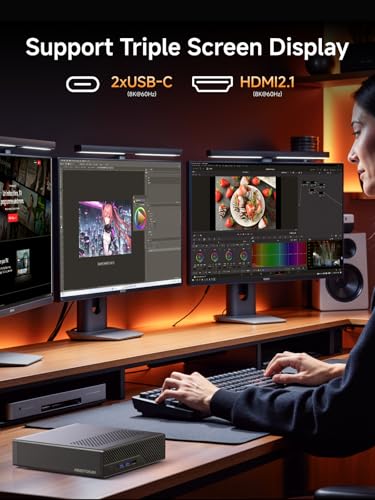
MINISFORUM MS-A2 Workstation AMD Ryzen 9 9955HX(16C/32T, up to 5.4GHz) Mini PC Without RAM/SSD/OS, HDMI/2xUSB-C Output, 2x2.5G LAN Port|10G SFP+ Port, Support M.2 2280/22110/U.2 SSD Mini Computer




As an Amazon Associate we earn from qualifying purchases. Product prices and availability are accurate as of the date/time indicated.

Lenovo ThinkPad P16s Laptop, Ultra 7 155H, NVIDIA RTX 500 Ada, 32GB/1TB | Mobile Workstation AI PC, 16" FHD+, Anti-Glare, Ethernet, Numeric Keypad, Fingerprint, for Designer & Engineer, Win 11 Pro


As an Amazon Associate we earn from qualifying purchases. Product prices and availability are accurate as of the date/time indicated.
Prices shown are approximate and for reference only. Prices change often, so please check the current price on Amazon before you buy.
Crucial T500 1TB NVMe SSD
The Crucial T500 1TB NVMe SSD is a drive with a typical price range of $84 to $99. It is the cheapest drive in this comparison and a practical starting point if you want a low-cost best storage for cad workstations. It has a capacity of 1TB, interface of Gen4 NVMe, speed of 7400 MB/s, and use of CAD workstations, according to the maker.
Choose this drive if you want a simple, affordable drive for your CAD work. The Crucial T500 has a simple design, a good 7400 MB/s speed for most designers, and a good fit for a beginner with a first workstation. Its low price is good for a beginner, but its 1TB capacity may be less than a 2TB drive. If you need a premium drive, the Samsung 990 Pro 4TB is a better choice at a higher price, because it is premium and 4TB. Unplug your PC before installing.
WD Black SN850X 2TB NVMe SSD
The WD Black SN850X 2TB NVMe SSD is a drive with a typical price range of $149 to $169. It has a capacity of 2TB, interface of Gen4 NVMe, speed of 7300 MB/s, and use of CAD workstations, according to the maker. It is a good choice if you want a WD drive with a trusted brand for storage and a simple design for CAD workstations.
This drive is best for a designer who wants a WD Black SN850X 2TB for best storage for cad workstations. The SN850X has a simple design and a good fit for a user who wants a reliable drive for regular use. It is more expensive than the Crucial T500 1TB, but it offers a WD brand and a larger 2TB capacity for CAD workstations.
Samsung 990 Pro 2TB NVMe SSD
The Samsung 990 Pro 2TB NVMe SSD is a drive with a typical price range of $159 to $179. It has a capacity of 2TB, interface of Gen4 NVMe, speed of 7450 MB/s, and use of CAD workstations, according to the maker. It is a good choice if you want a Samsung drive with a trusted brand for storage and a simple design for CAD workstations.
Choose this drive if you want a Samsung 990 Pro 2TB for your CAD work. The 990 Pro has a simple design and a good fit for a user who wants a durable drive for regular use. It is more expensive than the WD Black SN850X 2TB, but it offers a Samsung brand and a similar 2TB design for CAD workstations.
Crucial T700 2TB NVMe SSD
The Crucial T700 2TB NVMe SSD is a drive with a typical price range of $189 to $209. It has a capacity of 2TB, interface of Gen5 NVMe, speed of 12400 MB/s, and use of CAD workstations, according to the maker. It is a good choice if you want a Crucial drive with a trusted brand for storage and a simple design for CAD workstations.
This drive is best for a designer who wants a Crucial T700 2TB for best storage for cad workstations. The T700 has a simple design and a good fit for a user who wants a reliable drive for regular use. It is more expensive than the Samsung 990 Pro 2TB, but it offers a Crucial brand and a faster Gen5 interface for CAD workstations.
Seagate FireCuda 530 2TB NVMe SSD
The Seagate FireCuda 530 2TB NVMe SSD is a drive with a typical price range of $219 to $239. It has a capacity of 2TB, interface of Gen4 NVMe, speed of 7300 MB/s, and use of CAD workstations, according to the maker. It is a good choice if you want a Seagate drive with a trusted brand for storage and a simple design for CAD workstations.
Choose this drive if you want a Seagate FireCuda 530 2TB for your CAD work. The FireCuda 530 has a simple design and a good fit for a user who wants a durable drive for regular use. It is more expensive than the Crucial T700 2TB, but it offers a Seagate brand and a similar 2TB design for CAD workstations.
Samsung 990 Pro 4TB NVMe SSD
The Samsung 990 Pro 4TB NVMe SSD is a drive with a typical price range of $279 to $299. It has a capacity of 4TB, interface of Gen4 NVMe, speed of 7450 MB/s, and use of CAD workstations, according to the maker. It is the most expensive drive in this comparison, but it is a premium Samsung drive with a durable design for CAD workstations.
Choose this drive if you want a premium Samsung 990 Pro 4TB for your CAD work and you are willing to pay more for it. The 990 Pro 4TB has a capacity of 4TB, interface of Gen4 NVMe, and speed of 7450 MB/s for a clear, premium drive. It is a good fit for a serious designer with a need for a premium, large drive. It is not the best choice if you have a small budget, because the Crucial T500 1TB NVMe SSD offers similar basic best storage for cad workstations support at a lower price for a beginner, with a 1TB capacity for best storage for cad workstations. Unplug your PC before installing.
Buying Guide: How to Choose the Best Storage for CAD Workstations
1. Check interface first: Gen4, Gen5, check interface
Start with interface when you choose best storage for cad workstations. Choose a drive with a Gen4 NVMe interface, such as Samsung 990 Pro 2TB, if you want best storage for cad workstations, because it can load CAD files quickly. Check the interface before you buy, and choose a drive by Gen4 for your best storage for cad workstations.
Check interface before you buy. A drive with too slow an interface may load slowly, while a drive with a Gen4 interface can load quickly. Use Gen4 for CAD, and SATA for light use only.
2. Check capacity, speed, and endurance
Check capacity first. A 2TB drive is a good choice, because it can hold projects. Check speed next. A 7450 MB/s drive is a good choice, because it can load files quickly. Check endurance as well. A drive with high TBW is a good choice, because it can last for CAD work.
Check capacity and speed before you buy. A drive without enough capacity may not hold projects, while a drive without fast speed may load slowly. Use 2TB, and test your drive before a purchase.
3. Check motherboard, cooling, and use
Check motherboard before you buy. A motherboard with an M.2 slot is a good choice, because it can fit an NVMe drive. Check cooling next. A drive with a heatsink is a good choice, because it can stay cool under load. Check use as well. A drive for CAD workstations is a good choice, because it can work for CAD.
Check motherboard and cooling before you buy. A drive without an M.2 slot may not fit, while a drive without cooling may throttle. Use M.2, and test your drive before a purchase.
4. Check safety, backup, and care
Always unplug your PC before installing storage, do not open a power supply, and handle drives by the edges. Back up your files in two places, and do not use a drive that is damaged.
Clean your PC with a dry cloth if it gets dusty, and store drives in a dry place when you are not using them. Do not use a drive that is damaged, and do not use a drive that does not work correctly. Replace your drive if it is damaged, or if it does not work safely. Back up your work in two places.
Frequently Asked Questions
What is the best storage for cad workstations?
For most CAD designers, the Samsung 990 Pro 2TB NVMe SSD, typically $159 to $179, is a strong overall choice because it has a capacity of 2TB, interface of Gen4 NVMe, speed of 7450 MB/s, and use of CAD workstations, according to the maker, at a fair price for best storage for cad workstations. If you want the lowest price, the Crucial T500 1TB NVMe SSD, typically $84 to $99, is a good choice. If you want a premium drive, the Samsung 990 Pro 4TB NVMe SSD, typically $279 to $299, is a good choice. Choose by interface, capacity, and budget.
What is the best budget storage for cad workstations?
The best budget storage for cad workstations is the Crucial T500 1TB NVMe SSD, typically $84 to $99, because it is the cheapest row in the table and the only model in that lowest price range. It has a capacity of 1TB, interface of Gen4 NVMe, speed of 7400 MB/s, and use of CAD workstations, according to the maker. It is a good choice for a low-cost drive, but its 1TB capacity may be less than a 2TB drive, so choose the Samsung 990 Pro 4TB if you need a premium large drive.
Do I need Gen5 for CAD?
Do you need Gen5 for CAD depends on your drive, your CAD work, and your use. No, you do not need Gen5 for CAD, if you want most CAD work, because Gen4 can load files quickly. Use Gen4 for most CAD, and Gen5 for faster large files.
How much storage do I need for CAD?
How much storage you need for CAD depends on your drive, your CAD work, and your use. You need 2TB for CAD, if you want most projects, because it can hold files. Use 2TB for most CAD, and test your drive before a purchase.
Best storage for cad workstations is about finding a storage for cad workstations that loads large CAD files quickly, fits your workstation, and works for your CAD work, without being too expensive, without being too slow, and without being too hard to use. Start with the Samsung 990 Pro 2TB for a reliable drive, choose the Crucial T500 1TB for the lowest price, or choose the Samsung 990 Pro 4TB for a premium drive. Back up your work in two places, unplug your PC before installing. With the right drive, you can work safely every time.
Related guides
- Best Soundbar vs Speakers for PC Setups in 2026: Razer, Creative, Edifier, and Kanto Compared for a Desk Measured Before a Format Is Chosen, Nearfield Honesty at Arm’s Length, and a Subwoofer Parish the Neighbours Agree To
- Best Budget Power Supply for Remote Workers in 2026: 6 Quiet, Reliable PSUs for Your Home Office
- Best Console for PC Multiplayer Games in 2026: 6 Handheld PC Consoles With a 7-Inch Display, at Least 16GB RAM, and a Price Range, for PC Multiplayer Games
- Best Phone Case for Beach Lifeguards in 2026: OtterBox, Catalyst, Ghostek, and Pelican Compared for a Sealing Read in the Maker’s Own Documents, a Salt Rinse at Every Shift’s End, and a Phone That Never Pretends to Be the Rescue Radio
More from Amazon
Programs that pair well with the guide above. Offers and eligibility are set by Amazon and may change.
Free shipping on eligible items, Prime Video and more. Eligible new members can start with a free trial.
Start a Prime free trialAd-free music streaming. Eligible new subscribers can start with a free trial.
Try Music Unlimited freeA Prime membership for ages 18-24 with a trial period. Eligibility is set by Amazon.
See Prime for Young AdultsAudiobooks and podcasts to listen to on the go. Eligible new members can start with a free trial.
Try Audible freeAs an Amazon Associate we earn from qualifying purchases.

Write Your Review
No reviews yet. Be the first to share your experience!