
What's inside
As an Amazon Associate I earn from qualifying purchases. This post may contain affiliate links at no extra cost to you.
How to choose SSD for students is a question with two different products hiding inside it, and this guide separates them in its first paragraph because confusing them is the commonest wasted purchase in the parish. The first is the internal drive: a faster or larger citizen inside the laptop itself, bought where the machine allows one to be fitted, its specification written by the laptop’s own slot and its maker’s documents. The second is the external drive: a portable citizen in a bag, carrying a library between machines, a media course’s footage, a household’s archive, its specification written by the ports it will meet. A student can need either, both, or, honestly assessed, neither yet, a laptop with a sound drive and a quarter of it empty being a machine whose next purchase is a backup rather than a speed. What both products share is the guide’s senior doctrine, printed here in its largest care because a student’s files are a degree’s evidence: no drive, however fast or new, is a backup. Coursework lives in at least two places, the machine and one other, a cloud parish or an external citizen, the rule being that a file that exists once exists provisionally, and an SSD bought with the money that should have bought the second copy first has been purchased in the wrong order, a sentence this guide will repeat until it is a reflex.
The internal audit begins with the laptop’s own papers. Its slot’s parish, its generation and its physical size, are read from the maker’s documents for the exact model, a drive bought for a slot the machine does not possess being the parish’s classic first return. Several modern laptops, whole beloved families of them, carry their storage soldered as a permanent citizen, their internal upgrade sentence being precisely nothing, a fact established from the documents before a drive is shortlisted and never from a listing’s enthusiasm, those machines’ students being external-drive citizens by design. Where a slot exists, the specification that matters is written by the student’s actual work: a document-and-browser degree spends its drive’s life in small, quick citizens, any sound modern drive in this table transforming the machine alike, while a media, engineering, or computing course’s larger parishes, footage, datasets, virtual machines, local models, grade capacity first and sustained writing second, the headline read speeds that dominate listings being, for nearly every student workload, the least consequential figure on the page, a truth the buying section prices honestly.
The drives compared here are real, currently sold products from Samsung, Western Digital, Crucial, and SanDisk, spanning the internal citizens in their student parishes and the external citizens a bag carries. They are graded on fit first, the exact laptop’s slot and generation or the exact ports the external citizen will meet; capacity second, sized against the course’s real files with a degree’s growth inside it; sustained manners third, a large copy that holds its sentence at the twentieth minute rather than the twentieth second; keeping fourth, a warranty’s and a maker’s parish read as documents, a student’s drive being a four-year citizen bought once; and value last, per year across a degree, the cheapest term in the whole education. The migration is part of every internal row’s grade: a drive change is a small operation with a correct order, the old estate copied and verified before anything is wiped or parted with, the old drive then becoming, in an inexpensive enclosure, the backup citizen the doctrine demands, a sequence this guide states in full in its keeping section because it converts the purchase itself into the second copy.
Our Top Picks
How to Choose SSD for Students: Slot First, Capacity Against Real Files, Speed Last
The Internal Parish: Compatibility, the Migration, and the Old Drive’s Second Life
Compatibility is established as a document exercise. The laptop maker’s own support parish for the exact model states the slot’s generation, its size parish, and any sentence about what the machine accepts, and the candidate drive’s documents are matched against it line by line, a drive of the wrong physical size or a generation the slot cannot feed being refused at the desk. A newer drive in an older slot commonly works at the slot’s sentence, the pairing graded honestly: lawful, sometimes wise where the drive will outlive the laptop, and never a reason to pay a summit figure for a parish the machine cannot open. The fitting itself follows the maker’s service documents for the exact machine, performed powered down and unplugged as those documents direct, by a hand the owner trusts or a shop’s, a student’s laptop being a term’s whole estate and its surgery scheduled in a quiet week rather than the night before a deadline, a doctrine whose wisdom needs no emphasis in a guide for students.
The migration is performed in this guide’s unbroken order: copy, verify, only then retire. The whole estate, documents, photographs, the course’s citizens, and the system’s own parish where the tools provide one, is copied by the maker’s or the system’s instruments to the new citizen, the copy verified by opening the estate’s important citizens from the new drive and by the counts agreeing, and the machine proven across an ordinary day’s work before the old drive is wiped, sold, or parted with. The old drive’s second life is the doctrine’s reward: housed in an enclosure matched to its interface, it becomes the external backup citizen, the coursework copied to it on the week’s rhythm the student actually keeps, a weekly parish being worth more than a daily intention. A student whose laptop cannot open takes the same doctrine by the external road, the portable citizen in the table as the second copy from the first day, the cloud as the third where the course allows it.
The External Parish: Ports, Sustained Copies, and a Bag’s Citizen
An external drive is graded by the ports it will actually meet, a campus being a museum of parishes, library machines, laboratory citizens, a friend’s laptop, each with its own sentence. The drive’s documents state its parish, and its real speed across a large copy is the figure the rehearsal times: a course’s footage folder moved whole, the time entered in the diary, a citizen whose sentence collapses after its first minute being graded as what it is, a headline with a small parish behind it. The cable supplied is the system’s citizen, as in every parish on this site, its rating matched to the drive’s, a substitute labelled with its own parish or refused, more external drives being graded slow by their cables than by their cells in the owners’ record.
The bag’s taxes are the external citizen’s own: a drive that rides daily is dropped eventually, its maker’s stated sentences for that parish read as documents, its place in the bag a governed one, out of the water bottle’s parish and away from the crush’s, its connector’s parish kept capped or clean as its design directs. Its formatting is a decision taken once, with the campus’s machines in mind, a drive that must be read by both great families of machines being formatted for the shared parish its documents describe, a student who formats for one family and meets the other in a laboratory in week nine having scheduled a small crisis at the worst address. Its backup sentence is identical to the internal parish’s: the external citizen is a copy’s home, not a copy, a library that lives only on the portable drive lives provisionally, its estate mirrored to the laptop or the cloud on the same weekly rhythm.
Quick Comparison: How to Choose SSD for Students Models
| Model | Form, Interface, Capacity Parish and Key Specs | Best For | Typical Price Range |
|---|---|---|---|
| WD Black SN770 Class | Internal patterns in Western Digital’s line, interface and capacity provisions in maker’s stated terms by size | Best in how to choose SSD for students overall | $70 – $120 by capacity |
| Samsung 990 Pro Class | Internal patterns in Samsung’s line, provisions in maker’s stated terms by size | Best summit parish | $100 – $170 by capacity |
| Crucial P3 and P3 Plus Class | Internal patterns in Crucial’s line, provisions in maker’s stated terms by size | Best value parish | $55 – $95 by capacity |
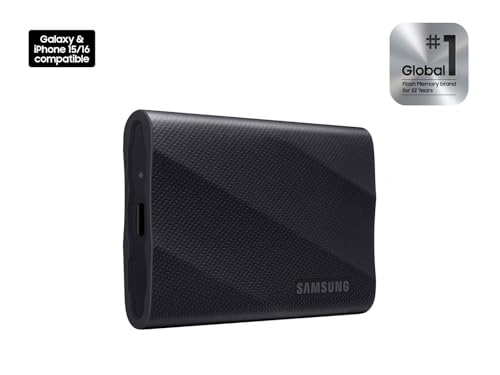
| Samsung T7 and T9 Portable Class | External patterns in Samsung’s line, provisions in maker’s stated terms by size | Best external parish | $90 – $180 by capacity |
| SanDisk Extreme Portable Class | External patterns in SanDisk’s line, provisions in maker’s stated terms by size | Best bag parish | $85 – $160 by capacity |
| WD Black SN850X Class | Internal patterns in Western Digital’s line, provisions in maker’s terms by size | Best heavy parish | $95 – $160 by capacity |

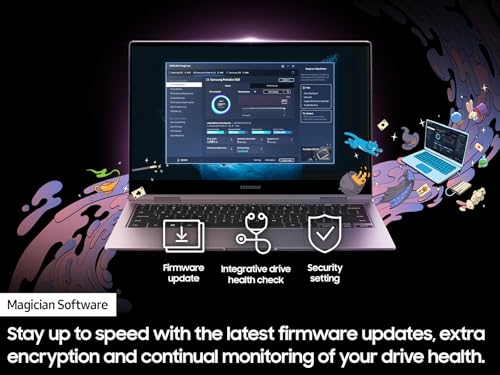
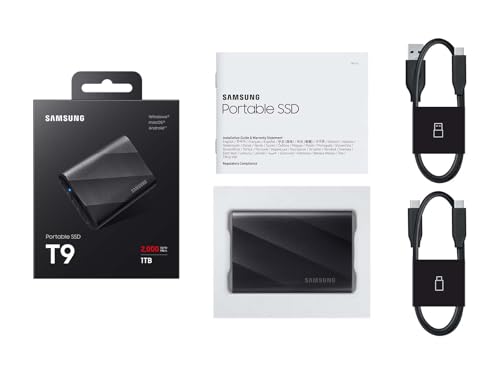
Samsung T9 Portable SSD 2TB, USB 3.2 Gen 2x2 External SSD, Up to 2,000 MB/s | External Solid State Drive for Gaming, Students and Professionals, MU-PG2T0B/AM, Black




As an Amazon Associate we earn from qualifying purchases. Product prices and availability are accurate as of the date/time indicated.

GARMESE 1TB External SSD Up to 2000MB/s, USB 3.2 Gen 2x2 Portable SSD USB C | Solid State Drives for iPhone 15/16/17Pro /Tablet/Laptop/Mac with Cable, Hard Drive for Gaming/Students/Professionals
As an Amazon Associate we earn from qualifying purchases. Product prices and availability are accurate as of the date/time indicated.

15.6" Student Laptop, Intel CPU 16GB RAM DDR4 512GB SSD, FHD Triple-Display | Win11 Home, Full-Function USB-C, HDMI 2.0, Multiple USB Ports, 6H Battery Life, Thin & Lightweight for School or Business


As an Amazon Associate we earn from qualifying purchases. Product prices and availability are accurate as of the date/time indicated.
Prices shown are approximate and for reference only. Prices change often, so please check the current price on Amazon before you buy.
Forms, interfaces, capacities, and provisions are each maker’s stated details for the current version and size, and an internal drive must be matched to the exact laptop’s slot in the maker’s documents. Ratings are editorial for students: the fit, capacity against a course’s real files, sustained manners across a large copy, the maker’s keeping parish, and value per year of a degree.
Detailed Reviews: How to Choose SSD for Students Picks
1. WD Black SN770 – Best Overall
Western Digital’s SN770 parish takes the overall rating as the student’s reference internal citizen in its line: a sound, quick parish at a figure a degree’s budget can carry, in the capacities a course actually fills.
Fitted and migrated, it earns its place outright.
2. Samsung Portable T7 and T9 – Best External Parish
Samsung’s portable citizens serve the bag in its line, a library between machines at a sustained sentence, for the student whose laptop cannot open or whose course travels.
For the bag, it stands.
3. Samsung 990 Pro – Best Summit Parish
Samsung’s summit parish grades its sustained manners in its line for the heavy course, footage and datasets, its figure entered honestly as a summit’s.
Within its weight, it earns its place.
4. WD Black SN850X – Best Heavy Parish
Western Digital’s heavier parish serves the computing and media estate in its line, its capacity and its keeping read as a four-year citizen’s documents.
For the heavy course, it is soundly placed.
5. Crucial P3 – Best Value Parish
Crucial’s parish brings the transformation in its line at the table’s friendliest figure, a document degree’s whole sentence at a value’s price.
For the value, it is soundly placed.
6. SanDisk Extreme Portable – Best Bag Parish
SanDisk’s portable parish closes the table as the daily rider in its line, its stated sentences for a bag’s life read as documents and its place in the bag governed.
As the bag row, it completes the table.
Buying Guide: How to Choose SSD for Students
The Student’s Audit: Machine Read, Files Weighed, Backup Bought First
Write the audit’s five facts before a listing is opened, with the laptop in hand. The machine: its documents read for the slot’s parish or for the soldered sentence that refuses one, the purchase’s whole road decided there, internal, external, or not yet. The files: the course’s real estate weighed as it stands, the system’s and the applications’ parishes included, a degree’s growth added honestly, media and computing courses counting in a different currency from document courses, the capacity bought one parish beyond the sum. The backup: named before the drive, the second copy’s citizen and its rhythm written down, an enclosure for the old drive in the same order where an internal change is planned, a cloud parish where it is not. The ports, for an external citizen: the campus’s machines surveyed, the formatting decision taken once for both families where both will be met. And the rehearsal, inside a quiet week and a returns window: the migration copied and verified, the machine worked for a day, a large copy timed, because a student’s drive, like a zero in this site’s rifle guides, is a property evidenced, and its evidence is an estate that opens, whole, from the new citizen. Order against the five, and let a drive whose documents will not state its parish be refused however bright its headline.
Spend by the degree’s priorities, which are the guide’s: the fit first, as a document’s sentence; the second copy second, as the degree’s insurance; capacity third, against real files; sustained manners fourth, for the courses that write largely; and a headline read speed never, a figure measured in seconds wearing a semester’s clothes. Refuse, in the same pass, the parish’s two frauds: the summit drive in a slot that cannot feed it, a generation’s figure spent on a parish the machine keeps closed, and the single copy, a new drive celebrated while the coursework still lives exactly once, because a degree, like a range in this site’s guides, is graded by its worst unsupervised moment, a failed drive in the week an essay is due, and that moment belongs, by doctrine, to the student whose files live twice.
Keeping the Drive: Copies on a Rhythm, Health Read, and the Degree Diary
Maintain the drive as a degree’s citizen with a term’s liturgy. The backup rhythm is performed on its calendar, weekly in term, the copy verified by opening its citizens rather than by trusting its completion, a copy that has never been opened being a hope with a progress bar. The drive’s own parish is read at the term, its fullness kept off its ceiling, a drive’s manners and a system’s both souring in the last parish of a full citizen, the estate’s archaeology, the first year’s downloads, the abandoned course’s footage, archived to the external citizen at each term’s end. The machine’s and the drive’s documents, warranty and its road, are kept with the student’s papers.
Keep the record as the degree diary, drive and its machine, the estate’s size by term, the copies’ dates, so a final year’s machine or a failure’s morning is met from a document. Do that, the slot read, the files weighed, the copy living twice, and the question of how to choose SSD for students resolves into what its buyer wanted from a small citizen: a machine that opens its work instantly, in the fourth year as in the first, and an essay that survives its drive, which is the whole of what it was for.
Frequently Asked Questions About How to Choose SSD for Students
How to choose SSD for students in one decision?
By reading your own machine and your own files before any listing, in this guide’s order. First, the laptop’s documents: does it accept an internal drive, in which slot and generation, or is its storage a permanent citizen, in which case your purchase is external or nothing. Second, the second copy: name the backup citizen and its rhythm before the drive, since a file that lives once lives provisionally and the backup outranks the speed in this guide’s arithmetic. Third, the estate: weigh your course’s real files, system and applications included, add a degree’s growth, media and computing courses counting larger than document courses, and buy one capacity parish beyond the sum. Fourth, the rehearsal: migration copied and verified, a large copy timed, the machine worked for a day. The rows in this table then sort themselves, the SN770’s parish for most internal upgrades, Crucial’s for value, Samsung’s portables for the bag, each fitted by the audit rather than by a headline.
How much SSD capacity does a student need?
The estate you weighed, plus a degree’s growth, plus the discipline of never living at the ceiling, the three sentences priced by course. A document-and-browser degree’s estate, system, applications, and four years of essays and readings, sits comfortably in the table’s middle capacities with room to keep the drive’s last parish unoccupied, a drive’s manners souring as it fills completely. A media, design, engineering, or computing estate counts in a larger currency, footage, datasets, virtual machines, and local tools arriving by the course unit, those students buying the larger parish at the start, since a drive outgrown in year two is bought twice and the second purchase carries a migration with it. Photographs and a personal library are entered honestly in the sum rather than discovered in it. Buy one parish beyond the weighed estate, archive each term’s dead weight to the external citizen, and let the diary’s term-by-term figures, not a listing’s suggestion, size the next machine’s drive.
Is a faster SSD worth it for a student laptop?
Up to the parish your slot and your workload can open, and not beyond, the honest answer being that most student work cannot spend a summit figure. A sound modern drive in this table transforms a machine’s daily manners alike for documents, browsing, and ordinary coursework, the differences between the table’s rows living in sustained writing, large copies held at their sentence, and the heavy courses’ estates, where the summit citizens earn their figures in minutes a media student can count across a term. A drive of a newer generation in an older slot works at the slot’s sentence, lawful and sometimes wise for a drive that will outlive the laptop, never a transformation of the laptop. Decide from your course’s real writing, time your own large copy in rehearsal, and spend the difference, where your workload cannot open it, on capacity or on the backup citizen, both of which a degree will thank you for in a week a benchmark never visits.
Do I still need backups if I have a new SSD?
Yes, and the newness changes nothing, since a backup doctrine answers failures a drive’s quality only makes rarer, never impossible, and answers several it does not touch at all. A drive can fail in its first year as in its fourth, a laptop can be lost, stolen, soaked, or sat on with its perfect drive inside it, a file can be deleted by its owner in good health on a tired evening, and ransomware and its cousins grade a machine’s citizenship rather than its hardware. The doctrine in this guide is a student’s whole insurance at its smallest figure: coursework living in two places, the machine and an external citizen or a cloud parish, copied on a weekly rhythm in term and verified by opening, the old internal drive, where one was replaced, serving as that citizen from inside an inexpensive enclosure. A file that lives once lives provisionally, whatever it lives on. Buy the second copy first where the budget forces an order, since speed can be forgiven by a deadline and absence cannot.
Related guides
- Best SSD Enclosure for PC Upgrades in 2026: How to Pick an SSD Enclosure That Makes Your Old SSD Fast and Useful Again
- How to Choose Action Camera for PC Travel in 2026: A Step-by-Step Guide to Picking an Action Camera You Can Use on the Road and Edit on Your PC
- Best Storage for CAD Workstations in 2026: Best Storage for CAD Workstations
- Best Premium 360mm AIO Cooler for CPU in 2026: 7 Premium 360mm AIO Coolers That Offer Strong Cooling, Quiet Fans, and Reliable Performance for High-End CPUs
More from Amazon
Programs that pair well with the guide above. Offers and eligibility are set by Amazon and may change.
Free shipping on eligible items, Prime Video and more. Eligible new members can start with a free trial.
Start a Prime free trialAd-free music streaming. Eligible new subscribers can start with a free trial.
Try Music Unlimited freeA Prime membership for ages 18-24 with a trial period. Eligibility is set by Amazon.
See Prime for Young AdultsAudiobooks and podcasts to listen to on the go. Eligible new members can start with a free trial.
Try Audible freeAs an Amazon Associate we earn from qualifying purchases.

Write Your Review
No reviews yet. Be the first to share your experience!