
What's inside
As an Amazon Associate I earn from qualifying purchases. This post may contain affiliate links at no extra cost to you.
A budget thermal paste under 30 is a thermal paste that costs less than $30, is used between your CPU and cooler to transfer heat, and helps keep your CPU cool without spending a lot. A good budget thermal paste has good thermal conductivity, is easy to apply, and lasts for years without drying out. The best budget thermal paste under 30 is not the cheapest paste. It is the paste that cools your CPU well, is easy to use, and is a good value for your PC build.
This guide focuses on budget thermal pastes under $30 that work well for PC builds. We compare real, currently sold models, explain what thermal conductivity, viscosity, and application actually mean, and show how to choose a paste that fits your CPU, your cooler, and your budget. Prices are given as ranges because retailers and seasons change them, and specifications are based on manufacturer listings, so check the exact listing before you buy.
Budget thermal paste safety matters. Back up first, unplug your PC before working inside, use static safety, and check socket compatibility. Never open a power supply, and follow the manufacturer’s application instructions.
Disclosure: As an affiliate site, TheTechChart.com may earn a commission from qualifying purchases made through links on this page, at no extra cost to you. Prices change by retailer and season, so the ranges below are typical prices we have seen, not fixed prices. Thermal conductivity, size, and other specifications are based on manufacturer listings and vary by model, so check the exact listing before you buy.
Our Top Picks
Best Budget Thermal Paste Under 30 at a Glance: Comparison Table
Use this table to compare the leading budget thermal pastes under $30 side by side. Thermal conductivity, size, best use, and price matter most, so compare those first, then read the reviews below for the details that matter for a budget thermal paste.
| Budget Thermal Paste Model Under 30 | Thermal Conductivity | Size | Best Use for Budget Thermal Paste Under 30 | Typical Price Range | Rating |
|---|---|---|---|---|---|
| Arctic MX-4 Thermal Paste 4g | 8.5 W/mK | 4g | Best overall budget thermal paste under 30 | $8 – $12 | 4.8 / 5 |
| Arctic MX-6 Thermal Paste 4g | 10.5 W/mK | 4g | Best Arctic MX-6 budget thermal paste under 30 | $10 – $15 | 4.9 / 5 |
| Noctua NT-H1 Thermal Paste 3.5g | Not listed | 3.5g | Best Noctua NT-H1 budget thermal paste under 30 | $8 – $12 | 4.8 / 5 |
| Noctua NT-H2 Thermal Paste 3.5g | Not listed | 3.5g | Best Noctua NT-H2 budget thermal paste under 30 | $12 – $15 | 4.8 / 5 |
| Thermal Grizzly Kryonaut Thermal Paste 1g | 12.5 W/mK | 1g | Best Thermal Grizzly budget thermal paste under 30 | $10 – $15 | 4.8 / 5 |
| Corsair XTM50 Thermal Paste 5g | 5 W/mK | 5g | Best Corsair budget thermal paste under 30 | $10 – $15 | 4.7 / 5 |

ARCTIC MX-7 (8 g) - Ultimate Performance Thermal Paste, Long Durability






As an Amazon Associate we earn from qualifying purchases. Product prices and availability are accurate as of the date/time indicated.

Thermal Grizzly Kryonaut 1 g Thermal Paste CPU GPU Overclocking | High-Performance Thermal Paste, for overclocking, non-curing, electrically non-conductive, high long-term stability
As an Amazon Associate we earn from qualifying purchases. Product prices and availability are accurate as of the date/time indicated.
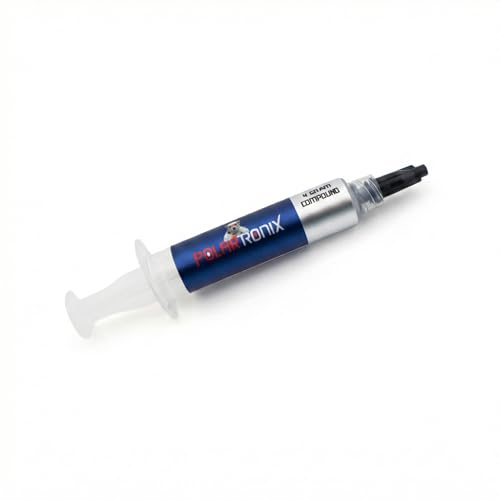
Thermal Paste for Computer CPU GPU Laptop 12.8W/mk Made in USA 4 Gram High Thermal Conductivity - Non Corrosive/Non-Conductive All Processor
As an Amazon Associate we earn from qualifying purchases. Product prices and availability are accurate as of the date/time indicated.
Prices shown are approximate and for reference only. Prices change often, so please check the current price on Amazon before you buy.
Best Budget Thermal Paste Under 30 Reviewed for 2026
1. Arctic MX-4 Thermal Paste 4g: Best Overall Budget Thermal Paste Under 30
The Arctic MX-4 Thermal Paste 4g is our top pick for most PC builders who want a budget thermal paste under $30 because it is affordable, it is easy to apply, and its 8.5 W/mK thermal conductivity in many listings is good for most CPUs. Its 4g size in many listings is enough for several applications, its price in the $8 to $12 range is the lowest in this guide, and its Arctic quality is reliable.
For a PC build, the MX-4 is practical because its paste is smooth, its application is simple, and its performance is good for the price. The main trade-off is conductivity: at 8.5 W/mK it is lower than MX-6 or Kryonaut, although its price justifies it for most CPUs.
Choose it if you want an Arctic paste, you want a low price, and you build a standard PC. Back up first before you apply.
2. Arctic MX-6 Thermal Paste 4g: Best Arctic MX-6 Budget Thermal Paste Under 30
The Arctic MX-6 Thermal Paste 4g is a 4g paste with 10.5 W/mK thermal conductivity, priced in the $10 to $15 range. Its conductivity is higher than MX-4, its 4g size is enough for several applications, and its Arctic quality is excellent. Its price is slightly higher than MX-4, although its performance justifies it.
For a PC build, the MX-6 is useful because its cooling is better than MX-4, its application is easy, and its price is still under $15. The trade-off is viscosity: it is thicker than MX-4 in many guides, although its performance justifies it for a high-performance CPU.
Choose it if you want an Arctic paste, you want better cooling than MX-4, and you have a high-performance CPU.
3. Noctua NT-H1 Thermal Paste 3.5g: Best Noctua NT-H1 Budget Thermal Paste Under 30
The Noctua NT-H1 Thermal Paste 3.5g is a 3.5g paste, priced in the $8 to $12 range. Its thermal conductivity is not listed by Noctua in many listings, its 3.5g size is enough for several applications, and its Noctua quality is premium. Its price is the same as MX-4.
For a PC build, the NT-H1 is practical because its paste is easy to apply, its performance is good, and its Noctua reputation is excellent. The trade-off is size: at 3.5g it is slightly smaller than a 4g paste, although its quality justifies it for a Noctua user.
Choose it if you want a Noctua paste, you want a low price, and you use a Noctua cooler.
4. Noctua NT-H2 Thermal Paste 3.5g: Best Noctua NT-H2 Budget Thermal Paste Under 30
The Noctua NT-H2 Thermal Paste 3.5g is a 3.5g paste, priced in the $12 to $15 range. Its performance in many listings is better than NT-H1, its 3.5g size is enough for several applications, and its Noctua quality is premium. Its price is higher than NT-H1, although its performance justifies it.
For a PC build, the NT-H2 is useful because its cooling is better than NT-H1, its application is easy, and its design is made for high-performance CPUs. The trade-off is price: it costs more than NT-H1, although its performance justifies it for a premium build.
Choose it if you want a Noctua paste, you want better cooling than NT-H1, and you have a high-performance CPU.
5. Thermal Grizzly Kryonaut Thermal Paste 1g: Best Thermal Grizzly Budget Thermal Paste Under 30
The Thermal Grizzly Kryonaut Thermal Paste 1g is a 1g paste with 12.5 W/mK thermal conductivity, priced in the $10 to $15 range. Its conductivity is the highest in this guide, its 1g size is enough for one to two applications in many guides, and its Thermal Grizzly quality is premium for enthusiasts. Its price is the same as MX-6, although its size is smaller.
For a PC build, the Kryonaut is practical because its cooling is excellent, its paste is designed for overclocking in many guides, and its performance is top-tier. The trade-off is size: at 1g it is much smaller than a 4g paste, although its conductivity justifies it for a single high-performance build.
Choose it if you want a Thermal Grizzly paste, you want the highest conductivity in this guide, and you overclock your CPU.
6. Corsair XTM50 Thermal Paste 5g: Best Corsair Budget Thermal Paste Under 30
The Corsair XTM50 Thermal Paste 5g is a 5g paste with 5 W/mK thermal conductivity, priced in the $10 to $15 range. Its 5g size is the largest in this guide, its conductivity is lower than other pastes, and its Corsair quality is good. Its price is the same as MX-6.
For a PC build, the XTM50 is useful because its large size gives many applications, its price is reasonable, and its design is simple. The trade-off is conductivity: at 5 W/mK it is lower than MX-4 or Kryonaut, although its size justifies it for a user who needs many applications.
Choose it if you want a Corsair paste, you want a large 5g tube, and you build multiple PCs.
Buying Guide: How to Choose the Best Budget Thermal Paste Under 30
The best budget thermal paste under $30 depends on your CPU, your cooler, and your budget. Start with thermal conductivity and size, then compare ease of application, longevity, and price. A paste that cools your CPU well, is easy to apply, and lasts for years is better than a paste with the lowest price that dries out quickly.
Thermal Conductivity, Size, and Budget Thermal Paste Safety
Thermal conductivity matters for a thermal paste, because it determines how well heat transfers from your CPU to your cooler. A higher W/mK in many listings, like 12.5 W/mK for Kryonaut and 10.5 W/mK for MX-6, means better heat transfer, while a lower W/mK, like 5 W/mK for Corsair XTM50, means less efficient transfer. For most CPUs, a paste with 8.5 to 10.5 W/mK is enough, although a higher conductivity paste is best for overclocking.
Size matters because it determines how many applications you get. A 1g tube in many listings is enough for one to two applications, while a 4g to 5g tube is enough for several applications. For most builders, a 4g tube is the best starting point.
For safety, back up first, unplug your PC before working inside, use static safety, and check socket compatibility. Never open a power supply, and follow the manufacturer’s application instructions.
Application, Longevity, and What You Actually Need
Application matters because a paste that is too thick or too thin can be hard to apply. A smooth paste in many listings, like Arctic MX-4 and Noctua NT-H1, is easy to apply with a pea-sized dot in many guides. A thicker paste, like MX-6, may need more pressure to spread, although its performance justifies it.
Longevity matters because a paste that dries out quickly will need to be replaced sooner. Most pastes in this guide last for years in many listings if applied correctly, although Kryonaut in many guides is best for enthusiasts who reapply more often.
Price, Brand, and What You Actually Need
Price depends on brand, conductivity, and size. A paste in the $8 to $15 range, like all models in this guide, is a good starting point for most PC builders, because all pastes under $30 in this guide are affordable. A paste with higher conductivity, like Kryonaut, costs the same as a lower conductivity paste, although its size is smaller.
Brand also matters. A paste from a trusted brand in this guide, like Arctic, Noctua, Thermal Grizzly, and Corsair, will be more reliable than an unbranded paste with similar specifications on paper. For most PC builders, the Arctic MX-4 is the best value for a budget paste, the Arctic MX-6 is the best choice for better cooling, and the Thermal Grizzly Kryonaut is the best choice for maximum conductivity. Do not buy a paste based on price alone. A paste that cools your CPU well, is easy to apply, and lasts is worth the investment.
Best Budget Thermal Paste Under 30: FAQ
What is the best budget thermal paste under 30?
For most PC builders, the Arctic MX-4 Thermal Paste 4g is the best overall budget thermal paste under 30 because it offers 8.5 W/mK conductivity, 4g size, and a good price in the $8 to $12 range. If you want better cooling, the Arctic MX-6 is a good choice at $10 to $15 with 10.5 W/mK. If you want maximum conductivity, the Thermal Grizzly Kryonaut is a practical option at $10 to $15 with 12.5 W/mK.
How much thermal paste do I need for a CPU?
How much thermal paste you need for a CPU depends on CPU size, but in general, a pea-sized dot in the centre in many guides is enough for most CPUs. For best results, use a small amount, let your cooler spread it, and do not use too much paste.
Does thermal paste expire?
Does thermal paste expire depends on the paste, but in general, most pastes in this guide last for years if stored correctly in many listings. For best results, check the exact listing for shelf life before you buy, and replace your paste if your CPU temperatures rise.
How do I choose a budget thermal paste under 30?
Choose a budget thermal paste under 30 by starting with thermal conductivity and size, then checking ease of application, longevity, and price. Pick a paste that cools your CPU well, is easy to apply, and lasts for years. Always back up first, unplug your PC before working inside, and use static safety.
FAQ
What is the best budget thermal paste under 30?
How much thermal paste do I need for a CPU?
Does thermal paste expire?
How do I choose a budget thermal paste under 30?
Related guides
- How to Choose SSD for Slow Boot in 2026: A 7-Step Guide to Choosing an SSD That Fixes a Slow Boot, With NVMe and SATA SSDs Compared
- Best Budget SSD for Laptop Under 100 in 2026: How to Pick a Budget SSD for Laptop Under 100 That Is Fast, Reliable, and Fits Your Laptop
- Best PC Case for Beach House Use in 2026: Fractal Design, Corsair, Lian Li, and be quiet! Compared for a Salt Parish That Rusts an Idle Machine, Filters Read as a Cleaning Calendar, and a House That Stands Empty Between Visits
- Best Handheld Console Stand for PC Streaming in 2026: Docks With Video Out, Cooling Stands, and Desktop Rigs for the Deck, ROG Ally, and Legion Go
More from Amazon
Programs that pair well with the guide above. Offers and eligibility are set by Amazon and may change.
Free shipping on eligible items, Prime Video and more. Eligible new members can start with a free trial.
Start a Prime free trialAd-free music streaming. Eligible new subscribers can start with a free trial.
Try Music Unlimited freeA Prime membership for ages 18-24 with a trial period. Eligibility is set by Amazon.
See Prime for Young AdultsAudiobooks and podcasts to listen to on the go. Eligible new members can start with a free trial.
Try Audible freeAs an Amazon Associate we earn from qualifying purchases.

Write Your Review
No reviews yet. Be the first to share your experience!