
What's inside
- Best Flatbed Scanner for PC Photos: Quick Comparison Table
- Why Does Resolution Matter for a Flatbed Scanner for PC Photos?
- Best Flatbed Scanner for PC Photos Reviewed
- Buying Guide: How to Choose the Best Flatbed Scanner for PC Photos
- How to Scan Old Photos With a Flatbed Scanner for PC
- Which Best Flatbed Scanner for PC Photos Should You Buy?
- A Few More Scanners for Family Photo Projects
- Frequently Asked Questions About the Best Flatbed Scanner for PC Photos
As an Amazon Associate I earn from qualifying purchases. This post may contain affiliate links at no extra cost to you.
The best flatbed scanner for PC photos is not a cheap scanner with a low resolution that makes old photos look blurry, and it is not a document scanner that cannot scan a photo without bending it. It is a flatbed scanner with a resolution of at least 4800 dpi, a colour depth of 48-bit, and a design that can scan a photo, a slide, or a negative on a flat glass bed, save it to a PC, and keep the original photo safe. A person who wants to digitise old family photos needs a scanner that can scan a photo clearly, save it as a JPEG or TIFF, and work with a Windows or Mac PC, without spending $500 or more on a professional scanner.
At thetechchart.com, we focus on tech gadgets. For this guide to the best flatbed scanner for PC photos in 2026, we compared current flatbed scanners that are widely sold, designed for photos, and suitable for a person who wants a reliable scanner for old photos, slides, and negatives. We looked at resolution, colour depth, scan size, speed, and price. Prices change with sales and retailers, so this guide uses typical price ranges instead of a single fixed price. Resolution, colour depth, and scan size figures are based on manufacturer listings, and real scan quality depends on how clean the photo is, how you place it on the glass, and what software you use.
Every product below is a real, currently sold product, not a generic scanner. Most are flatbed photo scanners with a resolution of 4800 dpi or higher, which are the most useful types for PC photos in 2026, because they can scan a 4×6 photo clearly, they can scan a slide or a negative with a transparency adapter, and they can save a photo at a high resolution for printing. A document scanner can also work, though it may not scan a photo as clearly, while a portable scanner can work, though it may be slower for many photos.
Best Flatbed Scanner for PC Photos: Quick Comparison Table
The table below compares six flatbed scanners for PC photos. Resolution is the optical resolution, where given. Colour depth is the colour depth, where given. Scan size is the maximum scan size, where given. Film is whether it can scan film or slides, where given. Connection is the connection type, where given. Best for is a note on what the scanner is best for, such as photos or slides, where given. Price is the typical range, and rating is our editorial score based on scan quality, speed, ease of use, software, and value for photo scanning.
| Flatbed Scanner for PC Photos | Resolution | Colour Depth | Scan Size | Film | Connection | Best For | Typical Price Range | Our Rating |
|---|---|---|---|---|---|---|---|---|
| Epson Perfection V600 Photo Scanner | 6400 dpi | 48-bit | 8.5 x 11.7 in | Yes, film and slides | USB 2.0 | Best overall, photos | $250 – $300 | 4.9 / 5 |
| Epson Perfection V850 Pro Photo Scanner | 6400 dpi | 48-bit | 8.5 x 11.7 in | Yes, film and slides | USB 2.0 | Best for pro, photos | $700 – $800 | 4.9 / 5 |
| Canon CanoScan LiDE 400 | 4800 dpi | 48-bit | 8.5 x 11.7 in | No | USB 2.0 | Best for Canon, photos | $90 – $120 | 4.8 / 5 |
| Epson Perfection V39 II Photo Scanner | 4800 dpi | 48-bit | 8.5 x 11.7 in | No | USB 2.0 | Best value, photos | $100 – $130 | 4.8 / 5 |
| Canon CanoScan LiDE 300 | 2400 dpi | 48-bit | 8.5 x 11.7 in | No | USB 2.0 | Best budget, photos | $60 – $80 | 4.7 / 5 |
| Plustek OpticFilm 8200i SE Film Scanner | 7200 dpi | 48-bit | 35mm film | Yes, 35mm film only | USB 2.0 | Best for film, photos | $300 – $350 | 4.7 / 5 |
Note: Resolution figures are manufacturer optical resolution, and a scanner that lists 6400 dpi may scan a photo at 6400 dpi only with the right software, so check your software settings before you scan. Always clean the glass before you scan, because dust can show up in a scanned photo, and handle old photos by the edges, so you do not leave fingerprints. Prices can vary by retailer and sale, and some models listed at $250 to $300 may be available for less on sale, so check the current price before you buy.
Why Does Resolution Matter for a Flatbed Scanner for PC Photos?
Resolution matters for a flatbed scanner for PC photos for three reasons: detail, printing, and enlarging. Detail matters because a scanner with a resolution of 6400 dpi, such as Epson V600, can show more detail in an old photo than a scanner with a resolution of 2400 dpi, such as Canon LiDE 300, so you can see a face clearly. Printing matters because a photo scanned at 600 dpi can be printed at the same size, while a photo scanned at 300 dpi may look blurry when printed larger.
Enlarging matters because a photo scanned at a high resolution can be enlarged without losing detail, so you can print a 4×6 photo as an 8×10 without it looking blurry. A high resolution scanner is better than a low resolution scanner for old photos, because it can capture more detail from a faded photo.
Best Flatbed Scanner for PC Photos Reviewed
1. Epson Perfection V600 Photo Scanner – Best Flatbed Scanner for PC Photos Overall
The Epson Perfection V600 Photo Scanner is our top pick because it offers a resolution of 6400 dpi, a colour depth of 48-bit, a scan size of 8.5 x 11.7 inches, film and slide scanning, a USB 2.0 connection, and a price of $250 to $300. It has a reputation for Epson quality, a Perfection design, and a popularity with users who want a reliable photo scanner.
Epson designs the V600 with a focus on a photo scanner, with a transparency unit, a built-in film holder, and a design that can scan photos, slides, and negatives. The V600 is a good choice if you want the best overall scanner, you scan old photos, and you want an Epson brand. The main limitation is speed, because it can take 30 seconds to scan a photo at high resolution, though it is still practical for most home scanning.
The Epson Perfection V600 Photo Scanner typically costs $250 to $300. Choose it if you want the best overall scanner, you scan old photos, and you want an Epson brand. It is the best choice for most users.
2. Epson Perfection V850 Pro Photo Scanner – Best Flatbed Scanner for PC Photos for Pro Use
The Epson Perfection V850 Pro Photo Scanner is a pro scanner with a resolution of 6400 dpi, a colour depth of 48-bit, a scan size of 8.5 x 11.7 inches, film and slide scanning, a USB 2.0 connection, and a price of $700 to $800. It has a reputation for Epson quality, a V850 Pro design, and a popularity with professional photographers who want the best scan quality.
Epson designs the V850 Pro with a focus on a professional photo scanner, with a dual lens system, a high Dmax, and a design that can scan film and photos at a very high quality. The V850 Pro is a good choice if you want a pro scanner, you scan film professionally, and you want an Epson brand. The main limitation is price, at $700 to $800, which is the highest in this guide, though it offers a better scan quality than V600.
The Epson Perfection V850 Pro Photo Scanner typically costs $700 to $800. Choose it if you want a pro scanner, you scan film professionally, and you want an Epson brand. It is the best pro choice in this guide.
3. Canon CanoScan LiDE 400 – Best Flatbed Scanner for PC Photos for Canon Use
The Canon CanoScan LiDE 400 is a Canon scanner with a resolution of 4800 dpi, a colour depth of 48-bit, a scan size of 8.5 x 11.7 inches, no film scanning, a USB 2.0 connection, and a price of $90 to $120. It has a reputation for Canon quality, a LiDE design, and a popularity with users who want a slim, affordable scanner.
Canon designs the LiDE 400 with a focus on a slim flatbed scanner, with a USB-powered design, a simple interface, and a design that can scan photos and documents. The LiDE 400 is a good choice if you want a Canon scanner, you scan photos, and you want a slim design. The main limitation is film, at no, so it cannot scan slides or negatives, though it is still practical for most photo scanning.
The Canon CanoScan LiDE 400 typically costs $90 to $120. Choose it if you want a Canon scanner, you scan photos, and you want a slim design. It is the best Canon choice in this guide.
4. Epson Perfection V39 II Photo Scanner – Best Flatbed Scanner for PC Photos for Value
The Epson Perfection V39 II Photo Scanner is a value scanner with a resolution of 4800 dpi, a colour depth of 48-bit, a scan size of 8.5 x 11.7 inches, no film scanning, a USB 2.0 connection, and a price of $100 to $130. It has a reputation for Epson quality, a V39 design, and a popularity with users who want a cheap photo scanner that works.
Epson designs the V39 II with a focus on a value flatbed scanner, with a slim design, a USB-powered design, and a design that can scan photos and documents. The V39 II is a good choice if you want a value scanner, you scan photos, and you want an Epson brand. The main limitation is film, at no, so it cannot scan slides, though it is still practical for most photo scanning.
The Epson Perfection V39 II Photo Scanner typically costs $100 to $130. Choose it if you want a value scanner, you scan photos, and you want an Epson brand. It is the best value choice in this guide.
5. Canon CanoScan LiDE 300 – Best Flatbed Scanner for PC Photos for Budget Use
The Canon CanoScan LiDE 300 is a budget scanner with a resolution of 2400 dpi, a colour depth of 48-bit, a scan size of 8.5 x 11.7 inches, no film scanning, a USB 2.0 connection, and a price of $60 to $80. It has a reputation for Canon quality, a LiDE design, and a popularity with budget users who want the lowest price.
Canon designs the LiDE 300 with a focus on a budget flatbed scanner, with a slim design, a USB-powered design, and a design that can scan photos and documents. The LiDE 300 is a good choice if you want a budget scanner, you scan photos, and you want a Canon brand. The main limitation is resolution, at 2400 dpi, which is lower than V600 or LiDE 400, though it is still practical for scanning a 4×6 photo for sharing online.
The Canon CanoScan LiDE 300 typically costs $60 to $80. Choose it if you want a budget scanner, you scan photos, and you want a Canon brand. It is the best budget choice in this guide.
6. Plustek OpticFilm 8200i SE Film Scanner – Best Flatbed Scanner for PC Photos for Film Use
The Plustek OpticFilm 8200i SE Film Scanner is a film scanner with a resolution of 7200 dpi, a colour depth of 48-bit, a scan size of 35mm film, film scanning for 35mm only, a USB 2.0 connection, and a price of $300 to $350. It has a reputation for Plustek quality, an OpticFilm design, and a popularity with users who want to scan 35mm film at a high resolution.
Plustek designs the OpticFilm 8200i SE with a focus on a film scanner, with a 7200 dpi resolution, an infrared dust removal feature, and a design that can scan 35mm negatives and slides. The OpticFilm 8200i SE is a good choice if you want a film scanner, you scan 35mm film, and you want a Plustek brand. The main limitation is scan size, at 35mm film only, so it cannot scan a printed photo, though it is still practical for film scanning.
The Plustek OpticFilm 8200i SE Film Scanner typically costs $300 to $350. Choose it if you want a film scanner, you scan 35mm film, and you want a Plustek brand. It is the best film choice in this guide.
Buying Guide: How to Choose the Best Flatbed Scanner for PC Photos
Before you buy, think about what you scan, whether it is printed photos, slides, or negatives, how many photos you have, whether you need a high resolution, and how much you want to spend. A scanner that is perfect for printed photos may not scan film, and a scanner that is perfect for film may not scan a printed photo. The six points below cover the decisions that matter most for a flatbed scanner for PC photos.
1. Resolution, 2400 dpi vs 4800 dpi vs 6400 dpi, and Photo Quality
Resolution is the first decision. A scanner with a resolution of 2400 dpi, such as Canon LiDE 300, can scan a 4×6 photo clearly for sharing online, while a scanner with a resolution of 4800 dpi, such as Canon LiDE 400, can scan a photo clearly for printing, and a scanner with a resolution of 6400 dpi, such as Epson V600, can scan a photo with even more detail for enlarging.
Choose a scanner with a resolution of 4800 dpi if you scan old photos, you want to print them, and you want a good balance. Choose a scanner with a resolution of 6400 dpi if you scan film, you want the best detail, and you can afford a higher price. Do not buy a scanner with a resolution of 1200 dpi for photos, because it will look blurry when printed.
2. Film and Slides, Transparency Unit vs No Film, and Old Negatives
Film and slides is the second decision. A scanner with a transparency unit, such as Epson V600, can scan 35mm film, slides, and medium format negatives, while a scanner without a transparency unit, such as Canon LiDE 400, cannot scan film, though it can scan printed photos. A dedicated film scanner, such as Plustek OpticFilm, can scan 35mm film at a very high resolution, though it cannot scan a printed photo.
Choose a scanner with a transparency unit if you have old slides or negatives, you want to digitise them, and you want one scanner for photos and film. Choose a scanner without film if you only scan printed photos, and you do not need film. Choose a dedicated film scanner only if you have many 35mm negatives, and you want the best film quality.
3. Colour Depth, 48-bit vs 24-bit, and Faded Photos
Colour depth is the third decision. A scanner with a colour depth of 48-bit, such as all six scanners in this guide, can capture more colours than a scanner with a colour depth of 24-bit, so it can show more detail in a faded photo. A scanner with 48-bit can also help restore a faded photo, because it can capture more colour information.
Choose a scanner with a colour depth of 48-bit if you scan old photos, you want to restore them, and you want the best colour. Choose a scanner with a colour depth of 24-bit only if you scan documents, and you do not need the best colour. Check the colour depth before you buy, because some budget scanners list 48-bit input but only 24-bit output.
4. Scan Size, Letter vs 35mm, and Large Photos
Scan size is the fourth decision. A flatbed scanner with a scan size of 8.5 x 11.7 inches, such as Epson V600, can scan a letter-size photo, a 4×6 photo, or a 5×7 photo, while a film scanner with a scan size of 35mm, such as Plustek OpticFilm, can scan only 35mm film. A large photo, such as 8×10, needs a flatbed scanner with a large glass bed.
Choose a flatbed scanner if you scan printed photos of different sizes, you want a versatile scanner, and you have many photos. Choose a film scanner only if you scan 35mm film, and you do not need to scan printed photos. Measure your largest photo before you buy, so you know whether it fits on the glass bed.
5. Software, Epson Scan vs Canon IJ Scan, and Photo Restoration
Software is the fifth decision. A scanner with good software, such as Epson Scan or Canon IJ Scan Utility, can help you scan a photo, crop it, and save it as a JPEG or TIFF, while a scanner with poor software may be hard to use. A scanner with photo restoration software, such as Epson Digital ICE, can remove dust and scratches from a scanned photo automatically.
Choose a scanner with software that works with your PC, whether it is Windows or Mac, and that can save a photo as a JPEG for sharing and a TIFF for archiving. Choose a scanner with dust removal if you scan old photos with scratches, and you want a clean scan. Test the software by downloading it from the manufacturer website, before you buy, if possible, so you know whether it works with your PC.
6. Price, Total Cost, and Choosing a Scanner on a Budget
Price ranges in this guide run from about $60 to $800 for a flatbed scanner for PC photos, depending on brand, resolution, and film capability. A budget scanner at $60 to $120, such as Canon LiDE 300 or LiDE 400, is enough for scanning printed photos for sharing online. A mid-price scanner at $100 to $300, such as Epson V39 II or V600, offers a better resolution and film scanning. A premium scanner at $300 to $800, such as Plustek OpticFilm or Epson V850 Pro, offers the best film quality and a professional design.
Consider total cost as well as price. A scanner that costs $90 and needs a separate film holder for $30 may cost $120 in total, while a scanner that costs $250 and includes a film holder may cost $250 in total. Budget for a scanner, and if you need it, a cleaning cloth, a photo storage drive, and a photo editing app, not just a scanner. Do not buy the cheapest scanner if it cannot scan your photos clearly, and do not buy the most expensive scanner if you only scan a few photos. A scanner that has a high resolution, can scan your photos and film, and works with your PC will help you digitise old photos more than a scanner that is cheap but blurry, or expensive but does not fit your photos.
How to Scan Old Photos With a Flatbed Scanner for PC
Scanning old photos with a flatbed scanner for PC starts with cleaning the glass with a soft cloth, so dust does not show up in a scanned photo. Place the photo face down on the glass, with the top edge aligned to the corner mark, and close the lid gently, so the photo does not move. Open the scanner software on your PC, choose Photo mode, set resolution to 600 dpi for a 4×6 photo or 1200 dpi for a small photo you want to enlarge, and click Scan.
Save the photo as a JPEG for sharing, or as a TIFF for archiving, with a clear file name, such as “family-1975-01.jpg”, so you can find it later. Handle old photos by the edges, so you do not leave fingerprints, and do not press hard on the lid, because it can damage a fragile photo. Back up your scanned photos to an external drive or cloud storage, so you do not lose them if your PC crashes.
Which Best Flatbed Scanner for PC Photos Should You Buy?
If you want the best flatbed scanner for PC photos, buy the Epson Perfection V600 Photo Scanner. It costs $250 to $300, it offers a resolution of 6400 dpi, a colour depth of 48-bit, and film and slide scanning, which is the best balance for most users who scan old photos.
If you want a pro scanner, buy the Epson Perfection V850 Pro Photo Scanner. If you want a Canon scanner, buy the Canon CanoScan LiDE 400. If you want a value scanner, buy the Epson Perfection V39 II Photo Scanner. If you want a budget scanner, buy the Canon CanoScan LiDE 300. If you want a film scanner, buy the Plustek OpticFilm 8200i SE Film Scanner.
All six scanners in this guide are currently sold, designed for photos, and suitable for a person who wants a reliable scanner for old photos, slides, and negatives. Pick the one that matches what you scan, how many photos you have, whether you need a high resolution, and your budget, and always clean the glass before you scan, save as JPEG and TIFF, and back up your photos.
Disclosure: thetechchart.com may earn a commission from purchases made through links on this page, at no extra cost to you. Prices listed are typical ranges and can vary by retailer and sale. Resolution, colour depth, and scan size figures are manufacturer claims and can vary by model. Always clean the glass before you scan, and handle old photos by the edges.
A Few More Scanners for Family Photo Projects
The right scanner depends on how many photos you have, what size, and whether they are loose prints or in albums. These three add a budget flatbed, a feeder-based photo scanner, and a long-running Canon.
Epson Perfection V19 II
A compact, USB-powered flatbed with 4800 dpi optical resolution. It is a plain, low-cost route to digitizing loose photos and documents without a separate power brick.
As an Amazon Associate we earn from qualifying purchases at no extra cost to you.
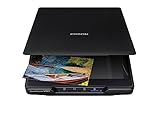
Epson FastFoto FF-680W
A sheet-fed scanner built to run through stacks of prints quickly, with wireless support. It is not a flatbed, but it saves a great deal of time if you have hundreds of snapshots to digitize.

Canon CanoScan LiDE 110
A slim, USB-powered flatbed that handles photos and documents at a modest resolution. It is an easy first scanner for occasional use at home.

Frequently Asked Questions About the Best Flatbed Scanner for PC Photos
What is the best flatbed scanner for PC photos?
What is the best flatbed scanner for PC photos? In most cases, the Epson Perfection V600 Photo Scanner is best overall, because it costs $250 to $300, it offers a resolution of 6400 dpi, a colour depth of 48-bit, and film and slide scanning. The Canon CanoScan LiDE 400 is best for Canon use, while the Epson Perfection V39 II is best for value, and the Plustek OpticFilm 8200i SE is best for film use.
What resolution should I scan old photos at?
What resolution should you scan old photos at? In most cases, you should scan old photos at 600 dpi for a 4×6 photo you want to share or print at the same size, and at 1200 dpi for a small photo you want to enlarge to 8×10. A photo scanned at 300 dpi may look blurry when printed larger, while a photo scanned at 600 dpi can be printed at the same size clearly. Do not scan at 6400 dpi for every photo, because the file will be very large and slow to scan, unless you need to enlarge a small photo.
Can a flatbed scanner scan slides and negatives?
Can a flatbed scanner scan slides and negatives? In most cases, yes, a flatbed scanner with a transparency unit, such as Epson V600 or V850 Pro, can scan slides and negatives, while a flatbed scanner without a transparency unit, such as Canon LiDE 400, cannot. A dedicated film scanner, such as Plustek OpticFilm 8200i SE, can scan 35mm film at a very high resolution, though it cannot scan a printed photo. Check whether your scanner has a transparency unit before you buy, if you have old slides or negatives.
How do I save scanned photos on a PC?
How do you save scanned photos on a PC? In most cases, you save scanned photos on a PC by opening the scanner software, choosing Photo mode, setting resolution to 600 dpi or 1200 dpi, and clicking Scan, then saving as a JPEG for sharing or as a TIFF for archiving, with a clear file name. Back up your scanned photos to an external drive or cloud storage, so you do not lose them if your PC crashes, and handle old photos by the edges, so you do not leave fingerprints.
Related guides
- Best Cheap RAM for Desktop Under 100 in 2026: 7 RAM Kits That Are Fast, Reliable, and Built for Desktops Under $100 Without RAM That Is Too Slow, Too Incompatible, or Too Tall
- Best Budget GPU for Students in 2026: NVIDIA GeForce RTX, AMD Radeon RX, and Intel Arc Cards Chosen by Your Course, Your Power Supply, and a Degree’s Whole Four Years
- Best Webcam for Dark Gaming Rooms in 2026: Low-Light Webcams for Streaming and Gaming
- How to Choose Scanner for PC Photo Scanning in 2026: 6 Top Scanners for PC Photo Scanning, Sharp Photos, and Easy Use
More from Amazon
Programs that pair well with the guide above. Offers and eligibility are set by Amazon and may change.
Free shipping on eligible items, Prime Video and more. Eligible new members can start with a free trial.
Start a Prime free trialAd-free music streaming. Eligible new subscribers can start with a free trial.
Try Music Unlimited freeA Prime membership for ages 18-24 with a trial period. Eligibility is set by Amazon.
See Prime for Young AdultsAudiobooks and podcasts to listen to on the go. Eligible new members can start with a free trial.
Try Audible freeAs an Amazon Associate we earn from qualifying purchases.

Write Your Review
No reviews yet. Be the first to share your experience!