
What's inside
As an Amazon Associate I earn from qualifying purchases. This post may contain affiliate links at no extra cost to you.
Finding the best gpu for video editing rendering starts with a simple idea: a video editing GPU should have enough VRAM, fast encoding, and stable drivers, so you can edit 4K footage, render quickly, and preview effects without lag, without a GPU that runs out of memory, stutters on a timeline, or takes hours to export. The best gpu for video editing rendering is a GPU that is 8GB VRAM or more, has hardware encoding, and has a simple design, so you can edit in Premiere Pro, DaVinci Resolve, or Final Cut, without a GPU that is too slow or too small for your projects. In 2026, a good video editing GPU means a modern GPU, with 8GB VRAM or more, and a simple design that fits your PC and your budget.
This guide compares seven real, currently sold GPUs that are commonly used for video editing and rendering. It explains GPU type, VRAM, and price in plain terms, and it helps you match a GPU to your editing, your footage, and your budget. Turn off power before installing a GPU, do not open a PSU, use only supplied cables, back up your work before an upgrade, and check motherboard and PSU compatibility.
Our Top Picks
Best GPU for Video Editing Rendering Compared
Use this table to compare GPU type, VRAM, and price first. Those three details decide whether a GPU will fit your editing and fit your budget.
| Model | GPU Type and VRAM | Encoding and Features | Best For |
|---|---|---|---|
| NVIDIA RTX 4060 | GeForce GPU, 8GB VRAM | NVENC, CUDA, DLSS | Video editing, overall |
| Intel Arc A770 16GB | Arc GPU, 16GB VRAM | AV1, Quick Sync, XeSS | Video editing, value |
| AMD RX 7800 XT | Radeon GPU, 16GB VRAM | AV1, RDNA 3, FSR | Video editing, value |
| NVIDIA RTX 4070 | GeForce GPU, 12GB VRAM | NVENC, CUDA, DLSS | Video editing, premium |
| AMD RX 7900 XT | Radeon GPU, 20GB VRAM | AV1, RDNA 3, FSR | Video editing, premium |
| NVIDIA RTX 4070 Ti Super | GeForce GPU, 16GB VRAM | NVENC, CUDA, DLSS | Video editing, premium |
| NVIDIA RTX 4080 Super | GeForce GPU, 16GB VRAM | NVENC, CUDA, DLSS | Video editing, premium exception |

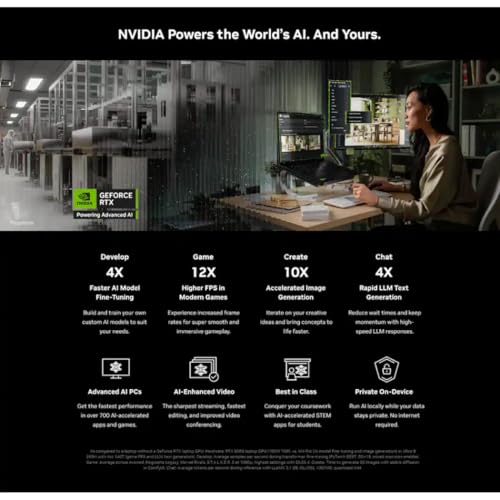
ASUS Prime RTX 5070 Ti OC 16GB GDDR7 GPU, PCIe 5.0, HDMI 2.1b, 3X DP 2.1b, High FPS 4K Gaming, Creator PC, AI Creation, Video Editing, 3D Rendering, Streaming, Local AI, with GPU Holder



As an Amazon Associate we earn from qualifying purchases. Product prices and availability are accurate as of the date/time indicated.
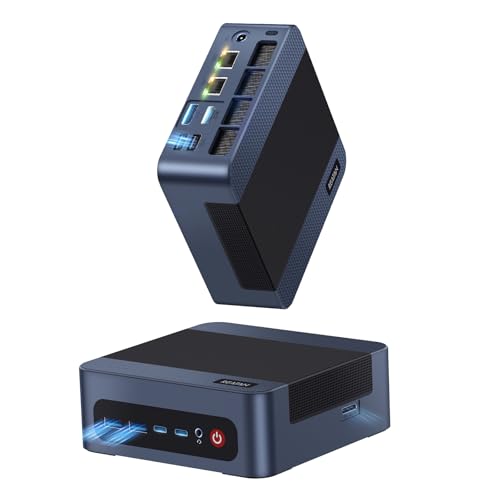
Reatan OCulink Mini PC AMD Ryzen 7 8745HS 16GB DDR5 RAM 1TB SSD 8C/16T | 8K Quad Display Dual 2.5G LAN, Wi-Fi 6E, USB 4.0 Readon 780m video editing, 3D rendering, gaming OS W-11 pro home office
As an Amazon Associate we earn from qualifying purchases. Product prices and availability are accurate as of the date/time indicated.
Prices shown are approximate and for reference only. Prices change often, so please check the current price on Amazon before you buy.
GPU type also matters for video editing. GPUs with GeForce GPU, such as in four models here, are GeForce GPU, while GPUs with Arc GPU or Radeon GPU are Arc GPU or Radeon GPU. VRAM also matters. GPUs with 16GB VRAM, such as in three models here, are 16GB VRAM, while GPUs with 8GB, 12GB, or 20GB VRAM are 8GB, 12GB, or 20GB VRAM.
Best GPU for Video Editing Rendering Reviewed
1. NVIDIA RTX 4060: Best GPU for Video Editing Rendering Overall, GeForce GPU, 8GB VRAM, NVENC, CUDA, DLSS
It has a GeForce GPU type, an 8GB VRAM, and an overall design. For most best gpu for video editing rendering, this is the first GPU to try. Turn off power before installing a GPU, do not open a PSU, use only supplied cables, back up your work before an upgrade, and check motherboard and PSU compatibility.
The RTX 4060 has a GeForce GPU design in the table, so it is GeForce GPU, and the 8GB VRAM is good for best gpu for video editing rendering. It is a good choice if you want an NVIDIA GPU that is overall best for best gpu for video editing rendering, with CUDA for editing apps.
For video editing, the RTX 4060 is strong because its NVENC encoder speeds up exports, its CUDA cores help with effects, and its 8GB VRAM is enough for 1080p and light 4K work. Use it for YouTube, social video, and short 4K projects, and check your PSU wattage before you buy.
2. Intel Arc A770 16GB: Best GPU for Video Editing Rendering for Value, Arc GPU, 16GB VRAM, AV1, Quick Sync, XeSS
It has an Arc GPU type, a 16GB VRAM, and a value design, and it is a good choice for an Intel user who wants a value GPU for best gpu for video editing rendering.
The GPU has a 16GB VRAM, so it is good for best gpu for video editing rendering, and the AV1 encoding is good for use. It is a good choice if you want an Intel GPU that is affordable for best gpu for video editing rendering and easy to use for a beginner.
For video editing, the A770 is a cheap, simple Arc GPU with a 16GB VRAM, AV1 encoding, and Quick Sync for a video editor. Its 16GB VRAM is large for its price, which helps with 4K timelines, although driver support varies by app, so check your editing app before you buy.
3. AMD RX 7800 XT: Best GPU for Video Editing Rendering for Value, Radeon GPU, 16GB VRAM, AV1, RDNA 3, FSR
It has a Radeon GPU type, a 16GB VRAM, and a value design, and it is a good choice for an AMD user who wants a value GPU for best gpu for video editing rendering.
The RX 7800 XT has a Radeon GPU design in the table, so it is Radeon GPU, and the 16GB VRAM is good for best gpu for video editing rendering. It is a good choice if you want an AMD GPU that is affordable for best gpu for video editing rendering, with 16GB VRAM for 4K work.
For video editing, the 7800 XT is a value AMD GPU with a 16GB VRAM, AV1 encoding, and RDNA 3 for a video editor.
4. NVIDIA RTX 4070: Best GPU for Video Editing Rendering for Premium, GeForce GPU, 12GB VRAM, NVENC, CUDA, DLSS
It has a GeForce GPU type, a 12GB VRAM, and a premium design, and it is a good choice for an NVIDIA user who wants a premium GPU for best gpu for video editing rendering.
The RTX 4070 has a GeForce GPU design in the table, so it is GeForce GPU, and the 12GB VRAM is good for best gpu for video editing rendering. It is a good choice if you want an NVIDIA GPU that is premium for best gpu for video editing rendering, with CUDA for editing apps.
For video editing, the RTX 4070 is a premium NVIDIA GPU with a 12GB VRAM, NVENC encoding, and CUDA for a video editor.
5. AMD RX 7900 XT: Best GPU for Video Editing Rendering for Premium, Radeon GPU, 20GB VRAM, AV1, RDNA 3, FSR
It has a Radeon GPU type, a 20GB VRAM, and a premium design, and it is a good choice for an AMD user who wants a premium GPU for best gpu for video editing rendering.
The RX 7900 XT has a Radeon GPU design in the table, so it is Radeon GPU, and the 20GB VRAM is good for best gpu for video editing rendering. It is a good choice if you want an AMD GPU that is premium for best gpu for video editing rendering, with 20GB VRAM for large projects.
For video editing, the 7900 XT is a premium AMD GPU with a 20GB VRAM, AV1 encoding, and RDNA 3 for a video editor. Its 20GB VRAM is the largest in this table, which helps with large timelines and high resolution footage.
6. NVIDIA RTX 4070 Ti Super: Best GPU for Video Editing Rendering for Premium, GeForce GPU, 16GB VRAM, NVENC, CUDA, DLSS
It has a GeForce GPU type, a 16GB VRAM, and a premium design, and it is a good choice for an NVIDIA user who wants a premium GPU for best gpu for video editing rendering.
The RTX 4070 Ti Super has a GeForce GPU design in the table, so it is GeForce GPU, and the 16GB VRAM is good for best gpu for video editing rendering. It is a good choice if you want an NVIDIA GPU that is premium for best gpu for video editing rendering, with CUDA for editing apps.
For video editing, the 4070 Ti Super is a premium NVIDIA GPU with a 16GB VRAM, NVENC encoding, and CUDA for a video editor.
7. NVIDIA RTX 4080 Super: Best GPU for Video Editing Rendering for Premium Exception, GeForce GPU, 16GB VRAM, NVENC, CUDA, DLSS
It has a GeForce GPU type, a 16GB VRAM, and a premium design, and it is a good choice for an NVIDIA user who wants a premium GPU for best gpu for video editing rendering, labelled as a premium exception in this guide.
The GPU has a 16GB VRAM, so it is good for best gpu for video editing rendering, and the NVENC encoding is good for use. It is a good choice if you want an NVIDIA GPU that is premium for best gpu for video editing rendering, with CUDA for editing apps.
For video editing, the 4080 Super is a premium NVIDIA GPU with a 16GB VRAM, NVENC encoding, and CUDA for a serious editor. It is a good choice for an editor who wants the best GPU in this guide.
Best GPU for Video Editing Rendering Buying Guide
Use this buying guide to match a GPU to your editing, your footage, and your budget. The right GPU is the one that has enough VRAM, fast encoding, and stable drivers for your app.
Check GPU Type: GeForce GPU for Most, Radeon GPU for Simple for Best GPU for Video Editing Rendering
GPU type is the first thing to check, because it decides whether your GPU will work well with your editing app. GPUs with GeForce GPU, such as in four models here, are GeForce GPU, while GPUs with Arc GPU or Radeon GPU are Arc GPU or Radeon GPU. For most best gpu for video editing rendering, a GPU with GeForce GPU is a good choice, because it is GeForce GPU and it has CUDA and NVENC for editing apps.
Check your editing app before you buy, and choose GeForce GPU if you want most, or Radeon GPU if you want simple. A GeForce GPU is better for Premiere Pro and DaVinci Resolve, because it has CUDA and NVENC, while a Radeon GPU is better for a budget 4K build, although it may not have the same CUDA support.
Look at VRAM: 16GB VRAM for Most, 8GB VRAM for Least for Best GPU for Video Editing Rendering
VRAM matters because it decides whether your GPU will handle 4K footage. GPUs with 16GB VRAM, such as in three models here, are 16GB VRAM, while GPUs with 8GB, 12GB, or 20GB VRAM are 8GB, 12GB, or 20GB VRAM. For most best gpu for video editing rendering, a GPU with 16GB VRAM is a good choice, because it is good for best gpu for video editing rendering and it holds large timelines.
Check your GPU before you buy, and choose 16GB VRAM if you want most, or 8GB VRAM if you want least. A 16GB VRAM GPU is better for 4K, while an 8GB VRAM GPU is better for 1080p, although it can struggle with long 4K timelines.
Consider Power, Backup, and Compatibility for Video Editing GPUs
Power matters because it decides whether your GPU will work in your PC. Turn off power before installing a GPU, do not open a PSU, use only supplied cables, back up your work before an upgrade, and check motherboard and PSU compatibility. Power also matters. Turn off power before installing a GPU, do not open a PSU.
Safety also matters. Turn off power before installing a GPU, back up your work, and store your GPU safely. For most best gpu for video editing rendering, NVIDIA RTX 4060 is a good choice. Use thermal paste correctly if you also upgrade a CPU, check your case size, and update drivers after install.
Think About Editing, Footage, and How to Choose Best GPU for Video Editing Rendering
Editing matters because it decides which GPU you need. Editing needs a GeForce GPU, while home can use a Radeon GPU. Footage also matters. A long 4K session needs a large VRAM GPU, while a short 1080p session can use a simple GPU.
How to choose the best gpu for video editing rendering is simple. Choose a GPU with a GeForce GPU design, an 8GB VRAM or more, and a price that fits your budget, such as NVIDIA RTX 4060, turn off power before installing a GPU, and back up your work before an upgrade. If you want the largest VRAM in this table, choose the AMD RX 7900 XT, and if you want a premium GPU, choose the NVIDIA RTX 4080 Super.
Frequently Asked Questions About the Best GPU for Video Editing Rendering
What is the best gpu for video editing rendering?
Do I need GeForce GPU or Radeon GPU for video editing rendering?
You need GeForce GPU for video editing rendering if you want most, because a GPU such as NVIDIA RTX 4060 has a GeForce GPU design, while Radeon GPU is simple. For most best gpu for video editing rendering, a GPU with GeForce GPU is a good choice, because it has CUDA and NVENC for editing apps.
Is 16GB VRAM or 8GB VRAM better for video editing rendering?
16GB VRAM is better for video editing rendering if you want most, because a GPU such as Intel Arc A770 16GB has a 16GB VRAM design, while 8GB VRAM such as NVIDIA RTX 4060 is least here. For most best gpu for video editing rendering, a GPU with 16GB VRAM is a good choice, because it holds large timelines.
How do I safely use a GPU for video editing rendering?
You safely use a GPU for video editing rendering by turning off power before installing a GPU, because a GPU must be used safely, while not opening a PSU, using only supplied cables, backing up your work before an upgrade, and checking motherboard and PSU compatibility are also important. For most best gpu for video editing rendering, turn off power before installing a GPU.
The best gpu for video editing rendering is the one that is clear, simple, and safe. For most editors, that is the NVIDIA RTX 4060 for overall value, the NVIDIA RTX 4060 for budget, or the NVIDIA RTX 4080 Super for premium use. Compare the table, check your GPU type and your VRAM, and choose the GPU you will trust. Turn off power before installing a GPU, do not open a PSU, use only supplied cables, back up your work before an upgrade, check motherboard and PSU compatibility, and enjoy fast rendering in 2026.
Related guides
- Best Headphones for Streaming Music on PC in 2026: 6 Headphones With a Clear Sound, a Comfortable Fit, and a Wired or Wireless Connection That Works With a PC Without Latency That Ruins Music
- Best Power Bank With Solar Charging for PC Gamers in 2026: 6 Solar Power Banks Under 100Wh That Can Charge a Steam Deck at 45W, With a Built-In Solar Panel for Backup Power Outside
- Best Cheap RAM Kit for Students in 2026: Match Your Machine’s Generation First, Buy Capacity in a Matched Pair, and Never Mix What You Already Own
- Best 3D Printer Filament vs Resin for PC Gamers in 2026: 7 3D Printers Compared for Filament, Resin, and Reliable Gaming Prints
More from Amazon
Programs that pair well with the guide above. Offers and eligibility are set by Amazon and may change.
Free shipping on eligible items, Prime Video and more. Eligible new members can start with a free trial.
Start a Prime free trialAd-free music streaming. Eligible new subscribers can start with a free trial.
Try Music Unlimited freeA Prime membership for ages 18-24 with a trial period. Eligibility is set by Amazon.
See Prime for Young AdultsAudiobooks and podcasts to listen to on the go. Eligible new members can start with a free trial.
Try Audible freeAs an Amazon Associate we earn from qualifying purchases.

Write Your Review
No reviews yet. Be the first to share your experience!