
What's inside
- Why a Modular Power Supply Is Best for Cable Management
- Best Modular Power Supply for Cable Management: Fully Modular vs Semi-Modular
- Best Modular Power Supply for Cable Management Comparison Table
- Top Modular Power Supplies for Cable Management Reviewed
- Buying Guide: How to Choose the Best Modular Power Supply for Cable Management
- How to Manage Cables with a Modular Power Supply
- Modular Power Supplies for Tidy Builds
- Frequently Asked Questions
As an Amazon Associate I earn from qualifying purchases. This post may contain affiliate links at no extra cost to you.
Finding the best modular power supply for cable management is about choosing a PSU that lets you plug in only the cables you need, with no extra cables cluttering your case, blocking airflow, or making your build look messy. A fully modular power supply gives you a clean build, with better airflow, easier installation, and a system that is easier to upgrade, because you can add or remove cables as you change your graphics card, storage, or fans.
This guide explains what to look for in a modular power supply for cable management, how to compare fully modular, semi-modular, and non-modular PSUs, and which models work well in 2026. We focus on practical use for gamers, content creators, and PC builders who want a tidy, quiet, reliable PC, with a PSU that is efficient, safe, and easy to manage. Whether you build in a mid-tower, a small form factor case, or a silent PC, the same principles apply: choose a fully modular PSU with the right wattage, with flat or sleeved cables, and with a good efficiency rating.
Why a Modular Power Supply Is Best for Cable Management
A modular power supply is best for cable management because it lets you connect only the cables you actually use, instead of having a bundle of unused cables that you have to hide behind your motherboard tray. A non-modular PSU has all cables permanently attached, including extra SATA and Molex cables that you may never use, which takes up space, blocks airflow, and makes your build look messy. A semi-modular PSU has the essential cables, such as the 24-pin motherboard cable and the 8-pin CPU cable, permanently attached, with the rest modular, which is better than non-modular, but still less flexible than fully modular.
A fully modular PSU has all cables detachable, including the 24-pin, 8-pin CPU, PCIe, and SATA cables, so you can plug in only what you need, with a clean, tidy build. A fully modular PSU also makes it easier to install, because you can connect cables to your components first, then plug them into the PSU, and it makes it easier to upgrade, because you can swap cables without removing the PSU. A fully modular PSU with flat cables, or with sleeved cables, is even better for cable management, because flat cables are easier to route behind your motherboard tray, and sleeved cables look cleaner in a windowed case.
Best Modular Power Supply for Cable Management: Fully Modular vs Semi-Modular
Fully modular is the best choice for cable management, because it gives you the most flexibility, with no fixed cables, and it lets you use custom cables if you want a specific colour or length. A fully modular PSU, such as the Corsair RM750e or Seasonic Focus GX-750, costs $90 to $150 for a 750W model, and it is worth it if you want a clean build, with better airflow and easier upgrades. A semi-modular PSU, such as a Corsair CX750M, costs $70 to $100, and it is a good budget option if you want some cable management flexibility, but you do not need a fully modular design.
A non-modular PSU costs $50 to $70, and it is the cheapest option, but it is the worst for cable management, because you have to hide extra cables, and it can block airflow in a small case. For a tidy PC build in 2026, choose a fully modular PSU, with an 80 Plus Gold efficiency rating, with a quiet fan, and with cables that are flat or sleeved, so they are easy to route. A PSU with a zero RPM fan mode, which turns the fan off at low load, is quieter and is a good choice for a silent PC.
Best Modular Power Supply for Cable Management Comparison Table
| Model | Wattage | Efficiency | Modular Type | Fan | Typical Price Range | Rating |
|---|---|---|---|---|---|---|
| Corsair RM750e 750W | 750W | 80 Plus Gold | Fully modular | 120mm, zero RPM | $90-$120 | 4.8/5 |
| Corsair RM850x 850W | 850W | 80 Plus Gold | Fully modular | 135mm, zero RPM | $120-$150 | 4.8/5 |
| Seasonic Focus GX-750 750W | 750W | 80 Plus Gold | Fully modular | 120mm, hybrid mode | $110-$140 | 4.8/5 |
| EVGA SuperNOVA 750 G6 | 750W | 80 Plus Gold | Fully modular | 135mm, ECO mode | $110-$140 | 4.7/5 |
| be quiet! Pure Power 12 M 750W | 750W | 80 Plus Gold | Fully modular | 120mm, silent | $100-$130 | 4.7/5 |
| Thermaltake Toughpower GF1 750W | 750W | 80 Plus Gold | Fully modular | 140mm, smart zero | $90-$120 | 4.7/5 |
Top Modular Power Supplies for Cable Management Reviewed
Corsair RM750e 750W
The Corsair RM750e 750W is a fully modular power supply with 750W, an 80 Plus Gold efficiency rating, and a 120mm fan with zero RPM mode. It has flat, black cables that are easy to route, and it is a good choice if you want a quiet, reliable PSU for a mid-range gaming PC, with a clean build. It supports ATX 3.0 and PCIe 5.0, with a 12VHPWR cable for newer graphics cards, and it is popular with PC builders who want a tidy, efficient PSU.
Corsair RM850x 850W
The Corsair RM850x 850W is a fully modular power supply with 850W, an 80 Plus Gold efficiency rating, and a 135mm fan with zero RPM mode. It has fully modular, sleeved cables, with a design that is quiet and efficient, and it is a good choice if you want a higher-wattage PSU for a high-end gaming PC, with a RTX 4070 or 4080, and with room for future upgrades. It is a practical option for builders who want a PSU that will last through several upgrades.
Seasonic Focus GX-750 750W
The Seasonic Focus GX-750 750W is a fully modular power supply with 750W, an 80 Plus Gold efficiency rating, and a 120mm fan with a hybrid mode that turns the fan off at low load. It has a compact design, with flat cables, and it is a good choice if you want a reliable, quiet PSU from a reputable manufacturer, with a 10-year warranty. It is popular with builders who want a PSU that is known for reliability and for clean cable management.
EVGA SuperNOVA 750 G6
The EVGA SuperNOVA 750 G6 is a fully modular power supply with 750W, an 80 Plus Gold efficiency rating, and a 135mm fan with ECO mode. It has a compact design, with a short length of about 140mm, which fits in smaller cases, and it is a good choice if you want a PSU that is easy to install in a mid-tower or a small form factor case, with fully modular cables that are easy to route. It is a practical option for builders who want a compact, efficient PSU.
be quiet! Pure Power 12 M 750W
The be quiet! Pure Power 12 M 750W is a fully modular power supply with 750W, an 80 Plus Gold efficiency rating, and a 120mm silent fan. It has a design that is optimised for quiet operation, with a fan that is very quiet even under load, and it is a good choice if you want a silent PC, with a PSU that will not be heard over your other fans. It supports ATX 3.0, with a 12VHPWR cable, and it is a practical option for a silent gaming or work PC.
Thermaltake Toughpower GF1 750W
The Thermaltake Toughpower GF1 750W is a fully modular power supply with 750W, an 80 Plus Gold efficiency rating, and a 140mm fan with smart zero mode. It has a durable design, with Japanese capacitors, and it is a good choice if you want an affordable fully modular PSU, with a design that is reliable and easy to manage. It is a practical option for builders who want a 750W PSU for a mid-range gaming PC, with clean cable management at a good price.
Buying Guide: How to Choose the Best Modular Power Supply for Cable Management
Start with wattage, efficiency, and your components. Calculate your PC power needs, based on your CPU and graphics card. A PC with a Ryzen 5 or Intel i5 and a RTX 4060 needs about 550W, while a PC with a Ryzen 7 or Intel i7 and a RTX 4070 needs about 750W, and a PC with a RTX 4080 needs about 850W. Choose a PSU with 100W to 150W headroom above your calculated needs, so your PSU runs at 50 to 70 percent load, where it is most efficient and quiet. A 750W PSU is a good choice for most mid-range to high-end gaming PCs in 2026, with an 80 Plus Gold rating, which is about 90 percent efficient at 50 percent load, saving power and reducing heat.
Next, check modularity, cable type, and length. Choose a fully modular PSU, not a semi-modular or non-modular one, if cable management is your priority, because it lets you plug in only the cables you need. Look for flat cables, which are easier to route behind your motherboard tray, or for sleeved cables, which look cleaner in a windowed case. Check cable length, especially the 24-pin motherboard cable and the 8-pin CPU cable, which need to be long enough to reach around your motherboard tray in a mid-tower case, usually 600mm to 650mm. A PSU with a 12VHPWR cable, for ATX 3.0 and PCIe 5.0 graphics cards, is a good choice if you have a newer GPU, because it uses one cable instead of two 8-pin cables.
Check fan, noise, and size. Look for a PSU with a 120mm or 135mm fan, with a zero RPM or hybrid mode, which turns the fan off at low load, so your PC is silent when you browse or work. A PSU with a larger fan, such as 140mm, is quieter than a PSU with a smaller fan, because it can spin slower while moving the same amount of air. Check PSU length, usually 140mm to 160mm for an ATX PSU, to make sure it fits in your case, especially if you have a small form factor case, where a shorter PSU is better. A PSU with a 10-year warranty, such as Corsair RMx or Seasonic Focus GX, is a good sign of reliability.
Consider safety, protections, and brand. Look for a PSU with over-voltage, under-voltage, over-current, and short-circuit protection, with a reputable brand, such as Corsair, Seasonic, EVGA, be quiet!, or Thermaltake, and with a clear efficiency rating from 80 Plus. Do not buy a cheap, unbranded PSU to save $20 to $30, because a low-quality PSU can damage your components, or it can be a fire risk. A good PSU is a long-term investment, and it should last through several builds. Check reviews from reputable sites, such as Tom’s Hardware or TechPowerUp, for real efficiency and noise tests, not just the manufacturer’s claims.
Finally, set a realistic budget. Modular power supplies for cable management typically cost $90 to $150 for a 750W fully modular model, and $120 to $150 for an 850W model. A 750W fully modular PSU from $90 to $140, such as the Corsair RM750e, Seasonic Focus GX-750, EVGA SuperNOVA 750 G6, be quiet! Pure Power 12 M, or Thermaltake Toughpower GF1, offers excellent value for most PC builders, with clean cable management and quiet operation. An 850W model from $120 to $150, such as the Corsair RM850x, is worth it if you have a high-end GPU and want room for upgrades. Do not buy a PSU based only on price or wattage. Choose one that is fully modular, with the right wattage, with flat or sleeved cables, and with a good efficiency rating, so your PC build is tidy, quiet, and reliable.
How to Manage Cables with a Modular Power Supply
To manage cables with a modular power supply, plan your cable routing before you install your PSU, by deciding which cables you need: a 24-pin motherboard cable, an 8-pin CPU cable, one or two PCIe cables for your GPU, and one SATA cable for your storage. Connect cables to your components first, then route them behind your motherboard tray, using cable ties or Velcro straps to bundle them, and plug them into your PSU last. Use the cable management holes in your case, with rubber grommets, to route cables cleanly, and avoid blocking airflow to your CPU and GPU. Keep cables away from fans, so they do not get caught, and leave a little slack, so you can remove a cable without pulling on your components. A tidy build with a modular PSU will have better airflow, lower temperatures, and will be easier to clean and upgrade.
Modular Power Supplies for Tidy Builds
Modular and semi-modular units let you plug in only the cables you need, which cuts clutter in a case. Check wattage, connector types, and cable length for your layout.
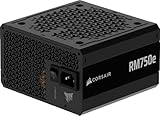
Corsair RM750e
A fully modular 750W unit with ATX 3.1 and PCIe 5.1 support, aimed at quiet operation. It suits a mid-to-high-end gaming build where you want neat cables and room to upgrade.
As an Amazon Associate we earn from qualifying purchases at no extra cost to you.
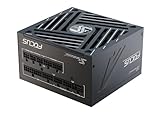
Seasonic Focus GX-750
A fully modular 750W Gold unit from a respected maker. It is a solid choice for a build that values clean wiring and steady power delivery.
MSI MPG A850G
An 850W fully modular unit with a compact body and PCIe 5.0 connectors. It gives plenty of headroom for a power-hungry graphics card.

be quiet! Pure Power 13 M 750W
A 750W modular unit from a brand known for quiet fans. It is a good match for a build where low noise is a priority.

Frequently Asked Questions
Is a fully modular PSU worth it for cable management?
Yes, a fully modular PSU is worth it for cable management, because it lets you plug in only the cables you need, with no extra cables to hide, which gives you a cleaner build, better airflow, and easier installation. A fully modular PSU costs $20 to $40 more than a semi-modular PSU, and $40 to $60 more than a non-modular PSU, but it is worth it if you want a tidy PC, with a windowed case, or if you plan to upgrade your PC in the future. A fully modular PSU also lets you use custom cables, in a specific colour or length, for a cleaner look. For most PC builders in 2026, a fully modular PSU is the best choice for cable management.
What wattage PSU do I need for cable management?
What wattage PSU you need depends on your CPU and graphics card, not on cable management. A PC with a Ryzen 5 or Intel i5 and a RTX 4060 needs about 550W, while a PC with a Ryzen 7 or Intel i7 and a RTX 4070 needs about 750W, and a PC with a RTX 4080 needs about 850W. Choose a PSU with 100W to 150W headroom above your calculated needs, so it runs efficiently and quietly. A 750W fully modular PSU, such as the Corsair RM750e or Seasonic Focus GX-750, is a good choice for most mid-range to high-end gaming PCs, with clean cable management. Use a PSU calculator from Corsair, Seasonic, or PCPartPicker to estimate your exact needs.
Are flat cables better than sleeved cables for cable management?
Flat cables are better than sleeved cables for cable management behind your motherboard tray, because they are thinner, easier to bend, and easier to route through small holes, with less bulk. Sleeved cables look cleaner in a windowed case, because they have a nicer appearance, with individual wires covered in a sleeve, but they are thicker and harder to route. A PSU with flat cables, such as the Corsair RM750e, is a good choice if you want easy cable management, while a PSU with sleeved cables, such as the Corsair RM850x, is a good choice if you want a premium look. Both types are fully modular, so you can choose based on your priorities: flat for easy routing, sleeved for appearance.
Can I use cables from a different modular PSU?
No, you should not use cables from a different modular PSU, even if they look the same, because modular PSU cables are not standardised, and the pinout on the PSU side can be different between brands and even between models from the same brand. Using the wrong cables can damage your components, or it can cause a short circuit and a fire. Always use only the cables that came with your PSU, or use custom cables that are made specifically for your exact PSU model, from a reputable maker such as CableMod, with the correct pinout. If you upgrade your PSU, use the new cables that come with it, and do not reuse old cables.
Related guides
- Best Cheap RAM for Desktop Under 100 in 2026: 7 RAM Kits That Are Fast, Reliable, and Built for Desktops Under $100 Without RAM That Is Too Slow, Too Incompatible, or Too Tall
- Best Budget GPU for Students in 2026: NVIDIA GeForce RTX, AMD Radeon RX, and Intel Arc Cards Chosen by Your Course, Your Power Supply, and a Degree’s Whole Four Years
- Best Webcam for Dark Gaming Rooms in 2026: Low-Light Webcams for Streaming and Gaming
- How to Choose Scanner for PC Photo Scanning in 2026: 6 Top Scanners for PC Photo Scanning, Sharp Photos, and Easy Use
More from Amazon
Programs that pair well with the guide above. Offers and eligibility are set by Amazon and may change.
Free shipping on eligible items, Prime Video and more. Eligible new members can start with a free trial.
Start a Prime free trialAd-free music streaming. Eligible new subscribers can start with a free trial.
Try Music Unlimited freeA Prime membership for ages 18-24 with a trial period. Eligibility is set by Amazon.
See Prime for Young AdultsAudiobooks and podcasts to listen to on the go. Eligible new members can start with a free trial.
Try Audible freeAs an Amazon Associate we earn from qualifying purchases.

Write Your Review
No reviews yet. Be the first to share your experience!