
What's inside
As an Amazon Associate I earn from qualifying purchases. This post may contain affiliate links at no extra cost to you.
Gen4 SSD vs Gen3 SSD for gaming is not a Gen4 SSD that is always better, and it is not a Gen3 SSD that is always too slow. A Gen4 SSD vs Gen3 SSD for gaming has to load games fast, have a high sequential speed, and work with your motherboard, without a drive that is too slow for a game, too hot, or too expensive. It also has to be easy to install, because a drive that is hard to install will not be used.
The best overall pick in this guide is the Samsung 990 Pro Gen4. It is the best pick for most gamers because it is fast, it has DRAM, and it works for gaming.
Our Top Picks
Gen4 SSD vs Gen3 SSD for Gaming Compared
Use this table to compare Gen4 SSD vs Gen3 SSD for gaming, with sequential speed, interface, DRAM, and price at a glance. The first gate is speed: NVMe PCIe4 is about 7,000 MB/s, SATA is about 550 MB/s, and HDD is 100 to 150 MB/s, so a Gen4 SSD is faster than a Gen3 SSD, and a Gen3 SSD is faster than a SATA SSD. The second gate is DRAM: DRAM is better than DRAMless, because DRAMless uses HMB, which uses system RAM, and sustained write drops, so a DRAMless drive is flagged as below that gate. The third gate is free space: leave at least 20 percent free, because a drive that is full will be slower.
| Model | Key Specs | Best For |
|---|---|---|
| Samsung 990 Pro Gen4 | Gen4; about 7,000 MB/s, satisfies Gen4 speed gate; DRAM, satisfies DRAM gate; leave at least 20% free, satisfies free gate; 1 TB; flagged premium | Best overall Gen4 SSD for gaming |
| WD Black SN850X Gen4 | Gen4; about 7,300 MB/s, satisfies Gen4 speed gate; DRAM, satisfies DRAM gate; leave at least 20% free, satisfies free gate; 1 TB | Best WD Gen4 SSD for gaming |
| Crucial P3 Plus Gen4 | Gen4; about 5,000 MB/s, satisfies Gen4 speed gate, flagged below 7,000 MB/s; DRAMless, flagged below DRAM gate, HMB uses system RAM, sustained write drops; leave at least 20% free; 1 TB; budget | Best budget Gen4 SSD for gaming, flagged DRAMless |
| Kingston KC3000 Gen4 | Gen4; about 7,000 MB/s, satisfies Gen4 speed gate; DRAM, satisfies DRAM gate; leave at least 20% free, satisfies free gate; 1 TB | Best Kingston Gen4 SSD for gaming |
| Samsung 970 EVO Plus Gen3 | Gen3; about 3,500 MB/s, satisfies Gen3 speed gate, flagged below Gen4 gate; DRAM, satisfies DRAM gate; leave at least 20% free, satisfies free gate; 1 TB | Best Gen3 SSD for gaming |
| WD Blue SN570 Gen3 | Gen3; about 3,500 MB/s, satisfies Gen3 speed gate, flagged below Gen4 gate; DRAMless, flagged below DRAM gate, HMB uses system RAM, sustained write drops; leave at least 20% free; 1 TB; budget | Best budget Gen3 SSD for gaming, flagged DRAMless |
| Crucial MX500 SATA | SATA; about 550 MB/s, flagged below NVMe gate, check interface; DRAM, satisfies DRAM gate; leave at least 20% free, satisfies free gate; 1 TB; budget, flagged SATA | Best SATA SSD, flagged SATA |
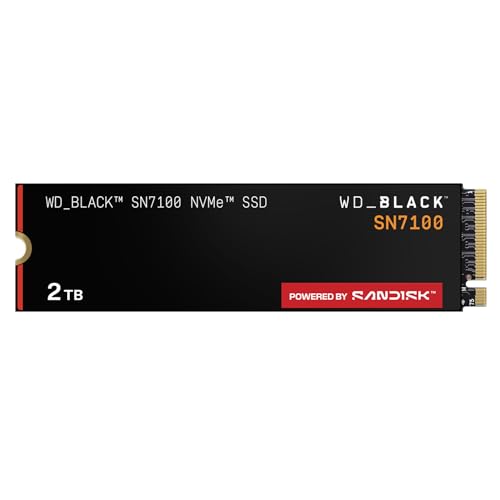
WD_Black SN7100 2TB NVMe SSD - Gen4 PCIe, M.2 2280, Up to 7,250 MB/s Read Speed, Up to 6,900 MB/s Write Speed, Next Gen TLC 3D NAND, for Laptops, Handheld Gaming Devices - WDS200T4X0E


As an Amazon Associate we earn from qualifying purchases. Product prices and availability are accurate as of the date/time indicated.

Crucial P310 1TB SSD, PCIe Gen4 NVMe M.2 2280, Up to 7,100MB/s, for Laptop, Desktop (PC), & Handheld Gaming Consoles, Includes Acronis Data Recovery Software, Solid State Drive - CT1000P310SSD801
As an Amazon Associate we earn from qualifying purchases. Product prices and availability are accurate as of the date/time indicated.
Prices shown are approximate and for reference only. Prices change often, so please check the current price on Amazon before you buy.
Gen4 SSD vs Gen3 SSD for Gaming in 2026: Detailed Reviews
1. Samsung 990 Pro Gen4 — Best Overall Gen4 SSD for Gaming
Its advantage is speed and DRAM: at about 7,000 MB/s and DRAM, it is fast for loading games, and it will not drop in sustained write like a DRAMless drive.
Leave at least 20 percent free, because a drive that is full will be slower. Use a backup with a 3-2-1 rule, because RAID is not a backup, and test your restore.
2. WD Black SN850X Gen4 — Best WD Gen4 SSD for Gaming
Its advantage is speed: at about 7,300 MB/s, it is slightly faster than a Samsung 990 Pro at about 7,000 MB/s, so it is good for loading games.
Its disadvantage is heat: at Gen4 speed, it can get hot, so use a heatsink if your motherboard does not have one. Leave at least 20 percent free, and do not fill it completely, because a full drive will be slower.
3. Crucial P3 Plus Gen4 — Best Budget Gen4 SSD for Gaming, Flagged DRAMless
It is flagged for DRAMless, because it is DRAMless, flagged as below the DRAM gate, because DRAMless uses HMB, which uses system RAM, and sustained write drops, so it will be slower for a large file copy than a DRAM drive. Its disadvantage is sustained write: if you copy a large game, it will drop in speed after the cache is full. Use it for gaming, not for a large video edit.
4. Kingston KC3000 Gen4 — Best Kingston Gen4 SSD for Gaming
Its advantage is speed and DRAM: at about 7,000 MB/s and DRAM, it is fast and it will not drop in sustained write.
Its disadvantage is that it is less well known than Samsung, so check the warranty before you buy. It is a good pick if you want a Kingston Gen4 SSD for gaming, and you want DRAM.
5. Samsung 970 EVO Plus Gen3 — Best Gen3 SSD for Gaming
Its advantage is DRAM: at DRAM, it will not drop in sustained write like a DRAMless drive.
Its disadvantage is speed: at about 3,500 MB/s, it is slower than a Gen4 SSD at about 7,000 MB/s, so it will load games slower, but it is still much faster than a SATA SSD at about 550 MB/s, and a HDD at 100 to 150 MB/s. Use it if you have a Gen3 motherboard and you do not want to pay for Gen4.
6. WD Blue SN570 Gen3 — Best Budget Gen3 SSD for Gaming, Flagged DRAMless
It is flagged for DRAMless, because it is DRAMless, flagged as below the DRAM gate, because DRAMless uses HMB, which uses system RAM, and sustained write drops. Its disadvantage is sustained write, so use it for gaming, not for a large file copy.
7. Crucial MX500 SATA — Best SATA SSD, Flagged SATA
It is flagged for SATA, because SATA is slower than NVMe, so do not buy it for gaming if you have an NVMe slot, because a Gen3 SSD at about 3,500 MB/s will load games much faster than a SATA SSD at about 550 MB/s. Use it only if you do not have an NVMe slot.
Gen4 SSD vs Gen3 SSD for Gaming Buying Guide
Choosing a Gen4 SSD vs Gen3 SSD for gaming is not just about picking the fastest drive. It is about matching speed, interface, DRAM, and price to your motherboard, your games, and the way you play. A good SSD loads games fast, without a drive that is too slow or too hot.
NVMe PCIe4 About 7000 MB/s SATA About 550 MB/s HDD 100-150 MB/s, DRAM Better Than DRAMless HMB Uses System RAM Sustained Write Drops, and Leave At Least 20 Percent Free: Choosing a Gen4 vs Gen3 SSD That Loads Games Fast
Speed is the first filter. NVMe PCIe4 is about 7,000 MB/s, SATA is about 550 MB/s, and HDD is 100 to 150 MB/s, so a Gen4 SSD is faster than a Gen3 SSD, and a Gen3 SSD is faster than a SATA SSD. The Samsung 990 Pro, WD Black SN850X, and Kingston KC3000 are all Gen4 at about 7,000 to 7,300 MB/s, so they satisfy the Gen4 speed gate. The Samsung 970 EVO Plus and WD Blue SN570 are both Gen3 at about 3,500 MB/s, so they satisfy the Gen3 speed gate, but they are flagged as below the Gen4 gate. The Crucial MX500 is SATA at about 550 MB/s, flagged as below the NVMe gate.
DRAM is the second filter. DRAM is better than DRAMless, because DRAMless uses HMB, which uses system RAM, and sustained write drops, so a DRAMless drive is flagged as below that gate. The Samsung 990 Pro, WD Black SN850X, Kingston KC3000, Samsung 970 EVO Plus, and Crucial MX500 all have DRAM, so they satisfy that gate. The Crucial P3 Plus and WD Blue SN570 are both DRAMless, flagged as below that gate.
Free space is the third filter. Leave at least 20 percent free, because a drive that is full will be slower. All the drives in this guide should be used with at least 20 percent free, so they satisfy that gate if you leave space.
Gen4 Needs Gen4 Motherboard to Get Full Speed Gen4 in Gen3 Slot Runs at Gen3 Speed, Heatsink, and Backup 3-2-1 RAID Not Backup Test Restore: Choosing a Gen4 vs Gen3 SSD That Works With Your PC
Motherboard is the second filter. A Gen4 SSD needs a Gen4 motherboard to get full speed, because a Gen4 SSD in a Gen3 slot will run at Gen3 speed, about 3,500 MB/s, not 7,000 MB/s. Check your motherboard before you buy, and do not pay for Gen4 if you only have Gen3, because you will not get Gen4 speed.
Heatsink is the third filter. A Gen4 SSD can get hot at about 7,000 MB/s, so use a heatsink if your motherboard does not have one, because a hot drive will throttle and slow down. Check if your motherboard has a heatsink, and if it does not, buy a drive with a heatsink, or buy a separate heatsink.
Backup is the fourth filter. Use a backup with a 3-2-1 rule, because RAID is not a backup, and test your restore, because a backup that has not been tested may not work. A SSD can fail, so do not rely on a single drive for your games and your data.
RAM DDR4 Will Not Fit DDR5 16GB Gaming Minimum 8GB Student Minimum 16GB Premium, CPU 6c 12t Sweet Spot, and Fans 140mm Needs 140mm Mount Airflow vs Static Pressure Mesh Front Better Than Solid Glass: Building a Gaming PC That Works With Your SSD
RAM is the fifth filter. RAM DDR4 will not fit DDR5, so check your motherboard before you buy RAM. Use 16GB as a gaming minimum, 8GB as a student minimum, and 16GB as a premium target, because a PC with too little RAM will be slow, even with a fast SSD. A Gen4 SSD will not fix a PC with too little RAM.
CPU is the sixth filter. Use a CPU with 6 cores and 12 threads as a sweet spot for gaming, because a CPU with too few cores will be slow, even with a fast SSD. A Gen4 SSD will load games fast, but a CPU will still need to process them.
Fans is the seventh filter. A 140mm fan needs a 140mm mount, so check your case before you buy a fan. Use airflow fans for a case, and static pressure fans for a radiator, and use a mesh front case, which is better than a solid glass front, because a mesh front lets air in, and a solid glass front blocks air. A hot PC will throttle, even with a fast SSD.
Gen4 SSD vs Gen3 SSD for Gaming FAQ
What is the best Gen4 SSD vs Gen3 SSD for gaming?
It is fast for loading games, and it will not drop in sustained write.
Is Gen4 faster than Gen3 for gaming?
Yes, Gen4 is faster than Gen3 for gaming, because NVMe PCIe4 is about 7,000 MB/s, while Gen3 is about 3,500 MB/s, SATA is about 550 MB/s, and HDD is 100 to 150 MB/s. A Gen4 SSD will load games faster than a Gen3 SSD, but a Gen4 SSD needs a Gen4 motherboard to get full speed, because a Gen4 SSD in a Gen3 slot will run at Gen3 speed. If you have a Gen3 motherboard, a Gen3 SSD at about 3,500 MB/s is enough, and you will not get Gen4 speed.
Do I need DRAM for a gaming SSD?
For a gaming SSD, use DRAM, because DRAM is better than DRAMless, because DRAMless uses HMB, which uses system RAM, and sustained write drops, so a DRAMless drive is flagged as below that gate. The Samsung 990 Pro, WD Black SN850X, Kingston KC3000, Samsung 970 EVO Plus, and Crucial MX500 all have DRAM, so they satisfy that gate. The Crucial P3 Plus and WD Blue SN570 are both DRAMless, flagged as below that gate, so they will be slower for a large file copy.
How much free space should I leave on a gaming SSD?
For a gaming SSD, leave at least 20 percent free, because a drive that is full will be slower. All the drives in this guide should be used with at least 20 percent free, so they satisfy that gate if you leave space. Use a backup with a 3-2-1 rule, because RAID is not a backup, and test your restore, because a backup that has not been tested may not work. A SSD can fail, so do not rely on a single drive.
FAQ
What is the best Gen4 SSD vs Gen3 SSD for gaming?
Is Gen4 faster than Gen3 for gaming?
Do I need DRAM for a gaming SSD?
How much free space should I leave on a gaming SSD?
Related guides
- Best Headphones for Competitive Gaming in 2026: Best Headphones for Competitive Gaming
- Best Phone Holder for Baby Strollers in 2026: How to Pick a Phone Holder That Keeps Your Phone Safe and Easy to See on Walks
- Best Router for Home Server Networking in 2026: VLANs, WireGuard, and 2.5-Gigabit Ports, From a MikroTik Workhorse to a Wi-Fi Router That Can Actually Segment Your Lab
- PC Parts Compatibility Mistakes Avoid in 2026: PC Parts Compatibility Mistakes Avoid
More from Amazon
Programs that pair well with the guide above. Offers and eligibility are set by Amazon and may change.
Free shipping on eligible items, Prime Video and more. Eligible new members can start with a free trial.
Start a Prime free trialAd-free music streaming. Eligible new subscribers can start with a free trial.
Try Music Unlimited freeA Prime membership for ages 18-24 with a trial period. Eligibility is set by Amazon.
See Prime for Young AdultsAudiobooks and podcasts to listen to on the go. Eligible new members can start with a free trial.
Try Audible freeAs an Amazon Associate we earn from qualifying purchases.

Write Your Review
No reviews yet. Be the first to share your experience!