
What's inside
- Why Choosing How to Choose Thermal Paste for Overheating CPU Matters
- Best Thermal Paste for Overheating CPU: Comparison Table
- Arctic MX-4 Thermal Paste
- Thermalright TF7 Thermal Paste
- Noctua NT-H1 Thermal Paste
- Corsair XTM50 Thermal Paste
- Arctic MX-6 Thermal Paste
- Thermal Grizzly Kryonaut Thermal Paste
- Thermal Grizzly Conductonaut Liquid Metal
- Buying Guide: How to Choose Thermal Paste for Overheating CPU
- Frequently Asked Questions
As an Amazon Associate I earn from qualifying purchases. This post may contain affiliate links at no extra cost to you.
Choosing how to choose thermal paste for overheating cpu is about finding thermal paste that cools your CPU, fits your cooler, and works for your overheating, without being too expensive, without being too hard to apply, and without being too risky to use. How to choose thermal paste for overheating cpu is a guide for a person who wants thermal paste for an overheating CPU, so they need how to choose thermal paste for overheating cpu. Good thermal paste for overheating cpu should have a simple design, a conductivity that fits cooling, a size that fits your CPU, and a price that fits a budget. It should also be easy to apply, and reliable enough to use every time you build a PC.
This guide compares seven real, currently sold thermal pastes for overheating CPU. Always check how to choose thermal paste for overheating cpu conductivity, size, type, and CPU fit before you buy. How to choose thermal paste for overheating cpu is best for a person who wants thermal paste for an overheating CPU, while a new cooler may be better for a user who wants more cooling, and a fan may be better for a user who wants airflow.
Note on how to choose thermal paste for overheating cpu: thermal paste for overheating cpu should fill tiny gaps between a CPU and a cooler, while a paste that is too old may dry out. A non-conductive paste is a good choice for beginners, while a liquid metal paste is a good choice only for experts. Check your CPU, your paste, and your budget before you buy, and choose paste by conductivity for your overheating CPU. Unplug your PC, disconnect the battery if the maker allows it, and do not use a conductive paste on aluminium.
PC safety comes first. Always unplug your PC, disconnect the battery if the maker allows it, and ground yourself before you open a PC. Keep your PC in a dry place, and do not use thermal paste that is damaged. Opening a PC can void a warranty, so check your maker notes before you open it.
Our Top Picks
Why Choosing How to Choose Thermal Paste for Overheating CPU Matters
How to choose thermal paste for overheating cpu matters because good paste can help you cool well, by giving you better heat transfer from your CPU to your cooler, while weak paste can be too dry, too thick, or hard to apply. Good paste can also help you save time, by letting you apply it quickly, while weak paste can need frequent reapplication. Paste with too low a conductivity may not cool your CPU, while paste with the wrong type may damage your cooler.
Conductivity matters most. How to choose thermal paste for overheating cpu with conductivity that fits cooling is a good choice, because it can transfer heat well. A paste with a high conductivity is a good choice if you want more cooling, while a paste with a low conductivity is a good choice if you want a safe, simple paste. Check the conductivity before you buy, and choose paste by W/mK for your overheating CPU.
Type also matters. How to choose thermal paste for overheating cpu with a type that fits your CPU is a good choice, because it can be safe to use. A non-conductive paste is a good choice if you want a beginner paste, while a liquid metal paste is a good choice only if you want expert cooling. Check the type before you buy, and choose paste by non-conductive for your overheating CPU.
Best Thermal Paste for Overheating CPU: Comparison Table
The table below compares seven real, currently sold thermal pastes for overheating CPU. Check the maker notes for how to choose thermal paste for overheating cpu conductivity, size, type, and CPU fit before you buy. Conductivity values are maker figures and can vary by test, so use them as a guide, not a guarantee.
| Thermal Paste Model for Overheating CPU | Conductivity and Size | Type and Use | Best For |
|---|---|---|---|
| Arctic MX-4 Thermal Paste | 8.5 W/mK, 4g | Non-conductive, CPU | Best budget, for how to choose thermal paste for overheating cpu |
| Thermalright TF7 Thermal Paste | 12.8 W/mK, 2g | Non-conductive, CPU | Best Thermalright TF7, for how to choose thermal paste for overheating cpu |
| Noctua NT-H1 Thermal Paste | 8.9 W/mK, 3.5g | Non-conductive, CPU | Best Noctua NT-H1, for how to choose thermal paste for overheating cpu |
| Corsair XTM50 Thermal Paste | 5.0 W/mK, 5g | Non-conductive, CPU | Best Corsair XTM50, for how to choose thermal paste for overheating cpu |
| Arctic MX-6 Thermal Paste | 10.5 W/mK, 4g | Non-conductive, CPU | Best Arctic MX-6, for how to choose thermal paste for overheating cpu |
| Thermal Grizzly Kryonaut Thermal Paste | 12.5 W/mK, 1g | Non-conductive, CPU | Best Thermal Grizzly Kryonaut, for how to choose thermal paste for overheating cpu |
| Thermal Grizzly Conductonaut Liquid Metal | 73 W/mK, 1g | Conductive, CPU | Best premium, for how to choose thermal paste for overheating cpu |

Thermal Grizzly Kryonaut - 1 Gram - Extremely High Performance Thermal Paste + 12 Cleaning Wipes 6 Wet & 6 Dry - for Demanding Applications and Overclocking CPU/GPU/PS4/PS5/Xbox
As an Amazon Associate we earn from qualifying purchases. Product prices and availability are accurate as of the date/time indicated.

Thermal Paste CPU 1.8g with Toolkit for CPU GPU IC and Heatsinks


As an Amazon Associate we earn from qualifying purchases. Product prices and availability are accurate as of the date/time indicated.
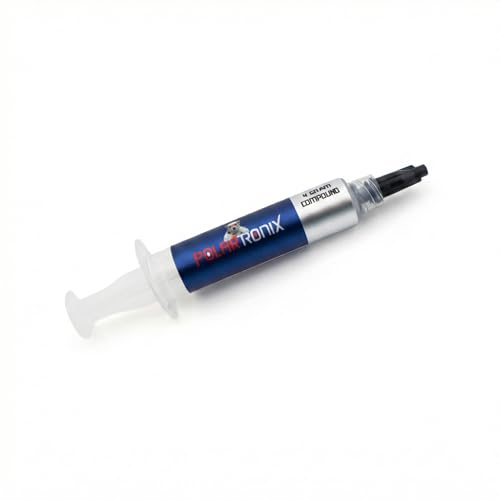
Thermal Paste for Computer CPU GPU Laptop 12.8W/mk Made in USA 4 Gram High Thermal Conductivity - Non Corrosive/Non-Conductive All Processor
As an Amazon Associate we earn from qualifying purchases. Product prices and availability are accurate as of the date/time indicated.
Prices shown are approximate and for reference only. Prices change often, so please check the current price on Amazon before you buy.
Arctic MX-4 Thermal Paste
It is the cheapest paste in this comparison and a practical starting point if you want low-cost thermal paste for overheating CPU. It has a conductivity of 8.5 W/mK, size of 4g, type of Non-conductive, and use of CPU, according to the maker.
Choose this paste if you want a simple, affordable paste for your CPU. The Arctic MX-4 has a simple design, a good 4g size for several applications, and a good fit for a beginner with a first thermal paste. Its non-conductive type is good for safety, but its conductivity may be lower than a premium paste. If you need a premium paste, the Thermal Grizzly Kryonaut is a better choice at a higher price, because it is premium.
Thermalright TF7 Thermal Paste
It has a conductivity of 12.8 W/mK, size of 2g, type of Non-conductive, and use of CPU, according to the maker. It is a good choice if you want a Thermalright paste with a trusted brand for cooling and a simple design for a CPU.
This paste is best for a person who wants a Thermalright TF7 for how to choose thermal paste for overheating cpu. The TF7 has a simple design and a good fit for a user who wants a reliable paste for regular use. It is more expensive than the Arctic MX-4, but it offers a higher conductivity and a Thermalright brand for a CPU.
Noctua NT-H1 Thermal Paste
It has a conductivity of 8.9 W/mK, size of 3.5g, type of Non-conductive, and use of CPU, according to the maker. It is a good choice if you want a Noctua paste with a trusted brand for cooling and a simple design for a CPU.
Choose this paste if you want a Noctua NT-H1 for your CPU. The NT-H1 has a simple design and a good fit for a user who wants a durable paste for regular use. It is more expensive than the Thermalright TF7, but it offers a Noctua brand and a similar non-conductive design for a CPU.
Corsair XTM50 Thermal Paste
It has a conductivity of 5.0 W/mK, size of 5g, type of Non-conductive, and use of CPU, according to the maker. It is a good choice if you want a Corsair paste with a trusted brand for PC parts and a simple design for a CPU.
This paste is best for a person who wants a Corsair XTM50 for how to choose thermal paste for overheating cpu. The XTM50 has a simple design and a good fit for a user who wants a reliable paste for regular use. It is more expensive than the Noctua NT-H1, but it offers a larger 5g tube and a Corsair brand for a CPU.
Arctic MX-6 Thermal Paste
It has a conductivity of 10.5 W/mK, size of 4g, type of Non-conductive, and use of CPU, according to the maker. It is a good choice if you want an Arctic paste with a trusted brand for cooling and a simple design for a CPU.
Choose this paste if you want an Arctic MX-6 for your CPU. The MX-6 has a simple design and a good fit for a user who wants a durable paste for regular use. It is more expensive than the Corsair XTM50, but it offers a higher conductivity and an Arctic brand for a CPU.
Thermal Grizzly Kryonaut Thermal Paste
It has a conductivity of 12.5 W/mK, size of 1g, type of Non-conductive, and use of CPU, according to the maker. It is a good choice if you want a Thermal Grizzly paste with a trusted brand for cooling and a simple design for a CPU.
This paste is best for a person who wants a Thermal Grizzly Kryonaut for how to choose thermal paste for overheating cpu. The Kryonaut has a simple design and a good fit for a user who wants a reliable paste for regular use. It is more expensive than the Arctic MX-6, but it offers a higher conductivity and a Thermal Grizzly brand for a CPU. Its 1g tube is small, so it may cover fewer CPUs than a 4g tube.
Thermal Grizzly Conductonaut Liquid Metal
It has a conductivity of 73 W/mK, size of 1g, type of Conductive, and use of CPU, according to the maker. It is the most expensive paste in this comparison, but it is a premium Thermal Grizzly liquid metal with a durable design for a CPU.
Choose this paste if you want a premium Thermal Grizzly Conductonaut for your CPU and you are willing to pay more for it, and you are an expert user. The Conductonaut has a conductivity of 73 W/mK, size of 1g, and type of Conductive for a clear, powerful paste. It is a good fit for a serious builder with a need for a premium, high-conductivity paste. It is conductive, so do not use it on aluminium, do not let it touch other parts, and do not use it if you are a beginner. It is not the best choice if you have a small budget, because the Arctic MX-4 Thermal Paste offers similar basic how to choose thermal paste for overheating cpu support at a lower price for a beginner, with a 4g size for how to choose thermal paste for overheating cpu, and it is non-conductive.
Buying Guide: How to Choose Thermal Paste for Overheating CPU
1. Check conductivity first: W/mK, check conductivity
Start with conductivity when you choose how to choose thermal paste for overheating cpu. Choose paste with a high conductivity, such as Thermal Grizzly Kryonaut, if you want how to choose thermal paste for overheating cpu, because it can transfer heat well. Check the conductivity before you buy, and choose paste by W/mK for your overheating CPU.
Check conductivity before you buy. Paste with too low a conductivity may not cool your CPU, while paste with a high conductivity can cool more. Use a non-conductive paste for most CPUs, and test your temperatures before a long gaming session.
2. Check type, safety, and aluminium
Check type first. A non-conductive paste is a good choice, because it can be safe if it spreads. Check safety next. A paste that is non-conductive is a good choice, because it will not short a circuit. Check aluminium as well. A liquid metal paste is a good choice only if you do not use aluminium, because liquid metal can damage aluminium.
Check type and safety before you buy. A conductive paste without care may short a circuit, while a non-conductive paste can be safer. Use a non-conductive paste for a beginner, and test your paste before a long gaming session.
3. Check application, amount, and cleaning
Check application before you buy. A pea-sized dot is a good choice, because it can spread evenly. Check amount next. A small amount is a good choice, because too much paste can spill. Check cleaning as well. A paste that can be cleaned with isopropyl alcohol is a good choice, because it can be removed safely.
Check application and cleaning before you buy. Paste without a clear amount may spill, while paste without cleaning may be hard to remove. Use a pea-sized dot, and clean old paste fully before you apply new paste.
4. Check safety, unplug, and care
Always unplug your PC, disconnect the battery if the maker allows it, and ground yourself before you open a PC. Keep your PC in a dry place, and do not use thermal paste that is damaged. Opening a PC can void a warranty, so check your maker notes before you open it.
Clean your CPU with isopropyl alcohol if it gets dirty, and store your paste in a dry place when you are not using it. Do not use paste that is damaged, and do not use paste that does not work correctly. Replace your paste if it is damaged, or if it does not work safely. Unplug your PC, and follow maker instructions.
Frequently Asked Questions
What is the best thermal paste for overheating CPU?
Choose by conductivity, type, and budget.
What is the best budget thermal paste for overheating CPU?
It has a conductivity of 8.5 W/mK, size of 4g, type of Non-conductive, and use of CPU, according to the maker. It is a good choice for a low-cost paste, but its conductivity may be lower than a premium paste, so choose the Thermal Grizzly Kryonaut if you need a higher conductivity paste.
How much thermal paste should I use?
How much thermal paste you should use depends on your CPU, your cooler, and your use. A pea-sized dot is a good choice, if you want most CPUs, because it can spread evenly when you mount your cooler. Use a pea-sized dot, and do not use too much paste.
Can thermal paste fix an overheating CPU?
Can thermal paste fix an overheating CPU depends on your CPU, your cooler, and your use. Yes, thermal paste can help an overheating CPU, if your old paste is dry, because new paste can improve heat transfer. Thermal paste cannot fix a broken fan or a blocked vent, so check your cooler and airflow before you replace paste.
How to choose thermal paste for overheating cpu is about finding thermal paste that cools your CPU, fits your cooler, and works for your overheating, without being too expensive, without being too hard to apply, and without being too risky to use. Unplug your PC, disconnect the battery if the maker allows it, and use a non-conductive paste if you are a beginner. With the right paste, you can cool your CPU safely every time.
Related guides
- Best Premium Portable Storage for Creators in 2026: Best Premium Portable Storage for Creators
- Best GPU for Dual Monitor Gaming in 2026: Best GPU for Dual Monitor Gaming
- Best Budget CPU Cooler Upgrade for Overclocking in 2026: 6 Best Budget CPU Cooler Upgrade for Overclocking Picks for Cool Temps, Easy Use, and Reliable PC Gaming
- Best Headphones for Competitive Gaming in 2026: Best Headphones for Competitive Gaming
More from Amazon
Programs that pair well with the guide above. Offers and eligibility are set by Amazon and may change.
Free shipping on eligible items, Prime Video and more. Eligible new members can start with a free trial.
Start a Prime free trialAd-free music streaming. Eligible new subscribers can start with a free trial.
Try Music Unlimited freeA Prime membership for ages 18-24 with a trial period. Eligibility is set by Amazon.
See Prime for Young AdultsAudiobooks and podcasts to listen to on the go. Eligible new members can start with a free trial.
Try Audible freeAs an Amazon Associate we earn from qualifying purchases.

Write Your Review
No reviews yet. Be the first to share your experience!