
Our Short List of 3

- Best for: A mixed household with five devices across Windows, Mac, Android and iOS.
- Version: Standard, Premium Software
- Devices: 5 devices
- Term: 1 year
- Operating systems: Windows, Mac OS, Android, Apple iOS, Chrome

- Best for: A larger household needing ten seats across PC, Mac, Chromebook, Android and iOS, with a password manager included.
- Version: Antivirus Software 2026, Internet Security Complete
- Devices: 10 devices
- Term: 1 year
- Operating systems: PC, Mac, Chromebook, Android, iOS

- Best for: A Windows household that wants antivirus protection combined with PC maintenance and privacy tools.
- Version: System Mechanic Ultimate Defense
- Devices: Not stated in the Amazon title; confirm the device count on the listing before buying
- Term: Not stated in the Amazon title; confirm the term and renewal terms on the listing before buying
- Operating systems: Windows, per the product details and maker system requirements
All 4 Picks at a Glance
| Product | Specs | Action |
|---|---|---|
| 1. Malwarebytes Standard, Premium Software | 5 Device 1 Year (Windows, Mac OS, Android, Apple iOS, Chrome) [software_key_card] |
| Check price on Amazon |
| 2. Webroot Internet Security Complete | Antivirus Software 2026 | 10 Device | 1 Year Keycard for PC/Mac/Chromebook/Android/IOS + Password Manager, Performance Optimizer | Packaged Version |
| Check price on Amazon |
| 3. iolo – System Mechanic Ultimate Defense Antivirus Software and Malware, Protection & Privacy |
| Check price on Amazon |
 4. McAfee Antivirus 1-Device | Real-Time PC Protection from New and Evolving Threats | AntiVirus Software 2026 for Windows PC | 1-Year Subscription with Auto-Renewal | Key Card |
| Check price on Amazon |
Our Top Picks
What's inside
- Quick Picks
- How to Choose
- 1. Malwarebytes Standard, Premium Software | 5 Device 1 Year (Windows, Mac OS, Android, Apple iOS, Chrome) [software_key_card]
- 2. Webroot Internet Security Complete | Antivirus Software 2026 | 10 Device | 1 Year Keycard for PC/Mac/Chromebook/Android/IOS + Password Manager, Performance Optimizer | Packaged Version
- 3. iolo – System Mechanic Ultimate Defense Antivirus Software and Malware, Protection & Privacy
- 4. McAfee Antivirus 1-Device | Real-Time PC Protection from New and Evolving Threats | AntiVirus Software 2026 for Windows PC | 1-Year Subscription with Auto-Renewal | Key Card
- 5. McAfee LiveSafe Ultimate Protection for Unlimited Devices [Activation Code Only]
- Which One Fits Your Situation
- Common Mistakes
- Frequently Asked Questions
As an Amazon Associate I earn from qualifying purchases. This post may contain affiliate links at no extra cost to you.
Buying antivirus software sounds simple until the household inventory gets in the way. One laptop runs Windows, another runs macOS, a phone runs Android, a tablet runs iOS, and a Chromebook sits in a school bag. A licence that covers a single Windows PC will not stretch across that mix, and a ten-device plan may leave most of its seats empty. The real decision is therefore a matching exercise: count the devices, list their operating systems, check how long the licence lasts, and confirm how the code actually arrives.
This article is for households and solo users who want that matching exercise done in plain language. Each option below was chosen from its Amazon listing title and product details, with the version, device count, operating systems, licence term and delivery form stated where the listing gives them. Where a listing leaves a detail unstated, the article says so rather than filling the gap with a guess.
Quick Picks
As an Amazon Associate we earn from qualifying purchases.
| Product | Best for | Key spec from title |
|---|---|---|
| Malwarebytes Standard, Premium Software | 5 Device 1 Year (Windows, Mac OS, Android, Apple iOS, Chrome) [software_key_card] | A mixed household with five devices across Windows, Mac, Android and iOS | 5 devices, 1 year, software key card |
| Webroot Internet Security Complete | Antivirus Software 2026 | 10 Device | 1 Year Keycard for PC/Mac/Chromebook/Android/IOS + Password Manager, Performance Optimizer | Packaged Version | A larger household needing ten seats plus a password manager | 10 devices, 1 year, 2026, keycard |
| iolo – System Mechanic Ultimate Defense Antivirus Software and Malware, Protection & Privacy | A Windows household that also wants PC maintenance and privacy tools | Antivirus, malware protection, privacy and PC maintenance in one suite |
| McAfee Antivirus 1-Device | Real-Time PC Protection from New and Evolving Threats | AntiVirus Software 2026 for Windows PC | 1-Year Subscription with Auto-Renewal | Key Card | One Windows PC needing core real-time protection | 1 device, 1 year, 2026, key card |
| McAfee LiveSafe Ultimate Protection for Unlimited Devices [Activation Code Only] | A household with more devices than a fixed device count can cover | Unlimited devices, activation code |
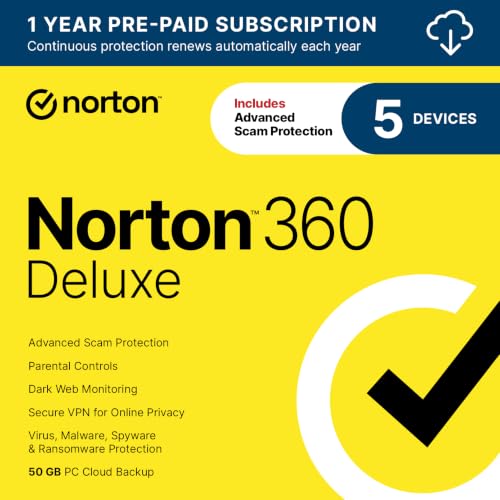
Norton 360 Deluxe 2027 Antivirus, 5 Devices, Auto-Renews [Download] | Includes Scam Protection, Advanced VPN, Dark Web Monitoring, & PC Cloud Backup
As an Amazon Associate we earn from qualifying purchases. Product prices and availability are accurate as of the date/time indicated.

McAfee Total Protection 2027 Antivirus Software for 3 Devices | Auto-Renews | 1-year subscription includes VPN, text, email and video scam protection, identity monitoring and password manager
As an Amazon Associate we earn from qualifying purchases. Product prices and availability are accurate as of the date/time indicated.

Bitdefender Total Security 2027 – Complete Antivirus and Internet Security Suite – 5 Devices | 1 Year Subscription | PC/Mac | Activation Code by Mail



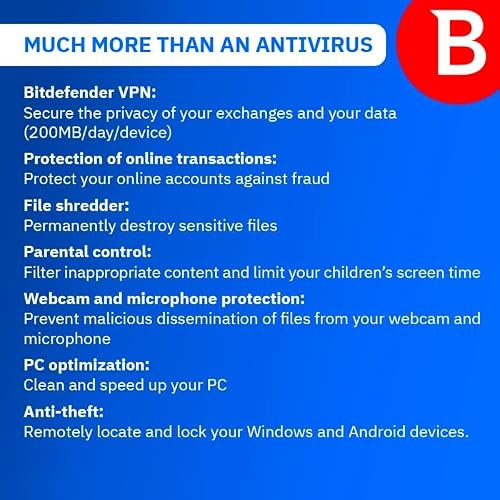

As an Amazon Associate we earn from qualifying purchases. Product prices and availability are accurate as of the date/time indicated.
How to Choose
Count the devices first, then add one
Start with a written list of every device that needs protection, including phones, tablets, laptops and desktops that are used only occasionally. A spare laptop in a drawer still counts if it connects to the internet and holds personal files. Add one spare seat for a replacement device or a guest laptop that may join the household during the licence term. If the total is four, a five-device licence leaves useful headroom; if the total is nine, a ten-device licence is the safer fit. Buying too few seats forces an awkward choice later: leave a device unprotected, buy a second licence, or move protection from one machine to another.
Match the operating systems, not just the brand
A familiar brand name does not guarantee coverage for every system in the home. Some listings cover Windows only, while others list Windows, macOS, Android, iOS and ChromeOS in the same title. Read the operating-system list in the title and product details line by line, and check each family member’s device against it. A Chromebook, for example, needs explicit Chromebook or ChromeOS support, and an older Mac may fall outside the supported macOS versions. When a title says Windows PC only, treat that as a hard limit, even if the brand also sells a broader plan under a different listing.
Read the licence term and the renewal terms together
Most of the listings in this article describe a one-year term, but a one-year term can behave differently depending on the renewal arrangement. A subscription with auto-renewal continues unless the buyer changes the setting, while a key card or activation code may need manual renewal at the end of the term. Before buying, check the listing for the renewal wording, the length of the renewal period, and whether the renewal continues at the same terms. Set a calendar reminder for a few weeks before the expiry date, so the decision to renew, switch or cancel is made deliberately rather than by default.
Pay attention to how the licence arrives
Antivirus software reaches the buyer in several forms, and the form changes what happens on delivery day. A key card is a physical card carrying a code, so it needs a safe place to be kept until activation and cannot be used until it arrives. A download or online code arrives faster and suits a device that needs protection immediately, but the code still needs to be stored securely. An activation code only product follows a similar pattern: the code is entered on the maker’s activation page, then the software is downloaded and installed. Choose the form that fits the timeline, and keep the code somewhere it can be found again.
1. Malwarebytes Standard, Premium Software | 5 Device 1 Year (Windows, Mac OS, Android, Apple iOS, Chrome) [software_key_card]
- Best for: A mixed household with five devices across Windows, Mac, Android and iOS.
- Version: Standard, Premium Software
- Devices: 5 devices
- Term: 1 year
- Operating systems: Windows, Mac OS, Android, Apple iOS, Chrome
A mixed household with five devices across Windows, Mac, Android and iOS.
Count the devices before buying, because a sixth device would need a separate licence or a different plan.
Five seats across five platforms make this Malwarebytes listing a practical fit for a household that does not live on one operating system. A Windows laptop, a Mac, an Android phone, an iPhone and a Chromebook browser can each take one seat, which keeps the maths simple for a family of three or four people. The one-year term gives a clear renewal point, and the key card form means the code arrives on a physical card rather than as a download link. That suits buyers who prefer a tangible code, although it also means the card should be kept somewhere safe until every device is activated.
Watch out for: Count the devices before buying, because a sixth device would need a separate licence or a different plan.
2. Webroot Internet Security Complete | Antivirus Software 2026 | 10 Device | 1 Year Keycard for PC/Mac/Chromebook/Android/IOS + Password Manager, Performance Optimizer | Packaged Version
- Best for: A larger household needing ten seats across PC, Mac, Chromebook, Android and iOS, with a password manager included.
- Version: Antivirus Software 2026, Internet Security Complete
- Devices: 10 devices
- Term: 1 year
- Operating systems: PC, Mac, Chromebook, Android, iOS
A larger household needing ten seats across PC, Mac, Chromebook, Android and iOS, with a password manager included.
Confirm that the password manager and performance optimizer cover the operating systems in the household, since bundled tools do not always support every listed platform.
Ten seats give this Webroot listing room for a larger household, including children with phones, a shared family laptop and a Chromebook used for schoolwork. The 2026 version in the title, the one-year term and the keycard form are all stated plainly, which makes comparison with other listings straightforward. A password manager and a performance optimizer are named in the title as bundled additions, so buyers who already use separate tools for those jobs can weigh whether the bundle simplifies their setup. The packaged version also means a physical keycard is part of the delivery, rather than a download alone.
Watch out for: Confirm that the password manager and performance optimizer cover the operating systems in the household, since bundled tools do not always support every listed platform.
3. iolo – System Mechanic Ultimate Defense Antivirus Software and Malware, Protection & Privacy
- Best for: A Windows household that wants antivirus protection combined with PC maintenance and privacy tools.
- Version: System Mechanic Ultimate Defense
- Devices: Not stated in the Amazon title; confirm the device count on the listing before buying
- Term: Not stated in the Amazon title; confirm the term and renewal terms on the listing before buying
- Operating systems: Windows, per the product details and maker system requirements
A Windows household that wants antivirus protection combined with PC maintenance and privacy tools.
Do not buy this for a Mac, Android or iOS device, and confirm the device count, term and delivery form on the listing first, since the title does not state them.
This iolo listing takes a different approach from the antivirus-only options in this article, combining antivirus and malware protection with PC maintenance and privacy tools in a single suite. That combination fits a Windows household that wants fewer separate programs: one suite handles malware blocking, browsing-history wiping, automated maintenance and data recovery, according to the product details. The trade-off is scope. The listing and the maker’s own system requirements describe a Windows product, so Mac, Android and iOS devices in the same household would need separate protection. Buyers should also confirm the device count on the listing, because the title does not state one.
Watch out for: Do not buy this for a Mac, Android or iOS device, and confirm the device count, term and delivery form on the listing first, since the title does not state them.
4. McAfee Antivirus 1-Device | Real-Time PC Protection from New and Evolving Threats | AntiVirus Software 2026 for Windows PC | 1-Year Subscription with Auto-Renewal | Key Card
- Best for: One Windows PC needing core real-time protection without extra bundled tools.
- Version: AntiVirus Software 2026
- Devices: 1 device
- Term: 1 year, subscription with auto-renewal; check the renewal terms on the listing
- Operating systems: Windows PC
One Windows PC needing core real-time protection without extra bundled tools.
Check the auto-renewal terms on the listing before buying, and remember that a second device would need a separate licence.
One device, one operating system and one year: this McAfee listing is deliberately narrow, and that narrowness is its point. It fits a single Windows PC used for browsing, email, banking and study, where real-time protection against new and evolving threats is the main requirement and extra bundled tools are not. The 2026 version, the one-year subscription and the auto-renewal arrangement are all stated in the title, so there is little ambiguity about what the licence covers. The key card form adds a physical step to activation, and the auto-renewal wording means the buyer should check the renewal terms on the listing before the first year ends.
Watch out for: Check the auto-renewal terms on the listing before buying, and remember that a second device would need a separate licence.
5. McAfee LiveSafe Ultimate Protection for Unlimited Devices [Activation Code Only]
Unlimited devices remove the counting problem that limits the other listings in this article, which is why this McAfee LiveSafe listing fits households where devices keep arriving. Phones, tablets, PCs and Macs are all named in the listing description as covered under one subscription, so a family can add a new laptop or a child’s first phone without buying another licence. The activation code form means a 25-digit code is entered on the maker’s activation page before the software is downloaded and installed. The title does not state a version year or a licence term, so both should be confirmed on the listing before buying.
Specs
- Version: Not stated in the Amazon title; confirm the version on the listing before buying
- Devices: Unlimited devices
- Term: Not stated in the Amazon title; the listing describes a subscription, so check the term and renewal terms on the listing
- Operating systems: PCs, Macs, smartphones and tablets, per the listing description
- Form: Activation Code Only, with a 25-digit activation code
Best for: A household with many devices, including PCs, Macs, smartphones and tablets, that wants one subscription to cover them all.
Watch out for: Confirm the version year and the licence term on the listing before buying, since neither is stated in the title.
Which One Fits Your Situation
One Windows laptop and nothing else
A single Windows laptop used for everyday browsing, email and banking does not need ten seats or a bundle of extra tools. The McAfee Antivirus 1-Device listing fits this situation because it covers one Windows PC for one year, with real-time protection as its stated focus. Before buying, check the auto-renewal terms on the listing, and keep the key card code somewhere safe until the laptop is activated.
A family with Windows, Mac, Android and iOS devices
Mixed households need a licence that names every operating system in the home, not just the most common one. The Malwarebytes Standard listing fits here when the household has five devices or fewer, because its title lists Windows, Mac OS, Android, Apple iOS and Chrome. Count every phone and tablet as well as every computer, and leave one seat spare if a replacement device is likely during the year.
A large household with ten devices and a Chromebook
When the device count reaches eight, nine or ten, a five-device licence will run out before every machine is covered. The Webroot Internet Security Complete listing fits this situation because it covers ten devices, including PC, Mac, Chromebook, Android and iOS, for one year. Its bundled password manager is a useful addition for a household sharing logins, provided the tool supports the devices that need it.
Several Windows PCs that also need a tune-up
A home with several Windows PCs, where slow performance and clutter are as much a concern as malware, needs a different kind of product. The iolo System Mechanic Ultimate Defense listing fits this situation because it combines antivirus and malware protection with PC maintenance and privacy tools in one suite. Confirm the device count, term and delivery form on the listing first, since the title does not state them, and plan separate protection for any Mac or mobile device.
Common Mistakes
- Buying a licence for fewer devices than the household owns, then leaving a phone or spare laptop unprotected.
- Choosing a Windows-only licence for a household that also uses a Mac, an Android phone or an iPhone.
- Ignoring the delivery form, then expecting a download when a key card is on its way, or losing an activation code before it is used.
- Forgetting to check the renewal terms, so a subscription continues or lapses at a moment nobody planned for.
- Assuming bundled tools such as a password manager or performance optimizer work on every operating system the main licence covers.
Frequently Asked Questions
Do I need antivirus software for a Mac as well as a Windows PC?
Yes, in most households the answer is to protect both. Macs face phishing, malicious downloads and unwanted programs even when the operating system differs from Windows. Choose a listing that names macOS or Mac in its operating-system list, count the Mac as one of the licensed devices, and install the software on it rather than assuming the Windows licence extends to it.
How many devices should my licence cover?
Count every computer, phone and tablet that connects to the internet and holds personal information, then add one spare seat for a replacement or a new device. A household with four devices fits a five-device licence, while a household with nine devices needs a ten-device licence or an unlimited-device plan. Recount before renewing, because the household usually grows rather than shrinks.
What is the difference between a key card and a download?
A key card is a physical card carrying an activation code, so it arrives by post and must be kept safe until it is used. A download or online code is delivered electronically and can be used sooner, but the code still needs secure storage. Both forms lead to the same step: entering the code, downloading the software and installing it on each licensed device.
What should I check before renewing an antivirus subscription?
Check the renewal date, whether auto-renewal is switched on, and the terms that apply to the renewal period. Also recount the devices, because a household that has grown may need more seats, and check whether the operating systems have changed. Making those checks a few weeks before expiry leaves time to switch plans without a gap in protection.
Related guides
- Best Standing Desk vs Gaming Desk for PC Gamers in 2026: How to Pick the Right Desk for Gaming, Work, and Long Sessions
- How to Choose Durable SSD Long Term in 2026: How to Choose Durable SSD Long Term
- Best Micro USB Cable for PC Peripherals in 2026: Best Micro USB Cable for PC Peripherals
- Best Printer for PC Gamers in 2026: 6 Printers With Fast Printing, Low Cost Per Page, and a Connection That Works With a PC, for a Gamer Who Prints Guides, Maps, and Posters, Without a Printer That Is Slow, Expensive to Run, or Hard to Connect
More from Amazon
Programs that pair well with the guide above. Offers and eligibility are set by Amazon and may change.
Free shipping on eligible items, Prime Video and more. Eligible new members can start with a free trial.
Start a Prime free trialAd-free music streaming. Eligible new subscribers can start with a free trial.
Try Music Unlimited freeA Prime membership for ages 18-24 with a trial period. Eligibility is set by Amazon.
See Prime for Young AdultsAudiobooks and podcasts to listen to on the go. Eligible new members can start with a free trial.
Try Audible freeAs an Amazon Associate we earn from qualifying purchases.

Write Your Review
No reviews yet. Be the first to share your experience!