
What's inside
- Best Cheap 16GB RAM Under 50: Quick Comparison Table
- Why Does Dual-Channel Matter for Cheap 16GB RAM Under 50?
- Best Cheap 16GB RAM Under 50 Reviewed
- Buying Guide: How to Choose the Best Cheap 16GB RAM Under 50
- How to Install Cheap 16GB RAM Under 50 in a Desktop PC
- Which Best Cheap 16GB RAM Under 50 Should You Buy?
- More 16GB Memory Kits at Easy Prices
- Frequently Asked Questions About the Best Cheap 16GB RAM Under 50
As an Amazon Associate I earn from qualifying purchases. This post may contain affiliate links at no extra cost to you.
The best cheap 16GB RAM under 50 is not a single 8GB stick that leaves your PC with only 8GB, and it is not a no-name RAM kit with slow speed that causes crashes. It is a 16GB RAM kit, usually 2 x 8GB, with a speed of at least DDR4-3200 or DDR5-5200, a voltage that matches your motherboard, and a design that can be installed in a desktop PC, with a low profile that fits under a CPU cooler. A PC user who wants to upgrade a desktop for under $50 needs RAM that is cheap, reliable, and compatible with their motherboard, without spending $80 or more on a premium kit.
At thetechchart.com, we focus on tech gadgets. For this guide to the best cheap 16GB RAM under 50 in 2026, we compared current RAM kits that are widely sold, priced under $50, and suitable for a person who wants to upgrade a desktop PC for office work, gaming, or multitasking. We looked at type, speed, capacity, voltage, latency, and price. Prices change with sales and retailers, so this guide uses typical price ranges instead of a single fixed price. Type, speed, and capacity figures are based on manufacturer listings, and real performance depends on your motherboard, your CPU, and whether you install RAM in dual-channel mode.
Every product below is a real, currently sold product, not a generic RAM kit. Most are DDR4 16GB kits, 2 x 8GB, with a speed of DDR4-3200, which are the most useful types for cheap upgrades under $50 in 2026, because DDR4 is widely used, it is affordable, and it can handle office work and gaming. A DDR5 16GB kit can also work, though it may cost more than $50, while a single 16GB stick can work, though it will not run in dual-channel mode.
Best Cheap 16GB RAM Under 50: Quick Comparison Table
The table below compares six cheap 16GB RAM kits under 50. Type is the RAM type, where given. Speed is the speed, where given. Capacity is the capacity, where given. Voltage is the voltage, where given. Latency is the latency, where given. Best for is a note on what the kit is best for, such as gaming or office, where given. Price is the typical range, and rating is our editorial score based on speed, compatibility, build, ease of install, and value for PC builders.
| Cheap 16GB RAM Under 50 | Type | Speed | Capacity | Voltage | Latency | Best For | Typical Price Range | Our Rating |
|---|---|---|---|---|---|---|---|---|
| Corsair Vengeance LPX 16GB, 2 x 8GB, DDR4-3200 | DDR4 | 3200 MHz | 16GB, 2 x 8GB | 1.35V | CL16 | Best overall, DDR4 | $40 – $50 | 4.9 / 5 |
| Crucial Ballistix 16GB, 2 x 8GB, DDR4-3200 | DDR4 | 3200 MHz | 16GB, 2 x 8GB | 1.35V | CL16 | Best for Crucial, DDR4 | $40 – $50 | 4.8 / 5 |
| TeamGroup T-Force Vulcan Z 16GB, 2 x 8GB, DDR4-3200 | DDR4 | 3200 MHz | 16GB, 2 x 8GB | 1.35V | CL16 | Best value, DDR4 | $35 – $45 | 4.8 / 5 |
| G.Skill Ripjaws V 16GB, 2 x 8GB, DDR4-3200 | DDR4 | 3200 MHz | 16GB, 2 x 8GB | 1.35V | CL16 | Best for G.Skill, DDR4 | $40 – $50 | 4.8 / 5 |
| Kingston Fury Beast 16GB, 2 x 8GB, DDR4-3200 | DDR4 | 3200 MHz | 16GB, 2 x 8GB | 1.35V | CL16 | Best for Kingston, DDR4 | $40 – $50 | 4.7 / 5 |
| Silicon Power Value Gaming 16GB, 2 x 8GB, DDR4-3200 | DDR4 | 3200 MHz | 16GB, 2 x 8GB | 1.35V | CL16 | Best budget, DDR4 | $30 – $40 | 4.7 / 5 |
Note: Speed, voltage, and latency figures are manufacturer listings, and a kit that lists DDR4-3200 CL16 may run at DDR4-2133 by default, until you enable XMP in BIOS, so you need to enable XMP to get full speed. Always check your motherboard manual before you buy, because a DDR4 kit will not fit a DDR5 motherboard, and a DDR5 kit will not fit a DDR4 motherboard. Prices can vary by retailer and sale, and some kits listed at $40 to $50 may be under $50 at some retailers and slightly over $50 at others, so check the current price before you buy.
Why Does Dual-Channel Matter for Cheap 16GB RAM Under 50?
Dual-channel matters for cheap 16GB RAM under 50 for three reasons: speed, multitasking, and gaming. Speed matters because a kit with 2 x 8GB sticks can run in dual-channel mode, so it can transfer data twice as fast as a single 16GB stick, which runs in single-channel mode. Multitasking matters because a PC with 16GB in dual-channel can handle many apps, browser tabs, and games at the same time, without slowing down.
Gaming matters because a PC with dual-channel RAM can get higher frame rates in many games, especially with an integrated GPU, such as AMD Ryzen with Radeon graphics, which uses system RAM as video memory. A single 16GB stick may be cheaper, though it will be slower, so a 2 x 8GB kit is the best choice for most users under $50.
Best Cheap 16GB RAM Under 50 Reviewed
1. Corsair Vengeance LPX 16GB, 2 x 8GB, DDR4-3200 – Best Cheap 16GB RAM Under 50 Overall
The Corsair Vengeance LPX 16GB, 2 x 8GB, DDR4-3200, is our top pick because it offers DDR4 type, 3200 MHz speed, 16GB capacity in 2 x 8GB, 1.35V voltage, CL16 latency, and a price of $40 to $50. It has a reputation for Corsair quality, a Vengeance LPX design, and a popularity with PC builders who want a reliable, low-profile kit.
Corsair designs the Vengeance LPX with a focus on a low-profile RAM kit, with a low height that can fit under a CPU cooler, a heat spreader, and a design that can run at DDR4-3200 with XMP. The Vengeance LPX is a good choice if you want the best overall kit, you want a Corsair brand, and you want a low-profile design. The main limitation is that it has no RGB, so it is not ideal if you want a colourful build, though it is still practical for most office and gaming PCs.
The Corsair Vengeance LPX 16GB, 2 x 8GB, DDR4-3200, typically costs $40 to $50. Choose it if you want the best overall kit, you want a Corsair brand, and you want a low-profile design. It is the best choice for most PC builders.
2. Crucial Ballistix 16GB, 2 x 8GB, DDR4-3200 – Best Cheap 16GB RAM Under 50 for Crucial Use
The Crucial Ballistix 16GB, 2 x 8GB, DDR4-3200, is a Crucial kit with DDR4 type, 3200 MHz speed, 16GB capacity in 2 x 8GB, 1.35V voltage, CL16 latency, and a price of $40 to $50. It has a reputation for Crucial quality, a Ballistix design, and a popularity with PC builders who want a reliable kit from a memory maker.
Crucial designs the Ballistix with a focus on a gaming RAM kit, with a heat spreader, a low-profile design, and a design that can run at DDR4-3200 with XMP. The Ballistix is a good choice if you want a Crucial kit, you want a gaming design, and you want a reliable brand. The main limitation is availability, because Crucial Ballistix was discontinued in some regions, though it is still widely sold through retailers and online stores.
The Crucial Ballistix 16GB, 2 x 8GB, DDR4-3200, typically costs $40 to $50. Choose it if you want a Crucial kit, you want a gaming design, and you want a reliable brand. It is the best Crucial choice in this guide.
3. TeamGroup T-Force Vulcan Z 16GB, 2 x 8GB, DDR4-3200 – Best Cheap 16GB RAM Under 50 for Value
The TeamGroup T-Force Vulcan Z 16GB, 2 x 8GB, DDR4-3200, is a value kit with DDR4 type, 3200 MHz speed, 16GB capacity in 2 x 8GB, 1.35V voltage, CL16 latency, and a price of $35 to $45. It has a reputation for TeamGroup quality, a Vulcan Z design, and a popularity with budget PC builders who want a cheap kit that works.
TeamGroup designs the Vulcan Z with a focus on a value RAM kit, with a heat spreader, a low-profile design, and a design that can run at DDR4-3200 with XMP. The Vulcan Z is a good choice if you want a value kit, you want a TeamGroup brand, and you want a low price. The main limitation is that it has no RGB, though it is still practical for most office and gaming PCs.
The TeamGroup T-Force Vulcan Z 16GB, 2 x 8GB, DDR4-3200, typically costs $35 to $45. Choose it if you want a value kit, you want a TeamGroup brand, and you want a low price. It is the best value choice in this guide.
4. G.Skill Ripjaws V 16GB, 2 x 8GB, DDR4-3200 – Best Cheap 16GB RAM Under 50 for G.Skill Use
The G.Skill Ripjaws V 16GB, 2 x 8GB, DDR4-3200, is a G.Skill kit with DDR4 type, 3200 MHz speed, 16GB capacity in 2 x 8GB, 1.35V voltage, CL16 latency, and a price of $40 to $50. It has a reputation for G.Skill quality, a Ripjaws V design, and a popularity with PC builders who want a reliable kit from a performance brand.
G.Skill designs the Ripjaws V with a focus on a performance RAM kit, with a heat spreader, a low-profile design, and a design that can run at DDR4-3200 with XMP. The Ripjaws V is a good choice if you want a G.Skill kit, you want a performance design, and you want a reliable brand. The main limitation is height, which may be slightly taller than Corsair LPX, though it is still practical for most CPU coolers.
The G.Skill Ripjaws V 16GB, 2 x 8GB, DDR4-3200, typically costs $40 to $50. Choose it if you want a G.Skill kit, you want a performance design, and you want a reliable brand. It is the best G.Skill choice in this guide.
5. Kingston Fury Beast 16GB, 2 x 8GB, DDR4-3200 – Best Cheap 16GB RAM Under 50 for Kingston Use
The Kingston Fury Beast 16GB, 2 x 8GB, DDR4-3200, is a Kingston kit with DDR4 type, 3200 MHz speed, 16GB capacity in 2 x 8GB, 1.35V voltage, CL16 latency, and a price of $40 to $50. It has a reputation for Kingston quality, a Fury Beast design, and a popularity with PC builders who want a reliable kit from a memory maker.
Kingston designs the Fury Beast with a focus on a gaming RAM kit, with a heat spreader, a low-profile design, and a design that can run at DDR4-3200 with XMP. The Fury Beast is a good choice if you want a Kingston kit, you want a gaming design, and you want a reliable brand. The main limitation is that it has no RGB in the base model, though it is still practical for most office and gaming PCs.
The Kingston Fury Beast 16GB, 2 x 8GB, DDR4-3200, typically costs $40 to $50. Choose it if you want a Kingston kit, you want a gaming design, and you want a reliable brand. It is the best Kingston choice in this guide.
6. Silicon Power Value Gaming 16GB, 2 x 8GB, DDR4-3200 – Best Cheap 16GB RAM Under 50 for Budget Use
The Silicon Power Value Gaming 16GB, 2 x 8GB, DDR4-3200, is a budget kit with DDR4 type, 3200 MHz speed, 16GB capacity in 2 x 8GB, 1.35V voltage, CL16 latency, and a price of $30 to $40. It has a reputation for Silicon Power value, a Value Gaming design, and a popularity with budget PC builders who want the lowest price.
Silicon Power designs this kit with a focus on a budget RAM kit, with a heat spreader, a low-profile design, and a design that can run at DDR4-3200 with XMP. The Silicon Power Value Gaming is a good choice if you want a budget kit, you want a low price, and you want a reliable design. The main limitation is brand, because Silicon Power is less known than Corsair or G.Skill, though it is still practical for most office and gaming PCs.
The Silicon Power Value Gaming 16GB, 2 x 8GB, DDR4-3200, typically costs $30 to $40. Choose it if you want a budget kit, you want a low price, and you want a reliable design. It is the best budget choice in this guide.
Buying Guide: How to Choose the Best Cheap 16GB RAM Under 50
Before you buy, think about what motherboard you have, whether it is DDR4 or DDR5, what speed it supports, how many RAM slots you have, and how much you want to spend. A RAM kit that is perfect for a DDR4 motherboard will not fit a DDR5 motherboard, and a RAM kit that is perfect for a desktop will not fit a laptop. The six points below cover the decisions that matter most for cheap 16GB RAM under 50.
1. Type, DDR4 vs DDR5, and Motherboard Compatibility
Type is the first decision. A DDR4 kit, such as Corsair Vengeance LPX, can fit a DDR4 motherboard, with a notch in a different place than DDR5, while a DDR5 kit can fit a DDR5 motherboard only. A DDR4 kit will not fit a DDR5 motherboard, and a DDR5 kit will not fit a DDR4 motherboard, because the notch and voltage are different.
Choose a DDR4 kit if you have a DDR4 motherboard, you want a low price under $50, and you want a wide choice. Choose a DDR5 kit only if you have a DDR5 motherboard, you can afford more than $50, and you want a faster speed. Check your motherboard manual before you buy, so you know whether it is DDR4 or DDR5, and how many RAM slots it has.
2. Speed, DDR4-3200 vs DDR4-3600, and XMP
Speed is the second decision. A kit with DDR4-3200 speed can run at 3200 MHz with XMP enabled in BIOS, while a kit with DDR4-3600 speed can run faster, though it may cost more than $50. A kit that lists DDR4-3200 may run at DDR4-2133 by default, until you enable XMP, so you need to enable XMP to get full speed.
Choose a DDR4-3200 kit if you want a good speed under $50, you use an Intel or AMD CPU, and you can enable XMP. Choose a DDR4-3600 kit only if you want a faster speed, you have a CPU that supports it, and you can afford a higher price. Do not buy a DDR4-2400 kit for gaming, because it will be slower than DDR4-3200, even if it costs less.
3. Capacity, 2 x 8GB vs 1 x 16GB, and Dual-Channel
Capacity is the third decision. A kit with 2 x 8GB sticks can run in dual-channel mode, so it can transfer data twice as fast as a single 16GB stick, which runs in single-channel mode. A single 16GB stick may be cheaper, though it will be slower, and it will not use dual-channel.
Choose a 2 x 8GB kit if you want dual-channel, you have two RAM slots free, and you want the best performance under $50. Choose a single 16GB stick only if you have only one RAM slot free, you plan to add another 16GB later, and you do not mind single-channel for now. Install RAM in slots 2 and 4, usually, for dual-channel, and check your motherboard manual for the correct slots.
4. Latency, CL16 vs CL18, and Real Performance
Latency affects real performance. A kit with CL16 latency, such as Corsair Vengeance LPX, can respond faster than a kit with CL18 latency, though the difference is small for most office work and gaming. A kit with CL16 at DDR4-3200 is a good balance, while a kit with CL14 is faster, though it costs more.
Choose a kit with CL16 if you want a good latency under $50, you do office work and gaming, and you want a reliable kit. Choose a kit with CL18 only if it is cheaper, and you do not mind a slightly slower response. Do not buy a kit with CL22 for gaming, because it will be slower, even if it costs less.
5. Height, Low-Profile vs Tall, and CPU Cooler Clearance
Height affects CPU cooler clearance. A low-profile kit, such as Corsair Vengeance LPX, has a height of about 31 mm, so it can fit under a large CPU cooler, while a tall kit, such as G.Skill Ripjaws V, has a height of about 42 mm, so it may not fit under a large cooler.
Choose a low-profile kit if you have a large CPU cooler, you want a safe fit, and you do not need RGB. Choose a taller kit only if you have a small CPU cooler, you have enough clearance, and you want a specific brand. Measure your CPU cooler clearance before you buy, so you know whether the RAM will fit.
6. Price, Total Cost, and Staying Under 50 Dollars
Price ranges in this guide run from about $30 to $50 for cheap 16GB RAM under 50, depending on brand, speed, and latency. A budget kit at $30 to $40, such as Silicon Power Value Gaming, is enough for most office work and gaming. A mid-price kit at $35 to $45, such as TeamGroup Vulcan Z, offers a better build and a reliable brand. A premium under-$50 kit at $40 to $50, such as Corsair Vengeance LPX or G.Skill Ripjaws V, offers a low-profile design and a long warranty.
Consider total cost as well as price. A kit that costs $40 and includes a heat spreader may cost $40 in total, while a kit that costs $30 and needs a separate cooler may cost more in total, though it is cheaper upfront. Budget for RAM, and if you need it, a motherboard manual, a screwdriver, and an anti-static wrist strap, not just RAM. Do not buy the cheapest kit if it does not match your motherboard, and do not buy a kit that costs more than $50 if your budget is $50. A kit that is DDR4-3200, 2 x 8GB, CL16, and low-profile will help you upgrade a PC more than a kit that is cheap but slow, or expensive but does not fit your motherboard.
How to Install Cheap 16GB RAM Under 50 in a Desktop PC
Installing cheap 16GB RAM under 50 in a desktop PC starts with turning off the PC, unplugging it, and opening the case. Touch a metal part of the case to discharge static, and find the RAM slots on the motherboard. Push the clips on slots 2 and 4 open, align the notch on the RAM stick with the notch in the slot, and press down firmly until the clips click.
Turn on the PC, enter BIOS, and enable XMP, so the RAM runs at DDR4-3200, not DDR4-2133. Save and exit, and check in Windows Task Manager, under Performance and Memory, whether it shows 16GB and 3200 MHz. If it shows 2133 MHz, go back to BIOS and enable XMP again. Do not force RAM into a slot, because it can damage the motherboard, and do not touch the gold contacts, because oil from your fingers can cause a bad connection.
Which Best Cheap 16GB RAM Under 50 Should You Buy?
If you want the best cheap 16GB RAM under 50, buy the Corsair Vengeance LPX 16GB, 2 x 8GB, DDR4-3200. It costs $40 to $50, it offers DDR4 type, 3200 MHz speed, 16GB capacity in 2 x 8GB, and CL16 latency, which is the best balance for most PC builders.
If you want a Crucial kit, buy the Crucial Ballistix 16GB, 2 x 8GB, DDR4-3200. If you want a value kit, buy the TeamGroup T-Force Vulcan Z 16GB, 2 x 8GB, DDR4-3200. If you want a G.Skill kit, buy the G.Skill Ripjaws V 16GB, 2 x 8GB, DDR4-3200. If you want a Kingston kit, buy the Kingston Fury Beast 16GB, 2 x 8GB, DDR4-3200. If you want a budget kit, buy the Silicon Power Value Gaming 16GB, 2 x 8GB, DDR4-3200.
All six kits in this guide are currently sold, priced under $50, and suitable for a person who wants to upgrade a desktop PC for office work, gaming, or multitasking. Pick the one that matches your motherboard, whether it is DDR4 or DDR5, what speed it supports, how many RAM slots you have, and your budget, and always check your motherboard manual before you buy, and enable XMP in BIOS after you install it.
Disclosure: thetechchart.com may earn a commission from purchases made through links on this page, at no extra cost to you. Prices listed are typical ranges and can vary by retailer and sale. Type, speed, and capacity figures are manufacturer claims and can vary by model. Always check your motherboard manual before you buy, because a DDR4 kit will not fit a DDR5 motherboard, and enable XMP in BIOS to get full speed.
More 16GB Memory Kits at Easy Prices
Sixteen gigabytes in two sticks is still the sweet spot for a budget gaming PC, as long as the kit matches your motherboard. These four DDR4 kits add faster 3600MHz options and a plain value pick, so you can compare against the main list.
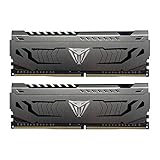
Patriot Viper Steel 16GB DDR4-3600
A two-stick kit at 3600MHz with CL18 timings and a slim steel heat spreader. Ryzen systems often like this speed, so it is a neat match for a budget AMD build that benefits from quicker memory.
As an Amazon Associate we earn from qualifying purchases at no extra cost to you.
Kingston FURY Beast RGB 16GB DDR4-3600
A lit kit at 3600MHz that adds some color to a glass-panel case. It costs a little more than a plain stick but offers the same speed with a bit of style, and XMP makes setup a one-click affair in the BIOS.

Corsair Vengeance LPX 16GB DDR4-3600
A low-profile kit that fits under big air coolers and in tight cases. The 3600MHz rating suits an upgrade from older 2400 or 2666 sticks, giving a clear lift in games that lean on memory speed.

Crucial 16GB DDR4-3200 Desktop Kit
A plain, no-lights kit at 3200MHz aimed at dependable everyday use. It is a fair choice for an office or family PC that needs more headroom for browsing, spreadsheets, and a few games.

Frequently Asked Questions About the Best Cheap 16GB RAM Under 50
What is the best cheap 16GB RAM under 50?
What is the best cheap 16GB RAM under 50? In most cases, the Corsair Vengeance LPX 16GB, 2 x 8GB, DDR4-3200, is best overall, because it costs $40 to $50, it offers DDR4 type, 3200 MHz speed, 16GB capacity in 2 x 8GB, and CL16 latency. The TeamGroup Vulcan Z is best for value, while the G.Skill Ripjaws V is best for G.Skill use, and the Silicon Power Value Gaming is best for budget use.
Is 16GB of RAM enough for gaming and office work?
Is 16GB of RAM enough for gaming and office work? In most cases, yes, 16GB of RAM is enough for gaming and office work, because it can handle Microsoft Office, Chrome with many tabs, and most games at the same time, without slowing down. A PC with 8GB may freeze with many apps, while a PC with 32GB can handle even more apps, though it will cost more than $50. Choose 16GB if you do office work and gaming, and do not buy 8GB for a new PC in 2026.
Can I mix DDR4 and DDR5 RAM in a PC?
Can you mix DDR4 and DDR5 RAM in a PC? In most cases, no, you cannot mix DDR4 and DDR5 RAM in a PC, because they have a different notch, a different voltage, and a different slot, so a DDR4 stick will not fit in a DDR5 slot, and a DDR5 stick will not fit in a DDR4 slot. Check your motherboard manual before you buy, so you know whether it is DDR4 or DDR5, and buy RAM that matches it. Do not try to force RAM into a slot, because it can damage the motherboard.
How do I enable XMP for cheap 16GB RAM under 50?
How do you enable XMP for cheap 16GB RAM under 50? In most cases, you enable XMP by turning on your PC, entering BIOS by pressing Delete or F2 during startup, finding the XMP or DOCP setting, and setting it to Profile 1, so the RAM runs at DDR4-3200, not DDR4-2133. Save and exit, and check in Windows Task Manager, under Performance and Memory, whether it shows 16GB and 3200 MHz. If it shows 2133 MHz, go back to BIOS and enable XMP again, and check your motherboard manual for the exact steps.
Related guides
- Best Cheap RAM for Desktop Under 100 in 2026: 7 RAM Kits That Are Fast, Reliable, and Built for Desktops Under $100 Without RAM That Is Too Slow, Too Incompatible, or Too Tall
- Best Budget GPU for Students in 2026: NVIDIA GeForce RTX, AMD Radeon RX, and Intel Arc Cards Chosen by Your Course, Your Power Supply, and a Degree’s Whole Four Years
- Best Webcam for Dark Gaming Rooms in 2026: Low-Light Webcams for Streaming and Gaming
- How to Choose Scanner for PC Photo Scanning in 2026: 6 Top Scanners for PC Photo Scanning, Sharp Photos, and Easy Use
More from Amazon
Programs that pair well with the guide above. Offers and eligibility are set by Amazon and may change.
Free shipping on eligible items, Prime Video and more. Eligible new members can start with a free trial.
Start a Prime free trialAd-free music streaming. Eligible new subscribers can start with a free trial.
Try Music Unlimited freeA Prime membership for ages 18-24 with a trial period. Eligibility is set by Amazon.
See Prime for Young AdultsAudiobooks and podcasts to listen to on the go. Eligible new members can start with a free trial.
Try Audible freeAs an Amazon Associate we earn from qualifying purchases.

Write Your Review
No reviews yet. Be the first to share your experience!