
What's inside
- Best Premium SSD for Video Editing by Editor and Machine
- Quick Comparison: Best Premium SSD for Video Editing Models
- Detailed Reviews: Best Premium SSD for Video Editing Picks
- Buying Guide: Choosing the Best Premium SSD for Video Editing
- Extra Premium Drives for Video Work
- Frequently Asked Questions About the Best Premium SSD for Video Editing
As an Amazon Associate I earn from qualifying purchases. This post may contain affiliate links at no extra cost to you.
The best premium SSD for video editing is not the drive with the highest number on its box. It is the drive that is still fast at minute forty of a real editing day — copying a card of 4K or 8K footage, writing a cache, exporting a timeline, moving a project between machines — when a lesser drive’s burst speed has been spent and its controller is negotiating with its own heat. Video editing is a storage workload unlike any other in a home or a studio. It is large, sequential, and sustained: files arrive in tens and hundreds of gigabytes, a timeline reads several streams at once while it writes renders and waveforms, and an export can hold a drive at full effort longer than any benchmark a listing quotes. A premium editing SSD therefore earns its adjective in four places a gaming or general drive may never be examined: sustained write performance after its fast cache is exhausted, thermal behaviour under a heatsink, in a laptop, or in an enclosure, endurance rated for the terabytes a working editor will actually write, and a capacity large enough that the drive never approaches full, because an SSD at its brim is slower, shorter-lived, and one card away from a stopped shoot. This article compares the established makers’ real flagship drives — Samsung’s 990 PRO, Western Digital’s WD Black SN850X, Crucial’s T700 and T705 Gen5 parish, SanDisk’s Extreme Pro portable and internal classes, Seagate’s FireCuda 530 parish, and Kingston’s KC3000 and Fury classes — across internal NVMe and portable forms, and it teaches the distinction on which the whole purchase turns: buy the drive whose sustained, cooled, half-empty performance matches your footage, and treat every peak figure in its listing as an advertisement for a second that your export will not remember.
Interface is the first gate, and it must be confirmed for the machine the drive will actually live in, because the fastest SSD in this table is only as fast as the slowest parish it must cross. An internal NVMe drive speaks to a computer through its M.2 slot’s PCIe generation and lane count, in the motherboard’s or laptop’s stated specification: a Gen5 drive in a Gen4 slot is a Gen4 drive at a Gen5 price, and a Gen4 flagship, properly cooled, will serve most editing timelines without ever being their bottleneck. A portable SSD speaks through USB or Thunderbolt in its enclosure’s and the computer’s stated standards, and here the gap between a port’s name and its speed has embarrassed more editors than any other in this category: a drive rated for USB 20Gbps needs a computer port that actually provides it, a Thunderbolt drive needs a Thunderbolt port and cable, and a cable of the wrong parish will halve a copy while looking identical to the right one. An editor should therefore begin with an audit, not a product: the exact slots, generations, ports, and cables of the machines in their workflow, written down, because a premium SSD bought across a parish it cannot use is not a premium purchase. It is a donation to a specification. Form follows the same audit. An internal drive is the fastest and cheapest per terabyte and the least portable. A portable drive in the SanDisk and Samsung pattern is a project that can be handed to a collaborator, carried to a location, and used as a working drive on a laptop whose internal storage is spent. Many professional workflows in this article’s parish own both, deliberately: internal speed for the system, cache, and current timeline, portable capacity for projects in motion, each bought for its own work.
Sustained write is the specification this article exists to defend, and it requires a paragraph of mechanism. A modern SSD writes first into a fast cache — a portion of its cells run in a quicker mode — and a short copy or a benchmark lives entirely inside that cache and reports its speed. A long copy, of the size an editor makes before breakfast, exhausts the cache, and the drive falls to its native write speed, which in a premium drive is a high plateau its controller and its cooling can hold, and in a lesser drive is a slope its owner meets at the worst moment of a deadline. Makers do not all publish that plateau in the same terms, which is why this category must be bought on reputable sustained testing, on a drive’s class and its controller’s parish, and on capacity, because a larger drive generally carries a larger cache and more room to sustain its speed than its smaller sibling of the same line. Heat is sustained speed’s twin: a flagship NVMe under a sustained write generates heat that a motherboard heatsink, a laptop’s thin parish, or a well-designed enclosure must move, or the drive will throttle itself to survive, politely and invisibly, at a fraction of its listing. A premium purchase therefore includes its cooling in the same order — the heatsink version of a drive where a desktop allows it, a laptop’s stated thermal parish respected rather than hoped past, an enclosure with a real thermal path for a portable workhorse — because an uncooled flagship is a sprinter in a marathon’s clothing. Endurance, published as terabytes written in a maker’s terms for the exact capacity, should be read against an editor’s real writes: footage copied, caches generated, exports rendered, projects versioned. A working editor writes more in a year than a general user writes in a machine’s life, and a premium drive’s endurance parish, with its warranty’s years and its TBW together, is the closest thing this category has to a professional promise.
Capacity and workflow complete the purchase, because an editing SSD is a stage, not an archive. Keep a working drive with a clear margin of free space as a standing discipline — a drive allowed to fill will slow, will wear unevenly, and will eventually refuse a copy at a location’s worst hour — and size it for your largest project’s whole parish: its footage, its project files, its cache and renders, and the next project’s arrival before the last one’s archive has been verified. For most editors in this article’s parish that arithmetic lands at 2TB as a working minimum and 4TB as the comfortable professional answer, with smaller drives reserved for a system parish or a light format’s workflow, and with long-term storage living elsewhere, on the slower, larger, backed-up parish a NAS or a drive shelf provides, because an SSD’s speed is wasted on footage nobody is editing and its price per terabyte is a tax on nostalgia. Backup is not a section of this article. It is its condition. No SSD, at any premium, is a backup: a working project should exist, by the evening of every shoot, in at least two places, with one of them not in the same bag as the working drive, and a finished project should be archived and verified before its cards or its working space are cleared, because the finest sustained write in this table cannot recover a project that existed once. This guide compares six real, currently sold premium SSD options for editors: Samsung 990 PRO internal classes, WD Black SN850X internal classes, Crucial T705 and T700 Gen5 classes, SanDisk Extreme Pro portable classes, Seagate FireCuda 530 classes, and Kingston KC3000 classes, each judged on sustained writing under cooling, endurance for a working editor, and agreement with a real machine’s slots and ports.
Best Premium SSD for Video Editing by Editor and Machine
The desktop editor: a Gen4 or Gen5 internal flagship, heatsinked, at 4TB
For an editor whose work lives on a desktop with a current motherboard, the correct purchase is an internal flagship in the Samsung 990 PRO, WD Black SN850X, or Crucial T705 pattern, in the largest capacity the project’s arithmetic argues for, in its heatsink form or under the board’s own heatsink fitted by its maker’s direction. Such an editor should confirm the slot’s generation and lanes before choosing a Gen5 premium, because a Gen4 flagship in a Gen4 slot, sustained and cool, will serve most 4K and much 6K work without ever being the timeline’s complaint, and the money a Gen5 parish costs can be spent, with this article’s blessing, on the capacity that keeps the drive half empty. Let the system and applications live on their own drive or their own parish where a workflow allows, the cache be pointed deliberately at the fastest sustained volume, and the exports be written with a destination in mind, because an editor who manages three locations — system, working, destination — has a workflow, while an editor with one drive has a queue.
The laptop and location editor: a portable flagship, a cable audited, a backup in another bag
An editor who works on a laptop, on location, or between machines should buy a portable flagship in the SanDisk Extreme Pro pattern, sized for a whole trip’s project, with its interface matched, port by port and cable by cable, to the laptop it will serve, and tested at home at its real copy speed before a location depends on it. Such an editor should treat the portable drive as a working stage and not as a vault: copy the day’s cards to it and to a second parish — the laptop, a second drive, a verified upload where a connection honestly supports it — before any card is formatted, and carry the copies in different bags, because location work concentrates every risk this article names into one vehicle, one room, and one tired evening. Their internal laptop drive, where it can be configured at purchase, should be bought with the same capacity honesty as a desktop’s, because a laptop that must offload mid-project has spent its portability on the wrong saving.
The high-resolution and multi-stream editor: sustained speed first, a cache parish, a professional’s margin
An editor working in 8K, in RAW formats in their codecs’ stated demands, or in multi-camera timelines should buy sustained performance before every other figure: the flagship class whose reputable sustained testing holds its plateau, cooled as its installation demands, at a capacity that keeps its largest timeline’s whole parish — footage, cache, renders, exports — inside half its volume. Such an editor should test their actual format, from their actual camera, on a trial or borrowed parish before a season’s purchase where an opportunity allows, because a codec’s demands are a specific conversation between a camera, an editor, and a drive, and no table, including this one, can hold it in general terms. Their premium is the best-spent in this article, because at their data rates a lesser drive’s throttle is not a slower copy. It is a dropped frame in a client review, which is a currency no saving repays.
Quick Comparison: Best Premium SSD for Video Editing Models
| Model | Key Specs | Best For | Typical Price Range | Rating |
|---|---|---|---|---|
| Samsung 990 PRO NVMe Classes (1TB-4TB) | PCIe Gen4 NVMe classes as maker states, sequential figures in maker test terms, endurance and heatsink classes in maker terms, capacity classes | Best premium SSD for video editing overall | $110 – $380 by capacity | 4.7 / 5 |
| WD Black SN850X NVMe Classes (1TB-8TB) | PCIe Gen4 NVMe classes as maker states, sequential figures in maker test terms, endurance and capacity classes in maker terms | Best capacity and sustained value | $120 – $650 by capacity | 4.6 / 5 |
| Crucial T705 and T700 Gen5 Classes (1TB-4TB) | PCIe Gen5 NVMe classes as maker states, sequential figures in maker test terms, heatsink and endurance classes in maker terms | Best Gen5 speed | $150 – $450 by model and capacity | 4.6 / 5 |
| SanDisk Extreme Pro Portable Classes (1TB-8TB) | Portable USB classes as maker states, sequential figures in maker test terms, ruggedness classes in maker terms, capacity classes | Best portable editing drive | $130 – $700 by capacity | 4.5 / 5 |
| Seagate FireCuda 530 Classes (500GB-4TB) | PCIe Gen4 NVMe classes as maker states, sequential and endurance classes in maker terms, heatsink classes | Best endurance parish | $90 – $350 by capacity | 4.5 / 5 |
| Kingston KC3000 Classes (512GB-4TB) | PCIe Gen4 NVMe classes as maker states, sequential figures in maker test terms, endurance classes in maker terms | Best premium alternative | $80 – $320 by capacity | 4.4 / 5 |
PCIe generation and form factor, sequential read and write figures in the maker’s stated test conditions, sustained behaviour and cache design in reputable testing and class terms, endurance as terabytes written and warranty in the maker’s terms for the exact capacity, heatsink provision, and for portables the interface standard and included cable are each maker’s specification for the current exact model and capacity, and a computer’s slot generation, lanes, port standard, and cooling must be confirmed before purchase. Prices are typical street ranges and vary strongly with capacity. Ratings reflect editing suitability: sustained write performance across a large copy, thermal behaviour in a real installation, endurance for a working editor’s writes, capacity parish for a project’s whole life, and value within the premium class.
Detailed Reviews: Best Premium SSD for Video Editing Picks
1. Samsung 990 PRO – Best Overall
Samsung’s 990 PRO classes lead because they combine the premium parish’s whole argument in one drive: flagship sustained performance in its class, an endurance and warranty parish in its maker’s terms an editor can plan by, and a heatsink form for the desktops where it will work hardest. For most editors, it is the first internal drive to price.
Buy its larger capacities where your projects argue, as this article’s capacity counsel directs. A 990 PRO kept half empty and cool will still be fast in its third year of deadlines, and its owner will have learned the premium lesson in its pleasant form: that sustained, in storage, is a synonym for trusted.
2. WD Black SN850X – Best Capacity and Sustained Value
Western Digital’s SN850X classes compete on a flagship’s performance carried into capacities its rivals reach less comfortably, which matters to an editor whose projects are measured in terabytes and whose discipline is a drive kept half empty. For a large library’s working stage, its arithmetic is the most persuasive here.
Let its size be used for margin and not for hoarding, because a big drive filled is a big drive slowed. An SN850X so governed will hold a season’s current work at speed, and its owner, copying a card at a location’s end without a deletion’s anxiety, will know what the capacity was actually for.
3. Crucial T705 and T700 – Best Gen5 Speed
Crucial’s Gen5 classes serve the machine that can actually feed them: a current motherboard with a Gen5 slot and the cooling their parish demands, where their sequential figures in their maker’s terms become a real copy’s experience. For a new workstation built around them, they are the frontier, honestly priced as one.
Confirm the slot and the heatsink before the order, in writing, from your own board’s specification. A T705 so installed will show an editor what the next generation’s copies feel like, and its owner will also learn, in its cooling’s importance, the oldest lesson in this article: that in storage, speed is a thermal achievement before it is an electronic one.
4. SanDisk Extreme Pro Portable – Best Portable
SanDisk’s Extreme Pro portable classes give the travelling editor a working drive in a rugged parish, at an interface speed, in its maker’s terms, that a matched port and cable can turn into a location workflow. For a laptop editor, it is the portable against which others are measured.
Audit its cable and its port at home and carry a spare cable of the correct parish. An Extreme Pro so served will back up a day’s shoot in the time a shower takes, and its owner, formatting a card only after two copies exist in two bags, will be practising the professionalism that clients cannot see and always, eventually, pay for.
5. Seagate FireCuda 530 – Best Endurance Parish
Seagate’s FireCuda 530 classes stand on an endurance and warranty parish in its maker’s terms that suits an editor whose writes are heavy and whose drives are replaced on a plan rather than on a failure. For a studio’s workhorse seats, that promise is a budget line and not a footnote.
Record its installation date and its writes in the studio’s keeping, as a professional parish should. A FireCuda so managed will be retired on evidence at the end of a known life, and a drive retired on evidence, in an editor’s world, is a small monument to every project it never lost.
6. Kingston KC3000 – Best Premium Alternative
Kingston’s KC3000 classes close the table with a flagship-class Gen4 parish at prices that let an editor buy the larger capacity this article keeps recommending instead of the smaller flagship a budget first imagined. For an upgrading editor, that trade — capacity for badge — is often the wisest in this guide.
Let its saving be spent on its heatsink or its enclosure, where its installation needs one. A KC3000 so cooled will sustain a working day that embarrasses dearer drives installed carelessly, and its owner will have learned that in this category, installation is a specification and the careful are the fast.
Buying Guide: Choosing the Best Premium SSD for Video Editing
Audit the machine, buy sustained and cooled, size for half empty
Write down your machines’ exact slots, PCIe generations and lanes, ports and standards, and cooling provision before you choose a drive, and buy only the interface those facts can feed. Choose a premium class whose sustained write behaviour, in reputable testing and its maker’s class terms, holds across a copy the size of your largest card, fit its heatsink or choose its cooled form in the same order, and size it so your largest project’s footage, cache, renders, and exports occupy no more than about half its volume at their peak. Confirm its endurance and warranty for the exact capacity from its maker’s current information, price it per terabyte against its rivals at the capacity you actually need, and include, in the same arithmetic, any enclosure, heatsink, or cable of the correct parish its installation requires, because a premium SSD’s true price is the price of its sustained speed, delivered, in your machine.
Build the workflow: system, working, destination, archive, backup
Give each parish its place where your machines allow: a system drive for the operating system and applications, a working SSD for the current project’s footage and timeline, a cache pointed deliberately at the fastest sustained volume, a destination for exports that does not compete with the timeline’s reads, and an archive, on larger and slower storage, that receives a finished project only after its copy is verified. Back up a working project to a second parish every evening of its life, in a different bag or a different building from the working drive, and never format a card or clear a working drive until two copies exist and at least one has been opened and checked. Keep every drive’s free margin as a monitored habit, move finished work off the fast parish without sentimentality, and record a drive’s age, capacity, and role in a small inventory, because an editor’s storage, unmanaged, becomes a drawer of identical black objects each claiming, in a crisis, to be the one.
Replace on evidence, retire with its projects verified
Watch a working drive’s health in its maker’s and the system’s tools, its free space in your own rhythm, and its sustained behaviour across a season, and replace it on evidence — a health warning, a throttle that cooling cannot answer, a capacity your projects have honestly outgrown — rather than on a failure in a deadline’s week. Migrate its projects with verification, keep the retired drive, wiped or archived by your practice’s and your clients’ requirements, out of the working parish so no tired evening can mistake it for a current copy, and let each replacement re-run this article’s audit, because machines, ports, and formats will have moved while the old drive was being excellent. The best premium SSD for video editing is finally a copy finished, an export sustained, a frame never dropped: a drive bought for its fortieth minute, cooled for its whole life, and kept half empty for its next project — and any drive in this table, bought by that audit, installed by that discipline, and backed up by that rule, will let an editor spend their talent on the timeline rather than on the transfer bar, which is the whole and sufficient promise of premium storage.
Extra Premium Drives for Video Work
Editing 4K and higher footage rewards fast sustained writes and plenty of room. These four give a spread of speed and capacity for a workstation.
Samsung 9100 PRO 2TB
A PCIe 5.0 drive rated up to 14,700 MB/s for reads. It targets editors with a Gen5 slot who move huge files and can give the drive a heatsink and airflow.
As an Amazon Associate we earn from qualifying purchases at no extra cost to you.

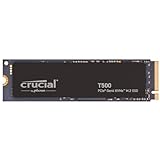
Crucial T500 2TB
A Gen4 drive with strong sequential speeds and TLC flash. It makes sense for a project drive when you want solid performance without chasing the newest interface.
Samsung 990 EVO Plus 2TB
A Gen4 NVMe drive with a good balance of speed and capacity. It works as a scratch or media drive in a workstation where cost matters as well as pace.

WD_Black SN7100 1TB
A newer Gen4 drive from a gaming-focused line. It suits an editor who wants a fast OS or cache drive and plans to keep footage on separate storage.

Frequently Asked Questions About the Best Premium SSD for Video Editing
What is the best premium SSD for video editing?
Samsung’s 990 PRO classes lead this table overall for internal use, with WD’s Black SN850X classes for capacity and sustained value, Crucial’s T705 and T700 classes for a Gen5 machine that can feed them, SanDisk’s Extreme Pro classes as the portable flagship, Seagate’s FireCuda 530 classes for endurance, and Kingston’s KC3000 classes as the premium alternative. The best drive for you must match your machine’s actual slot generation, lanes, port standard, and cooling, confirmed from its specification before purchase, sustain its write speed across a copy the size of your largest card, and be sized so a whole project lives inside about half its volume. Buy the capacity your projects argue for, fit its cooling in the same order, and back it up every evening, because a premium SSD is a stage for work in progress and never its only copy.
Is a Gen5 SSD worth it for video editing, or is Gen4 enough?
For most editors, a premium Gen4 drive, sustained and cooled, is enough, because most timelines are limited by a codec’s decode, an effect, or a processor long before a flagship Gen4 drive’s sequential speed becomes the complaint, and its copies of even large cards complete in minutes a workflow can plan around. A Gen5 drive earns its premium in a machine that can actually feed it — a Gen5 slot with its lanes and cooling confirmed — in the hands of an editor whose work is copies and transfers at a scale where minutes saved daily become hours saved monthly: high-resolution formats, multi-camera ingests, a studio moving projects between seats. It earns nothing in a Gen4 slot, in a thin laptop without its thermal parish, or in a workflow whose bottleneck is elsewhere and unexamined. Audit the machine and the bottleneck first, in that order, and let a Gen5 purchase be the answer to a measured queue rather than to a launch season.
How much SSD capacity does a video editor need?
Enough for the largest project you actually make, counted whole — its footage, its project and cache files, its renders and its exports — to live inside about half the drive, because an SSD kept with that margin sustains its speed, wears evenly, and never refuses a copy at a deadline. Measure one real project’s finished footprint and its mid-edit peak, which are different figures, and buy for the peak multiplied by the number of projects that must coexist before an archive is verified. For many editors that arithmetic lands at 2TB as a working floor and 4TB as the comfortable professional answer, with high-resolution and multi-camera work arguing above it and a light format’s parish honestly below. Archive finished projects to larger, slower, backed-up storage without sentimentality, because premium capacity is for work in motion, and footage at rest on a flagship is rent paid on a warehouse with a racing engine.
Can I edit directly from a portable SSD?
Yes, and in the premium portable parish in this table it is a professional workflow rather than a compromise, provided the whole chain is matched: the drive’s interface, the computer’s port, and the cable all of the standard its speed requires, tested at home on a real copy before a location or a client session depends on it. Keep the project’s backup in a second parish and a different bag, keep the drive’s free margin as you would an internal’s, and be deliberate about where the editing application’s cache lives, because a timeline that reads footage from the portable while writing cache to the same portable is asking one parish to hold two conversations. Eject and carry the drive by its maker’s direction, keep its cable with it and a correct spare in the kit, and a portable working drive will serve a travelling editor as faithfully as any internal — with the one advantage no internal can offer, which is handing the entire project, in one small object, to the next pair of hands.
Related guides
- Best Cheap RAM for Desktop Under 100 in 2026: 7 RAM Kits That Are Fast, Reliable, and Built for Desktops Under $100 Without RAM That Is Too Slow, Too Incompatible, or Too Tall
- Best Budget GPU for Students in 2026: NVIDIA GeForce RTX, AMD Radeon RX, and Intel Arc Cards Chosen by Your Course, Your Power Supply, and a Degree’s Whole Four Years
- Best Webcam for Dark Gaming Rooms in 2026: Low-Light Webcams for Streaming and Gaming
- How to Choose Scanner for PC Photo Scanning in 2026: 6 Top Scanners for PC Photo Scanning, Sharp Photos, and Easy Use
More from Amazon
Programs that pair well with the guide above. Offers and eligibility are set by Amazon and may change.
Free shipping on eligible items, Prime Video and more. Eligible new members can start with a free trial.
Start a Prime free trialAd-free music streaming. Eligible new subscribers can start with a free trial.
Try Music Unlimited freeA Prime membership for ages 18-24 with a trial period. Eligibility is set by Amazon.
See Prime for Young AdultsAudiobooks and podcasts to listen to on the go. Eligible new members can start with a free trial.
Try Audible freeAs an Amazon Associate we earn from qualifying purchases.

Write Your Review
No reviews yet. Be the first to share your experience!