
What's inside
- Best Premium Storage for Video Editing: Sustained Is the Only Speed
- Quick Comparison: Best Premium Storage for Video Editing Models
- Detailed Reviews: Best Premium Storage for Video Editing Picks
- Buying Guide: How to Choose the Best Premium Storage for Video Editing
- Frequently Asked Questions About Best Premium Storage for Video Editing
As an Amazon Associate I earn from qualifying purchases. This post may contain affiliate links at no extra cost to you.
Video editing storage fails in a specific and expensive way: not in the first minute, when every drive in the shop is a hero, but in the fortieth, when a camera card’s full load is still copying, a render is writing to the same volume, and a premium drive’s speed, the figure on its box, quietly becomes a fraction of itself as its cache exhausts and its controller cooks. The best premium storage for video editing is therefore graded by the specifications its marketing mentions last: sustained write speed across a whole card and not a benchmark’s sprint, thermal manners in its enclosure’s design, because a sealed metal shell is a heatsink or an oven depending on its maker’s engineering; the interface’s honest ceiling, Thunderbolt in its stated generations and USB in its, matched to the port the editor’s machine actually offers, since a drive is only ever as fast as the slower of its two ends; endurance in its maker’s stated terms, the terabytes-written figure behind the warranty, because an editing scratch drive writes a consumer drive’s lifetime in a professional season; and the system around the drive, because premium storage for editing is a workflow and not an object: a fast working drive for current projects, in this table’s parish, an archive behind it, and a backup that is not the same device, in the standing rule this site’s storage guides repeat without apology, that a drive, however premium, is one copy, and one copy of a client’s wedding, a documentary’s only interview, or a season’s work is not an archive, it is an anecdote waiting for its ending.
Speed must be read as an editor reads it, in streams and in timelines. A single stream of high-bitrate footage in its camera maker’s stated rates asks a drive for a sustained figure that most modern premium drives clear easily; a multicam timeline asks for several streams at once, at the playhead’s mercy, with effects reading and writing in the same instant; a render or an export writes enormous files continuously, the exact workload that separates a sustained writer from a sprinter; and a card offload on a shoot day, the drive’s most consequential hour, is a race against the next card, the light, and the client’s patience, run at the drive’s sustained figure and its thermal limit together. Interface arithmetic is the audit’s first page: a Thunderbolt drive in its stated generation connected to a machine whose ports speak that generation in its maker’s figures delivers its ceiling, and the same drive on an older or lesser port delivers that port’s, a fact no premium badge amends; a USB drive’s stated class likewise caps at the machine’s USB, and cables, in their makers’ stated ratings, are citizens of the system with votes, a bargain cable throttling a flagship drive to a fraction of itself in a pattern every editor has met exactly once. Buy the drive your ports can feed, cable included, and let the interface’s honesty save the money a badge would have spent.
The products compared here are real, currently sold premium portable and desktop editing drives from LaCie, SanDisk Professional, Samsung, OWC, Angelbird, and Glyph, spanning Thunderbolt generations and USB classes in their makers’ stated patterns, ruggedised field drives and desk-bound speed. They are graded on sustained writing first, across a card’s full load and a render’s full hour; interface honesty second, the match between the drive’s stated class and the machines editors actually own; thermal design third, the enclosure’s behaviour at the fortieth minute; endurance and warranty fourth, stated terabytes and the maker’s service provisions in their terms, including data recovery provisions where the maker offers them, a premium feature of genuine professional weight; ruggedness fifth, drop and water provisions in the makers’ stated ratings for the field rows; and capacity value last, price per terabyte at the capacities editors actually buy, because premium is a discipline and not a blank cheque, and a drive twice the price for a tenth more sustained speed is a badge, not a tool.
Our Top Picks
Best Premium Storage for Video Editing: Sustained Is the Only Speed
Cache, Heat, and the Fortieth Minute
Every fast drive is two drives: the sprinter its cache performs as, for the first portion of a large write, and the citizen its flash and its controller settle into for the remainder, and an editor’s life is lived almost entirely with the second. Cache behaviour in the makers’ designs is rarely printed in the figures a listing repeats, so this guide’s test is the one its readers can run in a returns window and are directed to: copy a full, real camera card, of the size your work actually fills, onto the candidate, and time the whole of it, not its first tenth; then, without a rest, copy a second. A drive whose second card arrives at a pace its first card’s owner would not recognise has filed its true specification, and a drive whose two cards land alike, at a figure its maker states or its reviewers’ sustained tests in their published patterns support, is a professional instrument whatever its box’s headline said. Heat is the cache’s partner in the fortieth minute: a drive writing at its ceiling converts its enclosure into a radiator by physics, and the premium rows in this table earn part of their price in thermal design in their makers’ patterns, shells that shed heat, controllers that manage it without collapsing, and sustained figures measured by their makers, where stated, as sustained and not as theatre.
Endurance is the premium specification an editor feels in the third year. A scratch and shuttle drive’s workload, daily offloads, renders, cache files in the editing application’s own pattern, writes data at a rate that consumes a consumer drive’s stated terabytes-written in a fraction of its warranty, and the premium field answers with higher endurance figures in their makers’ stated terms, warranties in their provisions written for professional use, and, in the SanDisk Professional and LaCie patterns in this table, service and recovery provisions in their makers’ terms that treat a failure as a professional event rather than a consumer’s misfortune. Read the warranty as an editor: its years, its endurance figure, its recovery terms, its advance-replacement manners in its provisions, because a drive that fails in a delivery week is a business event, and its maker’s behaviour in that week is a specification purchased in advance. And keep the system’s rule over all of it, in this guide’s standing words: the working drive is copied, nightly in a working pattern or continuously in its software’s, to a second device that is not its twin in the same bag, because the commonest premium storage disaster in this site’s reading is not a drive’s death but a bag’s, stolen, dropped, or left, containing the drive and its only backup in brotherly proximity.
Field and Desk: Ruggedness, Capacity, and the Working Set
An editing drive’s address decides its armour. The field drive, offloading at a location, riding in a run bag, working off a tailgate, earns the rugged rows in this table, drop and ingress provisions in their makers’ stated ratings, a shell that shrugs the shoot day’s weather and its knocks, and a capacity chosen for the day’s worst case and not its average, because a field drive that fills at the ceremony’s end has failed at its only examination. The desk drive, the ThunderBlade pattern in its line, trades the armour for sustained speed across a working day, capacity for a season’s active projects, and silence, a fan’s absence or manners in its maker’s design being a specification in a room where audio is judged. Between them sits the shuttle pattern, the small flagship that carries a project between the field, the desk, and the client’s office, graded on its sustained manners and its pocket’s diplomacy in equal parts. Capacity is bought by the project’s arithmetic and not by ambition: the working set, current projects with their renders and their headroom, at a fill level below the drive’s stated figure where its flash keeps its manners, because a solid-state drive run habitually at its brim slows and ages as its controller runs out of room to work, a fact the premium buyer honours by buying the next capacity up and running it three-quarters full, in the standing pattern of every professional this guide has read.
The working set’s government completes the system’s design. Projects live on the premium drive by name and by folder discipline, in the editor’s own pattern; camera originals are copied, verified by the copying application’s checksum provisions in its maker’s terms where the workflow offers them, because an offload that is not verified is a hope with a progress bar; the archive, finished projects and their originals, retires to its own slower, larger parish, a desktop array or a network store in its patterns, and the backup, a third copy, lives in a different building in the professional’s pattern or a different bag at the very least in the amateur’s. Premium storage, bought as this guide directs, is the fast parish of that system, and its speed is wasted, this guide will say plainly, on an editor whose originals exist in one place, since the fastest drive in this table restores nothing from a bag that is not there.
Quick Comparison: Best Premium Storage for Video Editing Models
| Model | Interface, Capacities and Key Specs | Best For | Typical Price Range |
|---|---|---|---|
| LaCie Rugged SSD Pro5 | Thunderbolt 5 in LaCie’s line, stated speeds in maker’s figures, capacities in maker’s range, rugged provisions in maker’s stated ratings | Best premium storage for video editing overall | $400 – $750 by capacity |
| SanDisk Professional PRO-G40 | Thunderbolt and USB patterns in SanDisk Professional’s line, stated speeds in maker’s figures, rugged provisions in maker’s stated terms | Best dual-interface field drive | $300 – $550 by capacity |
| Samsung T9 | USB pattern in Samsung’s line, stated speeds in maker’s figures, capacities in maker’s range, enclosure in maker’s design | Best USB premium | $250 – $500 by capacity |
| OWC ThunderBlade | Thunderbolt desktop pattern in OWC’s line, stated speeds and capacities in maker’s figures, enclosure in maker’s design | Best desk working drive | $700 – $1,400 by capacity |
| Angelbird SSD2GO PKT Class | USB pattern in Angelbird’s line, stated speeds in maker’s figures, media-focused provisions in maker’s terms | Best media professional portable | $350 – $650 by capacity |
| Glyph Atom Pro Class | Thunderbolt pattern in Glyph’s line, stated speeds in maker’s figures, rugged enclosure in maker’s design, support provisions in maker’s terms | Best supported Thunderbolt portable | $350 – $600 by capacity |
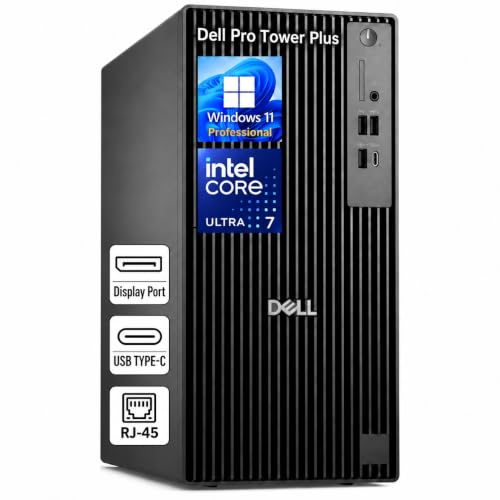
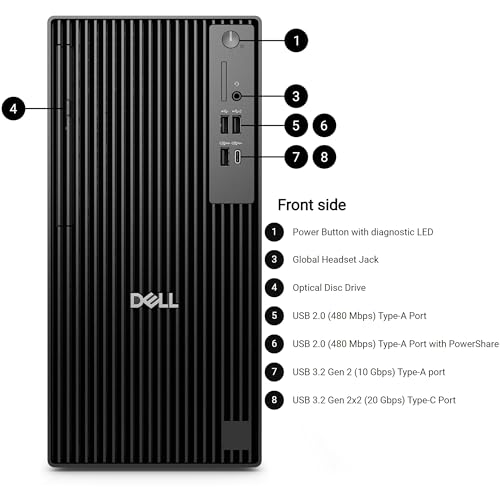
Dell Pro Tower Plus 2026 Ultra 7 DVDRW 32GB DDR5 1TB SSD Desktop Computer | Office 365, Premium Business PC AI Boost Triple 4K DisplayPorts Windows 11 Pro - Remote Home Office Video Editing



As an Amazon Associate we earn from qualifying purchases. Product prices and availability are accurate as of the date/time indicated.

fanxiang 1TB PCIe 5.0 NVMe M.2 SSD,Up to 14000 MB/s,High Performance Solid State Drive for 8K Video Editing, AI Training,Gaming, PC, Laptop





As an Amazon Associate we earn from qualifying purchases. Product prices and availability are accurate as of the date/time indicated.

WD Elements 24TB Desktop Storage - USB 3.0 Compatible - Additional Storage for Photos, Music, Videos and All Other Files - Shockproof - Mechanical Hard Drive - Black


As an Amazon Associate we earn from qualifying purchases. Product prices and availability are accurate as of the date/time indicated.
Prices shown are approximate and for reference only. Prices change often, so please check the current price on Amazon before you buy.
Interface class, stated speeds, capacities, endurance and warranty terms, and rugged ratings are each maker’s stated details for the current version, and a drive’s real speed is capped by the machine’s port and the cable’s stated rating as the guide states. Ratings are editorial for editing: sustained write across full loads, thermal manners, interface honesty, endurance and service provisions, ruggedness for its parish, and capacity value.
Detailed Reviews: Best Premium Storage for Video Editing Picks
1. LaCie Rugged SSD Pro5 – Best Overall
LaCie’s flagship takes the overall rating at the interface’s current ceiling in its line: a Thunderbolt pattern in its stated generation with speeds in its figures to match, in a rugged enclosure in its stated ratings that has made its line the field’s default dress, for the editor whose machine speaks the newest Thunderbolt and whose work happens where drives are dropped. Its sustained manners are its tier’s, proven by the two-card test in this guide as every row should be.
On a machine without its ports, its crown is theoretical, as the guide’s arithmetic states. On one with them, it earns its place outright.
2. OWC ThunderBlade – Best Desk Working Drive
OWC’s blade is the desk’s instrument in its line, a Thunderbolt pattern in its design built for a working day’s sustained traffic at a timeline’s pace, capacities in its range for a season’s active projects, for the editor whose premium need is a working set and not a shuttle. Its parish is the desk and it makes no apology for it, which this guide counts as honesty.
As the desk drive, it stands.
3. SanDisk Professional PRO-G40 – Best Dual-Interface Field Drive
SanDisk Professional’s G40 answers the mixed fleet in its line, Thunderbolt and USB patterns in its design that deliver each machine’s ceiling from one drive, rugged provisions in its stated terms, and a professional line’s service provisions in their terms behind it, for the editor who offloads on their own machine and delivers on a client’s. Its versatility is a specification, bought by working editors for money reasons.
For the two-machine life, it is soundly placed.
4. Samsung T9 – Best USB Premium
Samsung’s T9 carries its line’s flash pedigree to the USB parish in its design, stated speeds in its figures at its interface’s ceiling, an enclosure in its pattern that sheds a day’s heat respectably, for the editor whose machines are USB’s and whose premium is sustained manners and a maker’s scale. It is the honest ceiling of its interface, which is a compliment this guide pays carefully.
As the USB premium, it earns its place.
5. Angelbird SSD2GO – Best Media Professional Portable
Angelbird’s drives are built for the media parish in its line, provisions in its terms written around cameras and their workflows, sustained manners in its figures for the offload’s whole card, for the shooter-editor whose drive and whose media come from the same professional world. Its correspondence with its makers is its owners’ repeated testimony.
For the media professional, it is soundly placed.
6. Glyph Atom Pro – Best Supported Thunderbolt Portable
Glyph’s Atom closes the table with a support argument in its line, a Thunderbolt pattern in its design inside a rugged enclosure in its pattern, with service provisions in its maker’s terms that its professional owners cite as their reason, because a drive in a delivery week is a business relationship and Glyph behaves, by its parish’s account, like a partner in one.
As the supported portable, it completes the table.
Buying Guide: How to Choose the Best Premium Storage for Video Editing
The Editor’s Audit: Ports, Projects, and the Two-Card Test
Write the audit’s five facts before a listing is opened, with the machine itself in front of you. The ports: your editor’s exact Thunderbolt or USB provisions in its maker’s figures, and the cable’s stated rating that will join them, because the system’s speed is the slowest of the three and the audit buys all three as one. The projects: a current working set’s true size, originals, renders, and headroom, from which the capacity is chosen a size up and run at three-quarters, in the professional pattern. The workload’s shape: single streams against multicam, offloads against renders, field against desk, which grades sustained writing and ruggedness in their proper order for your life. The endurance and service terms: the maker’s stated terabytes, warranty years, and recovery provisions, read as a business contract, because in a delivery week that is what they are. And the system: the archive’s parish and the backup’s separate address, named before the premium drive is bought, because speed without a system is a faster way to lose the only copy. Order against the five, from a maker in this table, inside a returns window that contains the two-card test, back to back full offloads timed whole, and a render written at the fortieth minute, because a premium drive is graded by its worst hour and the window is when its worst hour is free.
Spend by the timeline’s priorities, which are the guide’s: sustained write first, the figure your cards and renders actually meet; interface match second, your ports’ ceiling and not the newest badge; thermal design third, the enclosure’s behaviour across an hour; endurance and service fourth, the third year’s insurance; capacity fifth, a size up and three-quarters run; and headline speed last, the sprint its box photographs and your work never sees. Refuse, in the same pass, the category’s two frauds: the benchmark screenshot sold as a working speed, and the single-drive workflow sold as a professional system, because the first misstates a number and the second misstates a risk, and an editor’s clients are paying, in both cases, for the difference.
Keeping the System: Verification, Rotation, and the Separate Backup
Maintain the premium drive as the fast parish of a governed system. Offloads are verified, by the copying application’s checksum provisions in its terms where your workflow offers them, before a card is formatted, and a card is formatted in the camera, after its verification and its backup have both reported, in a liturgy whose order is never improvised on a shoot day. The working drive is copied on its schedule to its backup at a separate address, a different bag at the least, a different building in the professional pattern; its fill is kept near three-quarters, its health read by its maker’s provisions where they are offered, its firmware in its maker’s pattern; and its retirement is planned by its endurance figure and its years, a drive rotated to archive duty before its warranty’s horizon rather than after its first error, because storage, like aircraft, is retired on documents and not on incidents.
Keep the record with the studio’s papers, drives, capacities, purchase dates, endurance and warranty terms, and the projects each holds, so a failure, a theft, or a delivery week’s panic begins from a map. Do that, ports matched, sustained proven, originals verified, backup separate, and the best premium storage for video editing becomes what its buyer actually wanted from the word premium: not a faster box, but a working week in which no card waits, no timeline stutters at its drive’s fault, and no client’s irreplaceable hour exists, ever, in exactly one place.
Frequently Asked Questions About Best Premium Storage for Video Editing
What is the best premium storage for video editing?
LaCie’s Rugged SSD Pro5 for the editor whose machine speaks the newest Thunderbolt, for its interface ceiling, its sustained class, and its field-proven rugged dress, with OWC’s ThunderBlade the desk’s working drive, SanDisk Professional’s PRO-G40 the dual-interface field drive, Samsung’s T9 the USB premium, Angelbird’s SSD2GO the media professional’s portable, and Glyph’s Atom Pro the supported Thunderbolt choice. Fit yours by the editor’s audit in this guide: your machine’s exact ports and a cable of the stated rating to match, since the system’s speed is the slowest of drive, port, and cable; your working set’s true size, bought a capacity up and run three-quarters full; and the two-card test inside the returns window, back-to-back full offloads timed whole, because a premium drive is graded by its sustained fortieth minute and not by its box’s first one.
Is Thunderbolt or USB better for video editing storage?
Thunderbolt where your machine offers it at its stated generation, USB where it does not, and the honest answer is written by your ports and not by a drive’s badge. A Thunderbolt drive in its stated class delivers its interface’s ceiling to a machine whose ports speak the same generation in its maker’s figures, with headroom that multicam timelines, simultaneous renders, and back-to-back offloads spend gratefully; connected to an older or lesser port, it delivers that port’s ceiling, exactly as a USB drive does, because an interface is a road whose limit binds every vehicle on it. A premium USB drive like the table’s T9 is the honest ceiling of its own road, and on a USB machine it is not a compromise but the correct purchase, its money spent on sustained manners and endurance instead of on a badge its ports cannot cash. Audit the machine first, cable included in its stated rating, and let the arithmetic, rather than the aisle, choose the interface.
How much storage does a video editor actually need?
The working set’s true size, bought a capacity up, and the discipline matters more than the figure. Count the projects that must live at editing speed at once, their camera originals, their renders and cache in the application’s own pattern, and a working headroom of a quarter of the drive, because solid-state storage run habitually at its brim slows and ages as its controller runs out of room to work. For many independent editors that arithmetic lands in this table’s middle capacities; for a multicam, high-bitrate, or multi-client practice it lands at its top or on the desk pattern’s larger parish, the ThunderBlade’s, with finished work retiring to a slower archive rather than squatting on the fast drive at archive’s rent. What it never lands on is one drive holding everything in one place: the working drive, the archive, and the backup are three parishes with three addresses, and capacity bought for the fast one is wasted if the other two are the same bag, a sentence this guide prints in every storage article it writes.
Why does my fast drive slow down during long copies?
Because you have met its second personality, and this guide’s two-card test exists to introduce you before the purchase rather than during a shoot day. A large write is served first by the drive’s cache, at the headline speed its box photographs, and then, as the cache fills across a card’s long load, by the flash’s own sustained pace, which on a sprinter can be a fraction of the sprint; heat joins it at the same minute, a controller writing at its ceiling in a sealed shell managing its temperature by slowing, in its design’s provisions, which is physics and not betrayal. A premium drive’s price buys the distance between the two personalities down: larger effective cache behaviour in its design, flash and controller specified for sustained work, an enclosure that sheds the hour’s heat, and endurance figures in its maker’s stated terms written for exactly this workload. Judge any candidate by a full real card copied whole and timed, then a second immediately after, at the capacity you will actually run it, and buy the drive whose second card lands like its first, because that, and not the sprint, is the speed your editing life will be lived at.
Related guides
- Best Soundbar vs Speakers for PC Setups in 2026: Razer, Creative, Edifier, and Kanto Compared for a Desk Measured Before a Format Is Chosen, Nearfield Honesty at Arm’s Length, and a Subwoofer Parish the Neighbours Agree To
- Best Budget Power Supply for Remote Workers in 2026: 6 Quiet, Reliable PSUs for Your Home Office
- Best Console for PC Multiplayer Games in 2026: 6 Handheld PC Consoles With a 7-Inch Display, at Least 16GB RAM, and a Price Range, for PC Multiplayer Games
- Best Phone Case for Beach Lifeguards in 2026: OtterBox, Catalyst, Ghostek, and Pelican Compared for a Sealing Read in the Maker’s Own Documents, a Salt Rinse at Every Shift’s End, and a Phone That Never Pretends to Be the Rescue Radio
More from Amazon
Programs that pair well with the guide above. Offers and eligibility are set by Amazon and may change.
Free shipping on eligible items, Prime Video and more. Eligible new members can start with a free trial.
Start a Prime free trialAd-free music streaming. Eligible new subscribers can start with a free trial.
Try Music Unlimited freeA Prime membership for ages 18-24 with a trial period. Eligibility is set by Amazon.
See Prime for Young AdultsAudiobooks and podcasts to listen to on the go. Eligible new members can start with a free trial.
Try Audible freeAs an Amazon Associate we earn from qualifying purchases.

Write Your Review
No reviews yet. Be the first to share your experience!